
TL;DR:
- Migrating to AWS without a structured plan risks costly failures, including security gaps and downtime. A phased approach with thorough assessment, mobilization, and careful migration minimizes risks, while strategic task lists ensure critical steps are not overlooked. Prioritizing “migrate first, modernize later” allows for faster deployment and iterative improvement, backed by expert guidance and proven case studies.
Migrating to AWS without a structured plan is one of the fastest ways to turn a promising cloud strategy into a costly disaster. Security gaps, surprise downtime, and runaway spending don’t happen because companies lack ambition—they happen because critical planning steps get skipped under deadline pressure. The difference between a migration that saves money and one that burns it often comes down to a systematic checklist and a clear understanding of what can go wrong. Real-world results back this up: eCommerce migrations on AWS have cut infrastructure costs by 58%, reduced deploy times by 83%, and achieved zero-downtime Kubernetes deployments, while fintech clients have seen 70% faster payment processing. This article gives you the full checklist and strategy to get there.
Table of Contents
- Core phases of AWS migration planning
- Checklist of critical migration tasks
- Migration strategies: Rehost, replatform, refactor, and cutovers
- Edge cases and expert migration tips
- Why “migrate first, modernize later” beats perfectionism
- Get help for your AWS migration
- Frequently asked questions
Key Takeaways
| Point | Details |
|---|---|
| Structured phases matter | Following assess, mobilize, and migrate/modernize steps prevents costly missteps and surprises. |
| Checklist minimizes downtime | A detailed task list catches common failure points and speeds safe migration for fintech and eCommerce. |
| Benchmarks highlight ROI | AWS migration can deliver up to 58% cost savings and major performance gains, as shown in industry studies. |
| Phased waves beat big-bang | Migrating workloads in controlled waves enables safer rollbacks and avoids risky all-at-once failures. |
| Expert tips reduce risk | Edge-case detection, rollback rehearsals, and prioritizing fast, minimal moves drive migration success. |
Core phases of AWS migration planning
Every successful migration follows a structured path. AWS prescribes three core phases: Assess, Mobilize, and Migrate and Modernize. Skipping any one of them introduces compounding risk that shows up later at the worst possible time.
The Assess phase is about knowing exactly what you have before you move anything. That means full portfolio discovery, running TCO (total cost of ownership) analysis to compare current infrastructure costs against projected AWS spend, and, critically, hunting for shadow IT. Shadow IT refers to workloads, services, or databases that teams spun up without central IT approval. These undocumented assets are migration landmines. According to AWS migration phases, portfolio discovery and TCO analysis during the Assess phase are non-negotiable foundations for any large-scale migration.
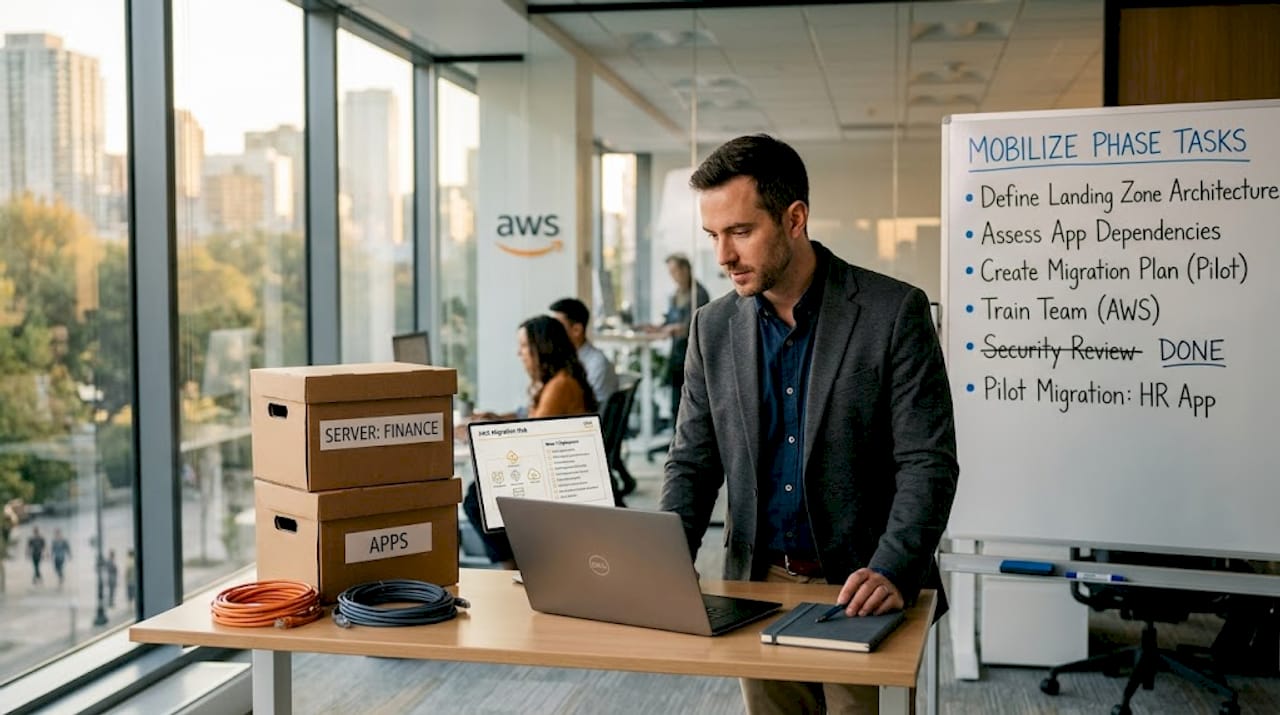
The Mobilize phase is where you build the foundation your migrated workloads will run on. This includes setting up your AWS Landing Zone (a pre-configured, secure multi-account environment), establishing governance policies, and locking in compliance requirements. For fintech companies, this is where PCI DSS controls and data residency rules get mapped to AWS configurations. For eCommerce, it’s where you define your availability targets and disaster recovery tiers.
The Migrate and Modernize phase is execution. You organize workloads into migration waves, ordered by risk and business criticality. Low-risk, non-customer-facing systems go first. High-load, revenue-generating workloads go last, after you’ve refined your process on safer targets.
| Phase | Key tasks | Primary risk if skipped |
|---|---|---|
| Assess | Portfolio discovery, TCO, shadow IT scan | Undiscovered workloads cause cutover failures |
| Mobilize | Landing zone, governance, compliance | Security gaps and cost sprawl from day one |
| Migrate and Modernize | Wave execution, strategy selection | Downtime, failed rollbacks, budget overruns |
Following migration best practices during each phase is what separates a predictable migration from an unpredictable one. For a deeper look at which AWS tools support each stage, the AWS services guide covers the full technical stack in detail.
Pro Tip: Run your shadow IT discovery scan at least twice during the Assess phase—once at the start and once just before Mobilize. Infrastructure changes constantly, and a second scan almost always turns up assets the first one missed.
Checklist of critical migration tasks
With the broad phases understood, the next step is actionable: a task-by-task checklist tailored for mission-critical workloads. This isn’t a theoretical list—every item here corresponds to a real failure mode we’ve seen in eCommerce and fintech environments.
Pre-migration tasks:
- Inventory all workloads, including servers, databases, containerized services, and third-party integrations.
- Classify each workload by business criticality: tier 1 (revenue-generating), tier 2 (operational), tier 3 (non-critical).
- Run shadow IT discovery using AWS Migration Hub or equivalent portfolio analysis tools.
- Perform TCO analysis and project 12-month AWS spend with Reserved Instances and Savings Plans factored in.
- Define your compliance baseline: PCI DSS for payment workloads, HIPAA if applicable, GDPR or CCPA for customer PII.
Infrastructure and security setup:
- Configure your AWS Landing Zone with separate accounts for production, staging, and development environments.
- Set up a secure VPC with private subnets, security groups, and NACLs (network access control lists) aligned to least-privilege principles.
- Enable AWS CloudTrail, AWS Config, and Security Hub from day one, not as an afterthought.
- Define IAM roles and policies for every service, avoiding wildcard permissions entirely.
Migration execution tasks:
- Group workloads into migration waves by risk tier. Tier 3 moves first, tier 1 moves last.
- Set up AWS Database Migration Service (DMS) for database transfers and monitor replication lag continuously throughout the cutover window.
- Plan and document reverse replication so databases can roll back to the source if a critical issue surfaces post-cutover.
- Timebox your cutover window. If a blocking issue isn’t resolved within two hours, initiate rollback rather than extending the window indefinitely.
- Conduct at least two full migration rehearsals on non-production systems before touching tier 1 workloads.
Rehearsals deserve special attention. They’re not just dry runs; they’re the moment you discover AWS migration nuances that no checklist can predict in advance. Test your rollback procedure during rehearsals, not for the first time during a live cutover. A managed secure migration framework builds rehearsal cycles directly into the project timeline.
For teams transitioning from on-premises infrastructure, the path from legacy to cloud requires extra attention to dependency mapping. Legacy applications often have undocumented database calls, hardcoded IP addresses, and tight integrations that only surface during testing.
A useful external reference for configuring your hosting environment before cutover is this secure hosting checklist, which covers foundational security steps that translate well to pre-migration server hardening.
Pro Tip: For every task in your checklist, assign a named owner and a specific completion deadline. Ambiguous ownership is the single most common reason checklist items get skipped under project pressure.
Migration strategies: Rehost, replatform, refactor, and cutovers
After identifying migration tasks, choosing the right strategy is essential. The strategy you pick determines cost, timeline, risk exposure, and long-term infrastructure health.
Rehost (lift-and-shift) moves workloads to AWS with no code changes. It’s the fastest path, and it accounts for roughly 70% of workloads in most large-scale migrations. Rehost is ideal when your primary goal is getting off aging hardware quickly and capturing baseline AWS cost savings. You won’t get all the cloud-native benefits upfront, but you’ll be on the platform and able to modernize later from a stable foundation.
Replatform involves making targeted optimizations during the migration, such as moving from self-managed MySQL to Amazon RDS, or shifting from an on-premises message queue to Amazon SQS. The workload isn’t rewritten, but you’re swapping out a component for a better-managed AWS service. This middle path delivers meaningful efficiency gains without the full cost of refactoring.
Refactor means redesigning and re-architecting workloads to be cloud-native. Breaking a monolithic eCommerce platform into microservices on ECS or EKS is a refactor. It’s the highest-effort strategy but delivers the highest long-term return on investment. Most companies refactor only their most performance-sensitive or cost-intensive workloads, not their entire portfolio at once.
| Strategy | Effort | Speed | Long-term optimization | Best for |
|---|---|---|---|---|
| Rehost | Low | Fast | Limited | Quick wins, bulk migrations |
| Replatform | Medium | Moderate | Good | Targeted improvements |
| Refactor | High | Slow | Excellent | Core revenue workloads |
On the cutover approach, phased migration (waves) is almost always better for complex, high-load eCommerce and fintech environments. Big-bang cutovers work only for small, simple systems with low risk. For anything mission-critical, phased waves give you the ability to course-correct between each group before committing the next tier.
The real-world numbers reinforce this. E-commerce AWS migrations have delivered 58% cost reductions and zero-downtime EKS deployments, while retail environments scaled to 10 times normal traffic capacity after migration. Fintech platforms achieved 70% faster payment processing. These aren’t edge cases—they reflect what happens when strategy matches workload type.
For a broader view of how companies apply these strategies in practice, the AWS migration case studies show patterns across industries. If controlling spend is a priority alongside performance, the migration cost reduction guide offers concrete levers you can pull before, during, and after cutover.
A helpful external resource for IT leaders thinking through performance planning before cutover is this performance guide for IT leaders, which covers capacity and latency planning fundamentals.
Edge cases and expert migration tips
With major strategies understood, attention turns to hidden issues and expert shortcuts. These are the scenarios that experienced migration teams know to watch for—and that first-timers almost always underestimate.
Shadow IT surfaces mid-migration. Even after a thorough Assess phase, new shadow IT can appear during execution. Development teams provision test databases, marketing spins up a CMS instance, or an API gateway gets added without a change ticket. Run periodic discovery scans throughout the migration, not just at the start. AWS Migration Hub Refactor Spaces and AWS Config Rules can detect new resources in real time.
Replication lag can invalidate your cutover window. When migrating databases with AWS DMS, replication lag is the gap between your source and target database. If lag spikes during a high-traffic period, your cutover data may be stale. Monitor lag metrics on a dashboard during the entire cutover window and set automated alerts at specific thresholds. Plan for reverse replication as your primary database rollback mechanism.
The two-hour timebox rule. During cutover, unexpected issues will appear. The rule is simple: if your team cannot resolve a blocking issue within two hours, trigger rollback immediately rather than extending the window. Extended windows increase customer impact, exhaust the team, and create compounding errors. Set this rule in writing before the cutover starts and make sure all stakeholders agree to it in advance.
Compliance gaps in payment and PII workloads. Fintech and eCommerce platforms handling payments must validate that their AWS architecture satisfies PCI DSS scope requirements post-migration. This includes network segmentation, encryption in transit and at rest, access logging, and tokenization for cardholder data. Don’t assume your compliance posture transfers automatically—validate it specifically in the new environment.
“Test rollbacks during rehearsals and timebox fixes to avoid extended outages. If an issue isn’t resolved within the cutover window, initiate rollback as your default safeguard.”
For teams considering digital transformation beyond simple migration, building rollback discipline and shadow IT controls into the foundation makes future changes far safer. Additional guidance on enterprise-grade access and security configuration is available in this enterprise VPS setup reference and this secure cloud hosting compliance resource.
Pro Tip: Add a dedicated rollback scenario to every migration rehearsal. Run the rollback as if it were a real event, not just a theoretical exercise. Teams that have practiced rollback under simulated pressure execute it far more cleanly when it counts.
Why “migrate first, modernize later” beats perfectionism
Here’s the perspective that often gets left out of migration guides: the biggest risk in a complex AWS migration isn’t moving too fast. It’s moving too slowly while trying to build the perfect target architecture.
We’ve seen this pattern repeatedly across eCommerce and fintech engagements. A team spends months designing an ideal microservices architecture before migrating a single workload. Then business requirements shift, a new compliance rule lands, or a key engineer leaves. All that planning effort either gets discarded or becomes a constraint that forces bad decisions downstream.
The AWS prescriptive guidance is explicit on this point: prioritizing “migrate first, modernize later” for time-sensitive large-scale migrations aligns timelines and enables fail-fast learning on real infrastructure rather than theoretical plans. You learn more from your first rehosted production workload running on AWS than from three months of architecture diagrams.
The practical implication is simple. Migrate your workloads in waves, using rehost or light replatform strategies for the bulk of the portfolio. Get everything running on AWS in a stable, secure state. Then plan your modernization sprints in the months following cutover, informed by actual performance data, real cost metrics, and genuine operational experience on the platform.
This approach also keeps your business agile. When you modernize iteratively after migration, you can prioritize the changes that deliver the most ROI first, informed by what you see in production. The teams that pursue big-bang refactors before cutover often end up over-engineering solutions for problems that don’t actually exist at scale. For a closer look at what happens after you land on AWS, the cloud infrastructure optimization guide covers the post-migration tuning cycle in depth.
Pro Tip: Document your architecture as-is at cutover, then plan modernization sprints for three, six, and twelve months post-migration. Treat modernization as a product roadmap, not a migration deliverable.
Get help for your AWS migration
Migrating complex, high-load environments to AWS demands more than a checklist—it requires execution depth, proven architecture patterns, and a team that has seen every edge case before. The gap between a smooth migration and a costly one is rarely about intent. It’s about experience.

At awsmigrationservices.com, we take full ownership of your migration from infrastructure audit through post-cutover optimization. As an AWS Advanced Tier Partner with 700+ completed projects, we bring seamless migration best practices to every engagement, covering security, compliance, and cost efficiency from day one. Whether you need rehost speed or long-term refactor ROI, our cost optimization strategies ensure you’re not paying for more than you need, at any stage of the journey.
Frequently asked questions
What are the biggest risks during AWS migration?
Security lapses, shadow IT discovered mid-migration, and unplanned downtime are the top risks; proactive discovery scanning and strict cutover timeboxing keep these under control.
How do phased migrations reduce downtime?
Phased migrations split workloads into waves ordered by risk, so each group can be validated and rolled back independently; this approach, defined in AWS migration phases, significantly reduces blast radius if something goes wrong.
What benchmarks show migration ROI?
E-commerce migrations on AWS have cut costs by 58% and deploy time by 83%, while fintech platforms have seen up to 70% faster payment processing post-migration.
Should you rehost or refactor during migration?
Rehosting suits the bulk of workloads for speed and simplicity; refactoring delivers long-term optimization but demands significantly more upfront effort and should be reserved for your highest-value workloads.
How do you handle rollback if migration fails?
Test rollbacks in rehearsals before the live cutover, set a firm two-hour resolution window, and trigger rollback immediately if the issue isn’t resolved rather than extending downtime hoping for a fix.