
TL;DR:
- Wrong migration strategy choices lead to security gaps, downtime, and cost overruns that impact organizations for years. Proper preparation, workload mapping, stakeholder validation, and phased waves mitigate risks and ensure effective cloud migrations. Flexibility to adjust strategies mid-project and stakeholder involvement are crucial for successful, compliant, and cost-efficient outcomes.
Wrong migration strategy choices cost companies far more than delayed timelines. They create security gaps, unexpected downtime, and cost overruns that follow your organization for years. Knowing how to choose migration strategy correctly, before a single workload moves, separates migrations that deliver real ROI from those that turn into expensive recovery projects. This guide walks IT decision-makers and business leaders through preparation, execution, and verification — giving you a repeatable framework for confident, workload-level strategy selection.
Table of Contents
- Key takeaways
- How to choose migration strategy: start with preparation
- Mapping workloads to strategies
- Planning migration waves to reduce risk
- Managing risk during execution
- My honest take on migration strategy selection
- Ready to put your strategy into practice?
- FAQ
Key takeaways
| Point | Details |
|---|---|
| Inventory before deciding | Complete workload discovery uncovers hidden dependencies that change your strategy choices entirely. |
| Match strategy to workload | Applying a single migration approach across all workloads is the most common and costly mistake. |
| Validate with stakeholders | Strategy choice is a governance decision requiring business and technical sign-off, not just IT convenience. |
| Plan waves, not big bangs | Grouping workloads into sequenced waves reduces risk and creates natural rollback checkpoints. |
| Build in adaptability | 71% of organizations shift strategy mid-project, so your governance model must accommodate change without derailing execution. |
How to choose migration strategy: start with preparation
You cannot select a migration method for workloads you have not fully mapped. That sounds obvious. Yet most failed migrations trace back to incomplete discovery work done in the weeks before cutover rather than before strategy selection.
Start with a complete workload inventory. Every application, database, integration point, and dependency needs to be cataloged. The goal is not just a list of servers. You need to understand how each workload communicates, what it depends on, and what happens downstream if it goes offline for 30 minutes. Workload dependencies must be mapped to avoid service disruption and to group workloads conservatively when criticality is uncertain.
Define your business drivers before touching technical criteria. Are you migrating to exit a data center by a fixed date? Reduce infrastructure spend? Improve application performance? Each driver pulls you toward different migration approaches. Migration strategies must align with business drivers, team skills, integration complexity, and compliance requirements.
Once your drivers are clear, translate them into technical constraints:
- Compliance and security: Which workloads carry regulated data (PCI DSS, HIPAA, SOC 2)? These constrain your architecture choices before anything else.
- Operational readiness: Does your team have the skills to manage a refactored cloud-native application, or does a rehost buy you time to build that capability?
- Downtime tolerance: Is a maintenance window acceptable, or does the workload require near-zero downtime migration?
- Integration complexity: Workloads with deep on-premises integrations often require a replatform or refactor before they can function correctly in the cloud.
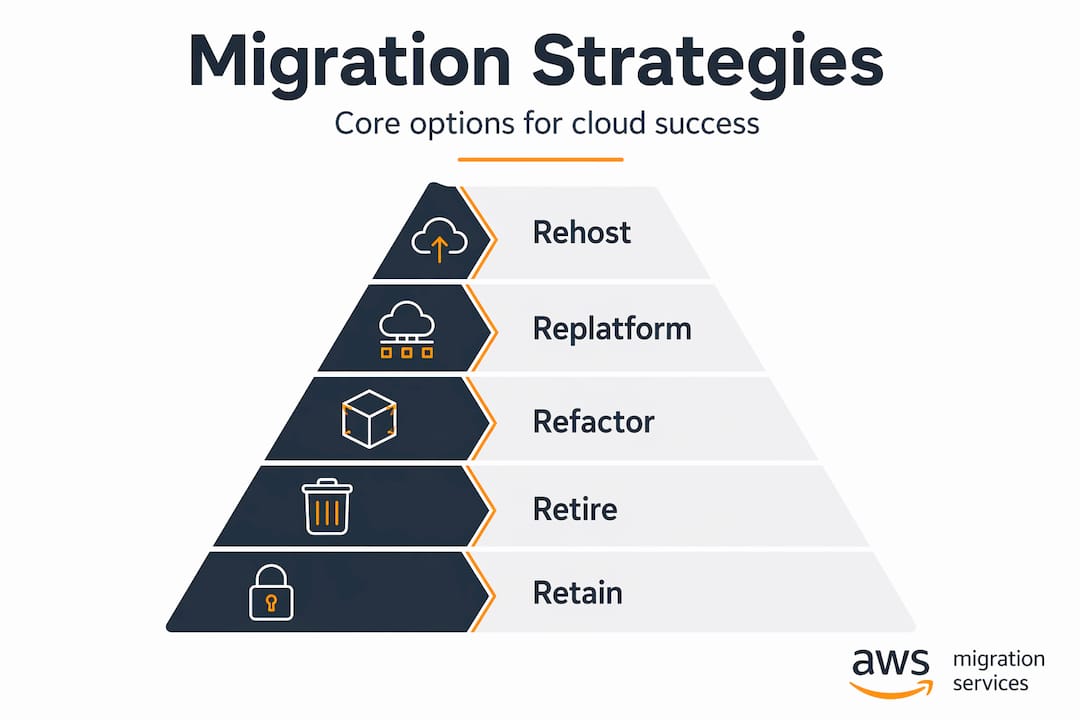
The “Rs” — rehost, replatform, refactor, retire, and retain — represent your core migration strategy selection options. Here is a quick comparison to anchor your thinking:
| Strategy | Speed | Cost | Modernization | Best for |
|---|---|---|---|---|
| Rehost (lift and shift) | Fast | Low | None | Data center exit, low-risk workloads |
| Replatform | Moderate | Medium | Partial | Apps needing managed services |
| Refactor | Slow | High | Full | Business-critical, high-ROI apps |
| Retire | Immediate | Negative cost | N/A | Redundant or unused systems |
| Retain | N/A | N/A | N/A | Workloads not yet ready to move |
Pro Tip: Never start a migration strategy selection without a dependency map. A single undiscovered integration can force an emergency rehost of something you planned to refactor, wasting weeks of architecture work.
Mapping workloads to strategies
With your inventory complete and criteria defined, you move into the actual migration strategy selection process. The key shift here is thinking workload by workload rather than portfolio wide.
Microsoft’s approach recommends assigning candidate strategies to each workload individually, then filtering out options that conflict with your predefined compliance, security, or operational constraints. What remains after filtering is your validated strategy list for that workload.
Here is a practical process for executing this step:
- List all candidate strategies for each workload based on technical fit. A workload running on a standard Linux VM with no custom dependencies is a candidate for rehost, replatform, or refactor. All three are initially valid.
- Apply your constraints filter. If the workload processes payment data, your compliance constraint eliminates any architecture that does not meet PCI DSS requirements. That may rule out certain refactor paths that would take too long to certify.
- Score remaining options against your business drivers. Speed to cloud? Rehost wins. Long-term cost reduction? Refactor may win despite higher upfront cost.
- Assign a primary and a fallback strategy for each workload. This protects you when assumptions prove wrong during execution.
- Validate with stakeholders. Your infrastructure team, security team, business owners, and compliance officers each need to confirm the selected strategy does not conflict with their requirements.
- Document the rationale. Not just the decision, but why you made it. This is critical when AWS recommends splitting migrations into assess, mobilize, and migrate stages. Your rationale documentation becomes the foundation for each stage gate review.
Pro Tip: When a workload has competing pressures (a tight deadline pushing toward rehost, but technical debt pushing toward refactor), do a time-boxed refactor scoping session first. If the refactor scope balloons beyond two sprints, rehost it now and schedule the refactor as a post-migration modernization project.
Planning migration waves to reduce risk
Once strategies are assigned per workload, sequencing determines how risk accumulates across the project. Poor sequencing means a failure in week three can cascade into six weeks of recovery. Smart wave planning prevents that.
Google Cloud recommends grouping workloads into migration waves based on complexity, business value, and dependencies, with each wave carrying its own rollback strategy and alerting plan. The logic is straightforward: you want to build operational confidence before you touch anything business-critical.
A practical wave structure for most enterprise migrations looks like this:
- Wave 1 (proving wave): Low-risk, low-dependency workloads. Dev environments, internal tools, retired-but-not-yet-decommissioned systems. The goal is to validate your tooling, runbooks, and team readiness, not to move production revenue.
- Wave 2 (moderate complexity): Workloads with some dependencies but acceptable downtime windows. You apply lessons from Wave 1 here.
- Wave 3 and beyond: Business-critical, high-complexity, or compliance-sensitive workloads. By this point, your team has real migration experience and your runbooks have been tested under real conditions.
Here is how to structure risk assessment within each wave:
| Wave element | What to define |
|---|---|
| Rollback criteria | Specific metrics that trigger a rollback (error rate, latency threshold, data integrity check) |
| Rollback authority | Named individual with explicit authority to call the rollback, no committee required |
| Safety net duration | How long the source environment stays live after cutover before decommissioning |
| Go/no-go checkpoints | Pre-cutover tests that must pass before the wave proceeds |
Large enterprise migrations benefit specifically from using Wave 1 as a proving loop for hidden dependencies. Every assumption you made during inventory gets stress-tested against reality. Dependencies you missed show up here, when the cost of discovery is low.
Managing risk during execution
Choosing your strategy is the planning work. Managing it through execution is where migrations actually succeed or fail. Two decisions define your operational risk posture during execution: your cutover approach and your readiness to change strategy when new information arrives.
Cutover approach selection is fundamentally a risk acceptance decision. Downtime migration is simpler to execute and works for noncritical workloads where a maintenance window is acceptable. Near-zero downtime migration requires continuous replication, pre-production testing under realistic conditions, and verified network readiness before you can safely execute it. Choosing near-zero downtime without the infrastructure to support continuous replication is one of the most common execution failures in cloud projects.

Cutover strategies are risk-acceptance models. Successful teams define rollback metrics, rollback authority, safety net duration, and go/no-go checkpoints explicitly before cutover begins. Leaving any of these undefined is not agility, it is exposure.
Strategy adjustment mid-project is not a failure. It is normal. The 2026 Natuvion study found that 71% of organizations change their migration strategy mid-project due to new compliance rules, legacy complexities, and evolving business models. Your governance model needs explicit acceptance gates for strategy changes, not a process that treats every pivot as an exception requiring emergency approvals.
“Flexible governance with acceptance gates is critical since strategy often changes mid-migration due to new data and compliance realities.”
Pro Tip: Build a “strategy change request” template into your governance documentation before the migration starts. When a workload’s reality differs from its inventory profile, your team should be able to propose and approve a strategy change in hours, not weeks.
The three signals that tell you a strategy change is warranted:
- Discovery of undocumented integrations that make the current approach technically unviable
- Compliance review feedback that eliminates the selected architecture
- Performance testing revealing the target architecture cannot meet SLA requirements
My honest take on migration strategy selection
I’ve worked through enough migrations to say with confidence that the biggest risk is not choosing the wrong strategy. It’s choosing a strategy too broadly and then refusing to revisit it.
What I’ve seen consistently is that teams do solid inventory work, assign strategies at the portfolio level, and then treat those assignments as fixed commitments. The first wave proves them wrong on at least two or three workloads. That’s not a failure of preparation. It’s just the reality of complex systems with years of undocumented change behind them.
The organizations that migrate well treat the first wave as a learning exercise, not a production deadline. They expect the wave to surface surprises. They have a process to update strategy assignments quickly when it does. The organizations that struggle are the ones that built their project timeline around the assumption that Wave 1 will go exactly as planned.
Stakeholder involvement also matters more than most technical teams expect. I’ve watched technically sound strategies get blocked at the compliance review stage because the security team was not consulted during selection. Getting security, legal, and business owners to review strategy assignments early, not at the gate review, is the single change that most reduces late-stage surprises.
The other thing I’d push back on: the idea that refactor is always the long-term right answer. Sometimes rehost is the permanent answer. If a workload is stable, rarely changes, and does not justify the engineering cost of refactoring, running it as a rehosted VM in AWS indefinitely is a completely legitimate outcome. Don’t let architectural idealism drive up project costs on workloads that simply don’t warrant it.
— Oleksandr
Ready to put your strategy into practice?
Planning how to choose migration strategy is the foundation. Executing it without downtime, compliance gaps, or cost overruns requires experienced hands across the full migration lifecycle.

Awsmigrationservices brings 700+ completed AWS migrations and AWS Advanced Tier Partner status to your project. The team covers every stage from infrastructure audit and strategy selection through hands-on implementation and post-migration optimization. Whether your environment calls for rehost, replatform, or refactor, Awsmigrationservices takes full ownership of execution and outcomes. For eCommerce and fintech organizations where downtime and compliance gaps translate directly to lost revenue, that execution depth matters. Visit Awsmigrationservices to discuss your migration scope and get a clear, risk-managed path forward.
FAQ
How do you choose the right migration strategy?
Start with a full workload inventory, define your business drivers and technical constraints, then assign candidate strategies per workload and filter out options that conflict with compliance, security, or operational requirements. Validate the final selection with both technical and business stakeholders before committing.
What are the main factors for migration strategy selection?
The primary factors include business drivers (cost reduction, speed, performance), compliance and security requirements, workload dependency complexity, team skills, and downtime tolerance. Microsoft’s Cloud Adoption Framework connects strategy choice to measurable business value and organizational priorities.
How many migration waves should a typical project have?
Most enterprise migrations use three or more waves, starting with a low-risk proving wave to validate tooling and uncover hidden dependencies, followed by progressively more complex and business-critical workloads. The exact number depends on portfolio size and risk appetite.
Can you change migration strategy mid-project?
Yes, and it is common. Research from 2026 shows 71% of organizations shift strategy during execution due to compliance changes, legacy complexity, or evolving business needs. Building a formal strategy change process into your governance model before the project starts is the best way to handle this without derailing timelines.
What is the difference between rehost and replatform?
Rehost (lift and shift) moves a workload to the cloud with no architectural changes, making it fast and low-cost but leaving technical debt in place. Replatform makes targeted changes to take advantage of cloud-managed services (such as moving to a managed database) without a full application redesign.