
TL;DR:
- AWS scalability allows cloud infrastructure to automatically adjust resources based on demand, preventing outages and reducing costs. Building stateless, loosely coupled systems with Auto Scaling Groups, serverless functions, and diversified Spot Instances enables efficient horizontal scaling during migration. Proactive monitoring and design principles are essential to ensure cost-effective, resilient, and scalable AWS environments.
AWS scalability is defined as the ability of your cloud infrastructure to automatically adjust compute, storage, and network resources in response to demand, without manual intervention. Knowing how to enhance scalability on AWS separates teams that absorb traffic spikes gracefully from those that face outages and runaway costs. The core tools are Auto Scaling Groups, AWS Lambda, Spot Instances, Elastic Load Balancing, Amazon SQS, and Amazon ElastiCache. Get these right during a cloud migration and you build a system that grows with your business instead of against it.
What AWS services enable scalability?
Auto Scaling Groups are the foundation of AWS infrastructure scaling. Each group is built from three components: a launch template, scaling policy, and health check that together automate instance management. Target tracking policies are the most practical choice. You set a desired metric, such as 60% CPU utilization, and the group scales in or out automatically to maintain it.

AWS Lambda extends scaling into the serverless model. Lambda functions scale per request with no server management required. Concurrency controls let you cap execution to protect downstream services from being overwhelmed during sudden spikes.
Elastic Load Balancing distributes incoming traffic across healthy instances in multiple Availability Zones. It works directly with Auto Scaling Groups to route requests only to instances that pass health checks. This combination removes single points of failure at the traffic entry layer.
Spot Instances fill the burst capacity role. They run the same workloads as On-Demand instances at a fraction of the cost, making them ideal for stateless, interruptible tasks like batch processing or background jobs.
- Auto Scaling Groups: automate instance count based on real-time metrics
- AWS Lambda: scales per invocation with configurable concurrency limits
- Elastic Load Balancing: routes traffic to healthy instances across Availability Zones
- Spot Instances: provide low-cost burst capacity for fault-tolerant workloads
- Amazon ElastiCache: offloads read traffic from databases to in-memory caches
- Amazon SQS: decouples producers and consumers to absorb traffic bursts asynchronously
Pro Tip: Set your Auto Scaling Group’s minimum capacity to at least two instances across two Availability Zones. This prevents a single instance failure from taking down your entire service before the scaling policy triggers a replacement.
How to architect AWS systems for horizontal scalability
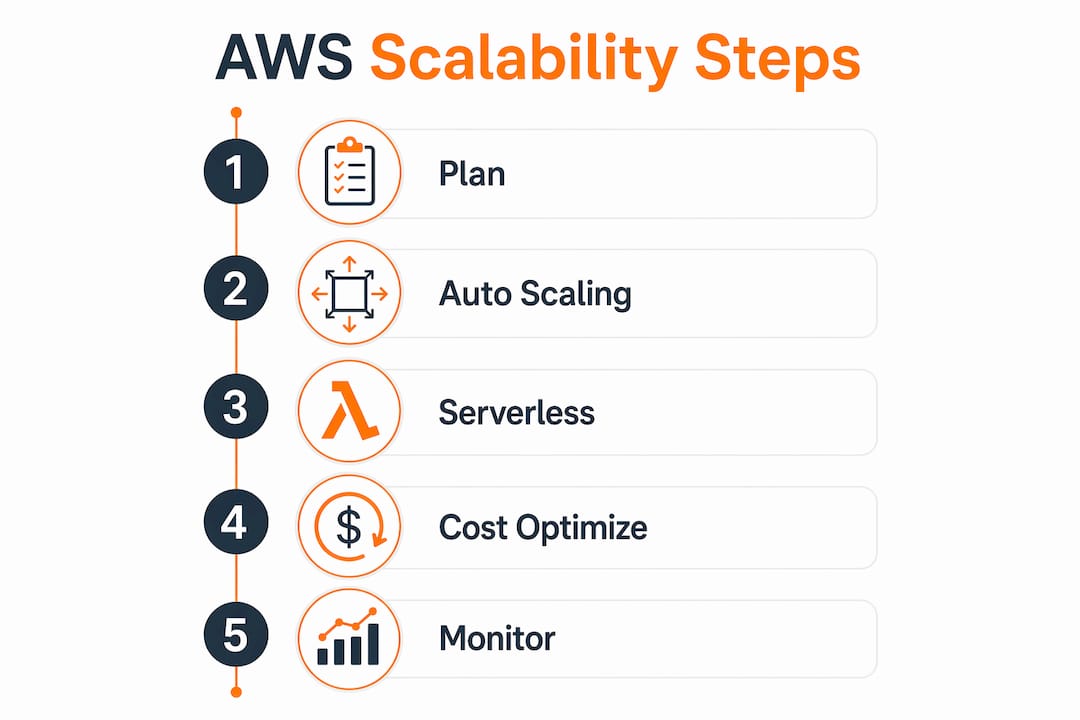
Horizontal scaling outperforms vertical scaling for growth because it adds instances rather than resizing a single server. Vertical scaling hits a hard ceiling and creates a single point of failure. Horizontal scaling gives you granular cost control and near-unlimited capacity headroom.
The architectural principle that makes horizontal scaling work is statelessness. Follow these steps to build a horizontally scalable system on AWS:
- Make compute stateless. Store no session data on EC2 instances. Write session state to Amazon ElastiCache (Redis) or DynamoDB so any instance can serve any request.
- Externalize your database. Use Amazon RDS with read replicas for read-heavy workloads. Multi-AZ deployments add a synchronous standby replica that takes over automatically during failures.
- Decouple components with async messaging. Replace direct service calls with Amazon SQS queues or SNS topics. Loose coupling via asynchronous designs prevents a slow downstream service from blocking your entire application.
- Use Amazon EventBridge for event-driven workflows. EventBridge routes events between services without tight dependencies. A payment service can publish an event and multiple consumers process it independently.
- Design for idempotency. Every operation should produce the same result whether it runs once or ten times. This is non-negotiable when SQS delivers a message more than once due to at-least-once delivery semantics.
Scalability in AWS requires loose coupling so that individual component failures do not cascade across the system. A tightly coupled architecture where Service A calls Service B synchronously means a B outage takes A down with it. Async messaging breaks that dependency completely.
What cost optimization strategies improve AWS scalability?
The most cost-effective AWS scaling technique combines On-Demand and Spot Instances in a Mixed Instances Policy. Mixed instance policies that use Spot Instances for 80–90% of burst capacity can achieve up to 90% cost reduction versus pure On-Demand pricing. That is not a marginal saving. It changes the economics of running high-load workloads entirely.
| Strategy | Best for | Cost impact |
|---|---|---|
| Mixed Instances Policy | Variable, burst workloads | Up to 90% savings on burst capacity |
| Scheduled scaling | Predictable traffic patterns | Eliminates idle capacity during off-peak hours |
| AWS SnapStart | Java Lambda cold starts | Up to 90% reduction in cold start latency |
| Reserved Instances | Stable baseline workloads | Significant savings over On-Demand for steady state |
| Right-sizing | Overprovisioned instances | Reduces spend without changing architecture |
Spot Instance reliability depends on diversification. Using multiple instance types and Availability Zones in a Spot Fleet mitigates capacity volatility and price fluctuations. The capacity-optimized allocation strategy picks the Availability Zone with the most spare capacity, which directly reduces interruption rates.
Scheduled scaling handles predictable load patterns. If your eCommerce platform sees traffic triple every Friday evening, configure a scheduled action to pre-warm instances 30 minutes before the spike. This avoids the lag between a metric crossing a threshold and new instances becoming healthy.
Pro Tip: Never rely on a single Spot Instance type. Configure at least four to six instance families of similar size in your Auto Scaling Group’s Mixed Instances Policy. AWS will pick whichever has available capacity, keeping your fleet running even when one instance type is interrupted.
Step-by-step AWS scalability best practices for cloud migration
Implementing scalable AWS infrastructure during a migration requires a deliberate sequence. Skipping steps creates gaps that only surface under production load.
- Assess workload traffic patterns first. Identify peak hours, burst durations, and baseline compute needs before choosing instance types or scaling thresholds. Use AWS Cost Explorer and CloudWatch historical metrics if migrating from an existing AWS environment.
- Configure Auto Scaling Groups with target tracking. Set target tracking policies on CPU utilization or Application Load Balancer request count. Avoid step scaling for most workloads. Target tracking is self-adjusting and requires less tuning.
- Set warmup and cooldown periods. A warmup period tells the Auto Scaling Group to wait before counting a new instance’s metrics. A cooldown period prevents back-to-back scaling actions. Both settings stop oscillation where the group scales out and in repeatedly.
- Deploy Lambda with concurrency controls. Set reserved concurrency on critical functions to guarantee capacity. Use provisioned concurrency to eliminate cold start latency for latency-sensitive endpoints. For Java runtimes, enable AWS SnapStart, which reduces Lambda cold start times by up to 90%.
- Place an Application Load Balancer in front of your Auto Scaling Group. Configure health checks at the application layer, not just TCP. An instance that returns HTTP 500 errors should be removed from rotation immediately.
- Set up CloudWatch alarms on leading indicators. Alert on error rate trends and latency percentiles before they breach SLA thresholds. Alerting on trends rather than static thresholds enables earlier incident response and prevents reactive firefighting.
| Component | Key metric to monitor | Recommended alarm |
|---|---|---|
| Auto Scaling Group | CPU utilization | Alert above 75% sustained for 5 minutes |
| Application Load Balancer | Target response time | Alert above 500ms p95 |
| AWS Lambda | Error rate, duration | Alert above 1% error rate |
| Amazon RDS | Read replica lag | Alert above 30 seconds |
| Amazon SQS | Approximate age of oldest message | Alert above queue depth threshold |
For teams running AWS migration best practices, building scalability into the architecture from day one is far cheaper than retrofitting it after go-live.
What common challenges arise when scaling AWS applications?
Scaling AWS applications surfaces predictable problems. Knowing them in advance cuts resolution time from hours to minutes.
- ASG oscillation: The Auto Scaling Group scales out, then immediately scales back in, creating a loop. Fix this by setting a cooldown period of at least 300 seconds and configuring instance warmup time so new instances stabilize before their metrics count toward scaling decisions.
- Lambda cold starts: Functions that have not been invoked recently take longer to initialize. Provisioned concurrency keeps a set number of execution environments pre-initialized. For Java runtimes, AWS SnapStart snapshots the initialized state and restores it on invocation.
- Spot Instance interruptions: AWS can reclaim Spot Instances with a two-minute warning. Mitigate this by running diverse instance pools across multiple AZs and configuring your Auto Scaling Group to fall back to On-Demand when Spot capacity is unavailable.
- Database bottlenecks: Compute scales horizontally but a single RDS writer instance becomes the bottleneck under heavy read load. Add read replicas and route read traffic through ElastiCache to reduce direct database pressure.
- Single-region dependencies: A service that calls an external API synchronously on every request creates a hidden bottleneck. Replace synchronous calls with SQS-backed async patterns wherever latency tolerance allows.
The most overlooked scaling failure is not the compute layer. It is the database. Teams scale their application tier perfectly and then watch their RDS instance become the single point of failure under load.
For a broader view of how high availability in AWS connects to scaling decisions, the architecture principles overlap significantly with the patterns described here.
Key Takeaways
Effective AWS scalability requires combining Auto Scaling Groups, loose coupling, Spot Instance diversification, and proactive CloudWatch monitoring from the start of your migration.
| Point | Details |
|---|---|
| Start with Auto Scaling Groups | Configure target tracking policies and set warmup and cooldown periods to prevent oscillation. |
| Design stateless, loosely coupled systems | Store state in ElastiCache or DynamoDB and use SQS or EventBridge to decouple services. |
| Mix On-Demand and Spot Instances | Use Spot for 80–90% of burst capacity across diverse instance types and Availability Zones to cut costs. |
| Manage Lambda cold starts proactively | Use provisioned concurrency for latency-sensitive functions and AWS SnapStart for Java runtimes. |
| Monitor leading indicators, not lagging ones | Alert on error rate trends and latency percentiles before they breach SLA thresholds in CloudWatch. |
What I have learned from scaling AWS migrations in production
The teams that struggle most with AWS scalability share one trait: they treat scaling as something to configure after the migration is complete. By that point, the architecture has already locked in decisions that make scaling expensive to retrofit. Stateful compute, synchronous service dependencies, and single-instance databases are all easy to build and painful to undo.
My honest view is that the architectural decisions matter far more than the specific AWS services you choose. You can build a poorly scaling system with Lambda just as easily as with EC2 if you keep synchronous dependencies and shared mutable state. The services are not the solution. The design principles are.
The other lesson I keep relearning is that cost awareness and scaling are not in conflict. Teams often over-provision out of fear, running large On-Demand instances at 20% utilization to avoid a scaling event. A well-tuned Auto Scaling Group with a Mixed Instances Policy will outperform that approach on both cost and resilience. The fear of scaling events usually comes from not having tested them. Run load tests before go-live. Break things intentionally. The confidence you gain is worth every hour spent.
For eCommerce and fintech workloads especially, the burst handling story is everything. A checkout flow that degrades during a flash sale is not a scaling problem. It is a revenue problem. Designing for cloud scalability from the start is the only way to avoid that outcome.
— Oleksandr
Ready to build a scalable AWS architecture?
IT-Magic has completed 700+ AWS migrations for eCommerce and fintech companies where downtime and performance gaps translate directly into lost revenue. The team takes full ownership of execution, from infrastructure audit through post-migration optimization, applying the right mix of Auto Scaling, serverless, and cost-optimized instance strategies for your specific workload.

If you are planning a migration or need to redesign an existing AWS environment for better performance and cost control, IT-Magic’s AWS migration services cover the full lifecycle. You can also review how IT-Magic approaches AWS infrastructure optimization to see what production-grade scalability looks like in practice.
FAQ
What is the fastest way to improve AWS scalability?
Configure Auto Scaling Groups with target tracking policies and place an Application Load Balancer in front of your compute tier. This combination handles traffic spikes automatically without manual intervention.
How does horizontal scaling differ from vertical scaling on AWS?
Horizontal scaling adds more instances to distribute load, while vertical scaling resizes a single instance to a larger type. Horizontal scaling avoids single points of failure and scales without downtime.
How do Spot Instances help with AWS cost optimization?
Spot Instances can reduce burst capacity costs by up to 90% compared to On-Demand pricing. Use a Mixed Instances Policy with multiple instance types across Availability Zones to minimize interruption risk.
What causes Lambda cold starts and how do you fix them?
Cold starts occur when AWS initializes a new execution environment for a function that has not run recently. Provisioned concurrency pre-warms environments, and AWS SnapStart reduces cold start times by up to 90% for Java runtimes.
When should you use SQS instead of direct service calls?
Use Amazon SQS when a downstream service is slower than the caller or when you need to absorb traffic bursts without dropping requests. Async messaging via SQS prevents slow consumers from blocking fast producers and improves overall system resilience.