
TL;DR:
- Workload migration involves moving applications and data between different infrastructures while maintaining performance and security. It requires careful planning, strategy selection, and stakeholder alignment to prevent costly failures. Proper assessment and phased execution are essential for a successful and cost-effective migration.
Workload migration is defined as the process of relocating computational tasks, applications, and data, including virtual machines, containers, and pods, from one infrastructure or platform to another while preserving continuity, performance, and security. The migration process typically involves five phases: discovery and assessment, planning, implementation, migration execution, and validation. For IT teams moving from on-premises data centers to AWS, Azure, or private cloud environments, this process is the foundation of any cloud transformation. Frameworks like IBM’s 7 R’s and platforms like Mirantis give teams a structured path through what is otherwise a high-risk, high-complexity operation.
What is workload migration and why does it matter?
Workload migration, also called cloud migration when the destination is a public cloud, covers every move of a live application or dataset between environments. That includes moving a monolithic e-commerce platform from a physical data center to AWS EC2, containerizing a microservices app and shifting it to Kubernetes on Google Cloud, or relocating a database cluster from a private VMware environment to Amazon RDS.

The stakes are high. A cloud workload that goes offline during migration costs revenue, damages customer trust, and creates compliance exposure. That is why migration is never just a copy-and-paste operation. It requires dependency mapping, security validation, performance benchmarking, and a tested rollback plan before a single workload moves.
Business decision-makers care about this because the destination environment determines cost structure, scalability ceiling, and access to cloud-native capabilities. Getting the migration right the first time is far cheaper than fixing a broken production environment after the fact.
What are the common workload migration strategies?
The 7 R’s framework from IBM categorizes every workload migration into one of seven approaches, each matched to a specific business goal.
| Strategy | What it means | Best for | Complexity |
|---|---|---|---|
| Rehost | Lift-and-shift to cloud with no changes | Speed, cost reduction | Low |
| Relocate | Move between cloud platforms or regions | Platform flexibility | Low |
| Replatform | Minor optimizations without full rearchitecture | Managed services adoption | Medium |
| Refactor | Rearchitect for cloud-native design | Performance, scalability | High |
| Repurchase | Replace with a SaaS product | Legacy app replacement | Medium |
| Retire | Decommission unused workloads | Cost cleanup | None |
| Retain | Keep on-premises for now | Compliance, dependency | None |
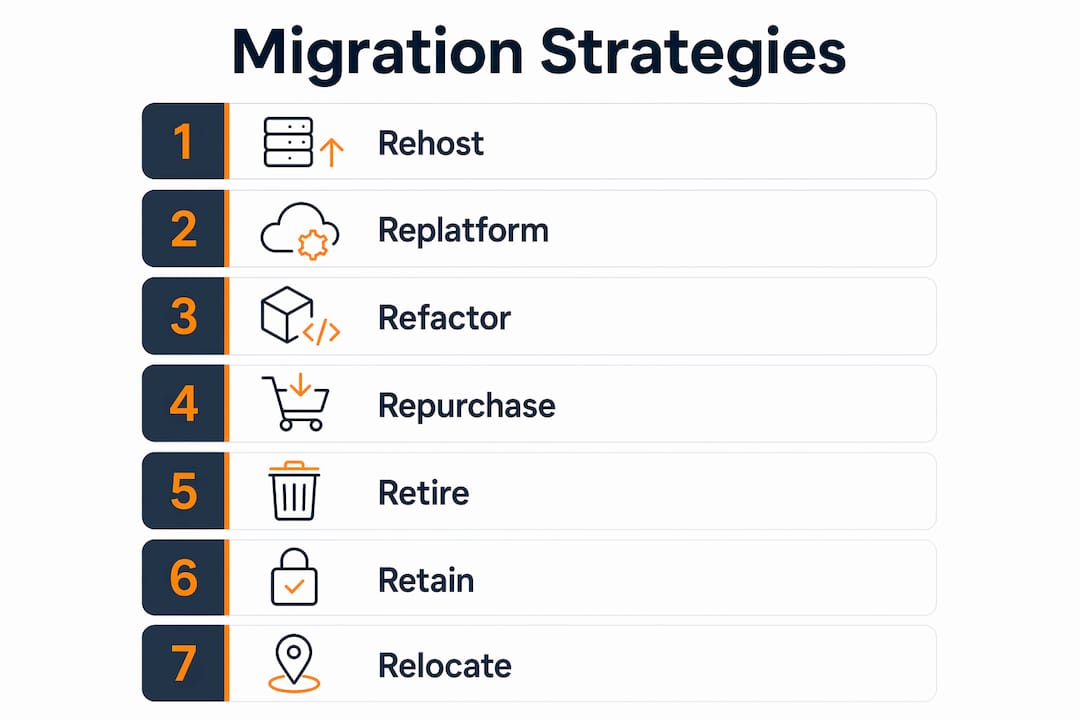
Rehost is the fastest path to the cloud and works well for legacy apps that need to move quickly. Refactor delivers the most long-term value but requires the most time and engineering investment. Most organizations apply a mix: rehost the majority of workloads to hit a deadline, then refactor the highest-value applications over the following 12–18 months.
Portfolio rationalization drives strategy selection. Teams classify each application as “invest” (worth modernizing) or “sustain” (keep running, minimal change). This classification prevents teams from spending refactoring budgets on applications that will be retired within two years. For a deeper breakdown of how to pick between these paths, the IT-Magic guide on choosing a migration strategy covers the decision criteria in detail.
Pro Tip: Start your portfolio review by identifying workloads with no active users or clear business owner. Retiring those first reduces complexity and cuts cloud spend before migration even begins.
What migration methods exist and how do they affect downtime?
The three core migration methods are cold migration, warm migration, and live migration. Each carries different downtime implications and infrastructure requirements.
- Cold migration (offline): The workload is shut down completely before it moves. This is the simplest method technically, but it requires a maintenance window. It works well for non-critical batch processing systems or development environments where a few hours of downtime is acceptable.
- Warm migration: The workload stays online during the bulk data transfer, then briefly pauses for a final sync before cutover. Downtime is measured in minutes rather than hours. This is the most common method for production databases and mid-tier applications.
- Live migration: The workload moves with zero downtime. The source and destination run in parallel, and traffic shifts only after the destination is fully validated. Live migration requires shared storage, advanced network configuration, and a tested rollback plan. Skipping any of those prerequisites is the most common cause of failed migrations.
The right method depends on your workload’s downtime tolerance and your infrastructure readiness. A fintech payment processor cannot accept even a 60-second outage during peak hours. A content management system for an internal team probably can.
Pro Tip: Never attempt live migration without a documented rollback procedure. If the destination environment fails validation after cutover, you need a tested path back to the source within minutes, not hours.
Why migrate workloads to the cloud?
Cloud migration shifts IT spending from capital expenditure to operational expenditure. That single change removes the need for large upfront hardware purchases and replaces them with consumption-based billing. For finance teams, this improves cash flow predictability and reduces the risk of stranded assets.
The operational benefits go beyond cost structure:
- Faster deployment cycles. Cloud environments provision new infrastructure in minutes. On-premises procurement cycles take weeks or months.
- Access to cloud-native services. AWS, Google Cloud, and Azure offer managed AI/ML, serverless compute, and global content delivery networks that would cost millions to replicate on-premises.
- Improved disaster recovery. Cloud platforms support multi-region replication and automated failover. Most on-premises setups cannot match that recovery time objective at the same cost.
- Elastic capacity. An e-commerce platform can scale from 100 to 10,000 concurrent users during a sale event without pre-purchasing hardware.
One underappreciated risk: cloud migration does not automatically reduce costs. Teams that lift-and-shift without right-sizing instances often see higher bills than their on-premises baseline. FinOps governance, the practice of aligning cloud spending with business value, must be built into the migration plan from day one, not added after the first invoice arrives. IT-Magic’s resource on AWS cost optimization covers the most common over-provisioning traps in detail.
How to plan and execute a successful workload migration
A structured workload migration process follows five phases. Skipping or compressing any phase is the primary reason projects go over budget or cause production incidents.
-
Discovery and assessment. Map every application, its dependencies, its data flows, and its current performance baseline. Tools like AWS Application Discovery Service automate much of this, but manual validation is still required for legacy systems with undocumented integrations.
-
Planning. Assign each workload a migration strategy from the 7 R’s. Classify workloads by risk and readiness. Workload prioritization prevents budget overruns by ensuring the highest-risk decisions are made early, not deferred until the project is already in motion.
-
Implementation. Build the target environment before moving anything. Configure networking, security groups, IAM roles, and monitoring. Validate that the destination meets performance and compliance requirements under synthetic load.
-
Migration execution. Start with low-risk, high-readiness workloads. Pilot workloads validate tooling and assumptions before large-scale execution begins. Automation pipelines reduce manual errors and accelerate the process across hundreds of workloads.
-
Validation. Run functional tests, performance benchmarks, and security scans on every migrated workload before decommissioning the source. Document the results. This phase is the formal sign-off that the migration succeeded.
“Most budget overruns occur when decisions on workload priority and strategy are deferred until late stages.” — Cloud Migration Decision Framework, Advaiya
Stakeholder alignment is not optional. IT teams own the technical execution, but finance and business leadership must approve the strategy, the timeline, and the risk tolerance. Migrations that proceed without that alignment get paused mid-execution when a business leader discovers a critical application was scheduled for a maintenance window during a peak sales period.
A detailed migration checklist helps teams track every dependency, approval, and validation step across the full lifecycle. Rollback strategies and dependency mapping are not optional extras. Live migration failures most often trace back to undocumented dependencies and missing rollback procedures.
Key Takeaways
Workload migration succeeds when strategy, method, and execution phase are matched to each workload’s risk profile, business value, and downtime tolerance.
| Point | Details |
|---|---|
| Define the workload migration process | Migration covers five phases: discovery, planning, implementation, execution, and validation. |
| Apply the 7 R’s framework | Match each workload to the right strategy based on complexity, cost, and business value. |
| Choose the migration method carefully | Cold, warm, and live migration each carry different downtime and infrastructure requirements. |
| Prioritize workloads by risk | Start with low-risk, high-readiness apps to build momentum and avoid costly early failures. |
| Integrate FinOps from day one | Cloud cost governance must be built into the migration plan, not added after the first bill arrives. |
What most migration guides get wrong
After working through hundreds of cloud migration projects, the pattern I see most often is this: teams treat workload migration as a purely technical problem and then wonder why it fails at the business level.
The technical execution matters, but aligning IT, finance, and business leadership is what actually determines whether a migration delivers its promised value. I have seen technically flawless migrations that produced zero cost savings because no one built FinOps governance into the plan. The infrastructure moved perfectly. The billing model did not change.
The second mistake is skipping portfolio rationalization. Teams rush to migrate everything and end up paying cloud costs for applications that should have been retired two years ago. A proper “invest vs. sustain” classification before migration starts saves more money than any post-migration optimization effort.
My honest recommendation: treat the discovery and assessment phase as the most valuable investment in the entire project. Every hour spent mapping dependencies and classifying workloads before migration saves five hours of incident response after cutover. The teams that compress this phase to hit an artificial deadline are the same teams calling for emergency rollbacks at 2 a.m.
If your organization lacks the internal expertise to run a structured migration at scale, partnering with a specialist who has done it hundreds of times is not a sign of weakness. It is the fastest path to a production-grade result without burning out your engineering team.
— Oleksandr
AWS migration support from IT-Magic
IT-Magic has completed 700+ AWS migration projects as an AWS Advanced Tier Partner, covering rehost, replatform, and refactor scenarios across e-commerce and fintech environments where downtime directly equals lost revenue.

The IT-Magic team takes full ownership of the migration lifecycle: infrastructure audit, strategy selection, hands-on execution, and post-migration cost optimization. If your organization needs a predictable, secure path to AWS without adding operational burden to your engineering team, the AWS migration services page outlines exactly how that engagement works. For teams that want to understand the scalability gains available after migration, the guide on AWS scalability and cost control is a practical next step.
FAQ
What is the workload migration definition?
Workload migration is the process of moving applications, data, and computational tasks from one infrastructure environment to another, such as from on-premises servers to a public cloud platform, while maintaining performance and security.
What are the 7 R’s of workload migration?
The 7 R’s are rehost, relocate, replatform, refactor, repurchase, retire, and retain. Each strategy aligns with a specific business goal, from fast lift-and-shift moves to full cloud-native rearchitecture.
What is the difference between cold and live migration?
Cold migration shuts the workload down before moving it, requiring a maintenance window. Live migration moves the workload with zero downtime but requires shared storage, advanced networking, and a tested rollback plan.
Why do workload migration projects go over budget?
Budget overruns most often occur when workload prioritization and strategy decisions are deferred to late project stages. Starting with a thorough discovery and assessment phase prevents the most expensive surprises.
How long does a workload migration take?
Timeline depends on workload complexity, the number of applications, and the migration strategy chosen. A rehost of a single application can take days, while a full portfolio refactor across dozens of workloads typically takes months.