
TL;DR:
- Migrating MySQL to Amazon RDS involves selecting a suitable method based on database size and downtime tolerance. AWS DMS, native replication, and mysqldump serve different needs, with Aurora offering higher throughput for large or high-traffic workloads. Proper security hardening, thorough validation, and careful planning are crucial to ensure a successful, secure migration.
Migrating MySQL to Amazon RDS is the process of moving a self-managed MySQL database to AWS’s fully managed relational database service, which handles backups, patching, failover, and replication automatically. The three recognized migration methods are mysqldump, native MySQL replication, and AWS Database Migration Service (DMS). Each method fits a different database size and downtime tolerance. For teams evaluating a higher-performance target, Amazon Aurora is MySQL-compatible and delivers significantly better throughput than standard RDS MySQL. This guide covers every stage of the process: method selection, environment setup, data transfer, cutover, and post-migration hardening.
What are the main methods to migrate MySQL to Amazon RDS?
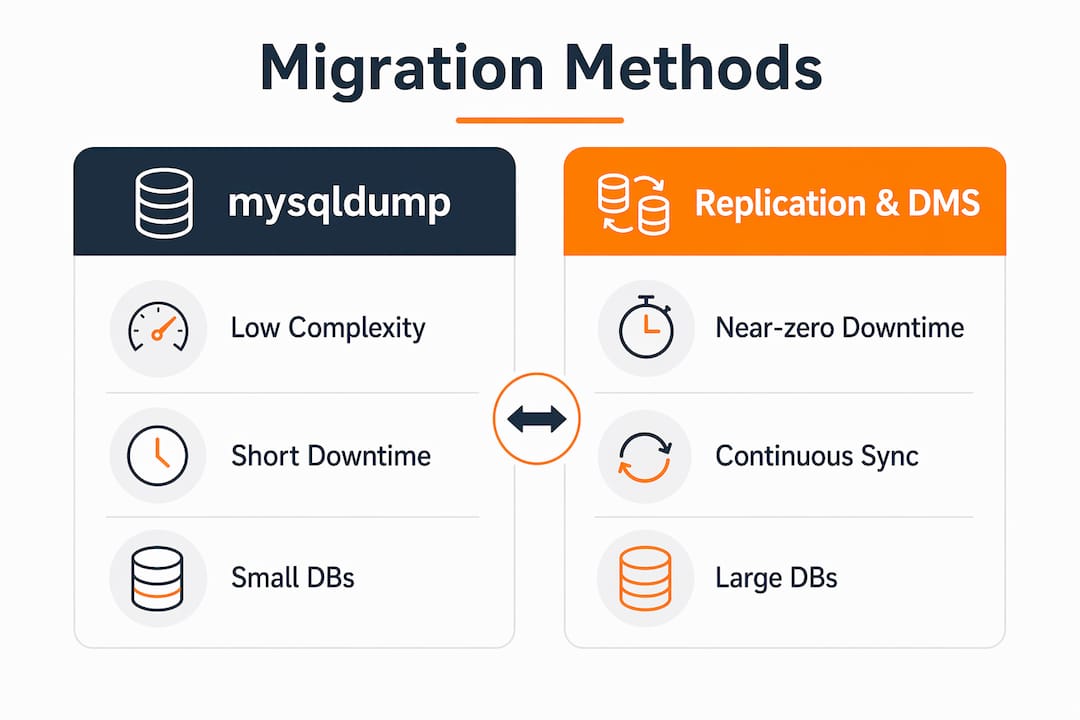
Three primary migration methods cover the full range of database sizes and downtime tolerances: mysqldump, native MySQL replication, and AWS DMS. Choosing the wrong method for your workload is the most common cause of extended downtime or data loss during MySQL to RDS migration.
| Method | Complexity | Downtime | Best for |
|---|---|---|---|
| mysqldump | Low | Minutes to hours | Databases under 10GB |
| Native replication | Medium | Seconds | Medium to large databases |
| AWS DMS | Medium | Seconds | Any size, continuous replication |
mysqldump for small databases
mysqldump works well for databases under 10GB where a maintenance window is acceptable. The process is straightforward: export the database to a SQL file, transfer it to the target environment, and import it into the RDS instance. The tradeoff is that the database must be offline or read-only during the export to guarantee consistency.

Native MySQL replication for near-zero downtime
Native replication sets up the source MySQL server as a primary and the RDS instance as a replica. Data streams continuously to RDS until replication lag reaches near zero, at which point you cut over the application. This method suits medium to large databases where even a short maintenance window is costly.
AWS DMS for continuous replication
AWS DMS handles any database size and supports ongoing replication through change data capture (CDC). It migrates primary keys and unique indexes automatically, but secondary indexes and constraints must be created manually on the target before the migration task starts. That detail catches many teams off guard.
Pro Tip: Run a full schema comparison between source and target before starting any DMS task. Missing indexes on the target cause query performance to collapse immediately after cutover.
How to choose between Amazon RDS for MySQL and Amazon Aurora?
The choice between standard RDS MySQL and Aurora comes down to workload intensity and long-term growth plans. Aurora delivers up to 5x the throughput of standard MySQL and scales storage automatically. That performance gap matters for high-traffic eCommerce or fintech applications where query volume spikes unpredictably.
Standard RDS MySQL is the right call when you need a direct lift-and-shift with minimal application changes. It maintains full compatibility with existing MySQL versions, so stored procedures, triggers, and application connection strings require no modification. Aurora, by contrast, uses a distributed storage architecture that behaves differently under certain edge cases, particularly with DEFINER clauses in stored procedures.
Key factors to evaluate before choosing:
- Throughput requirements. Aurora wins for high-concurrency workloads. Standard RDS MySQL is sufficient for moderate read/write loads.
- Version compatibility. Confirm your MySQL version maps cleanly to the Aurora MySQL version you plan to use.
- Storage growth. Aurora scales storage automatically. Standard RDS requires manual storage provisioning.
- Cost. Aurora carries a higher per-instance cost. For smaller workloads, standard RDS MySQL is more cost-efficient.
For teams leaning toward Aurora, the step-by-step Aurora migration guide from IT-Magic covers the Aurora-specific preparation steps in detail.
Step-by-step MySQL to Amazon RDS migration process
A secure manual migration workflow covers eight distinct stages from environment setup through security hardening. Skipping any stage creates either a data integrity risk or a security gap.
- Create the RDS instance. Select the MySQL engine version that matches your source. Set the instance class, storage type (gp3 is recommended for most workloads), and place the instance in the same VPC as your application servers.
- Configure security groups. Allow inbound traffic on port 3306 only from your application servers and migration host. Do not enable public accessibility at this stage.
- Export data using mysqldump. Run the export with the
--single-transactionflag. Using –single-transaction ensures a consistent snapshot of InnoDB tables without locking the database during export. - Transfer the dump file. Upload the SQL file to AWS CloudShell or an EC2 instance inside the same VPC as the RDS instance. Avoid transferring over the public internet.
- Import the dump into RDS. Connect to the RDS endpoint and run the import. For large files, use
mysqlclient with--max_allowed_packetset appropriately to prevent packet errors. - Create application-specific database users. Never use the master RDS user for application connections. Create a dedicated user with the minimum required privileges.
- Set up replication or DMS tasks if zero downtime is required. For production systems, configure native replication or a DMS CDC task to keep the RDS instance current while the application still points to the source. The IT-Magic guide on zero downtime migration explains the synchronization mechanics in depth.
- Cut over the application. Update the application’s database connection string to point to the RDS endpoint. Stop replication. Verify all connections are routing to RDS before decommissioning the source.
Pro Tip: Test the full import process on a non-production RDS instance first. Time the import so you can set a realistic maintenance window for production cutover.
The table below maps each stage to the primary tool involved:
| Stage | Tool |
|---|---|
| Instance creation | AWS Console or Terraform |
| Data export | mysqldump |
| File transfer | AWS CloudShell or EC2 |
| Data import | MySQL client |
| Continuous replication | Native replication or AWS DMS |
| Cutover coordination | Application config update |
How to optimize performance and troubleshoot common issues?
Migration speed and post-cutover stability both depend on a handful of technical settings that most guides skip over.
Disable backups and logs during bulk load. Turning off automated backups and database logs (binary, general, and audit) on the target RDS instance during the initial data load significantly reduces write overhead. Re-enable them immediately after the load completes.
Common issues and how to fix them:
- Character set mismatches. If the source uses
utf8mb4and the target defaults toutf8, string truncation errors appear on import. Setcharacter_set_server=utf8mb4in the RDS parameter group before importing. - DEFINER clause errors. Stored procedures and views exported with a DEFINER pointing to a source user fail on import if that user does not exist on RDS. Strip or replace DEFINER clauses in the dump file before importing.
- DMS LOB column handling. Large object (LOB) columns require specific DMS LOB mode settings. Use “limited LOB mode” for known maximum sizes and “full LOB mode” only when column sizes are unpredictable, as full LOB mode is significantly slower.
- Replication lag. Monitor replication lag using the
Seconds_Behind_Mastermetric. Lag above a few seconds at cutover time means the replica is not ready. Pause writes on the source briefly to let the replica catch up before switching.
Leaving an RDS instance publicly accessible after migration is one of the most common and dangerous oversights in cloud database projects. Restrict access via security groups to only the resources that genuinely need database access. A publicly accessible RDS endpoint is an open invitation to brute-force attacks.
What post-migration validation and monitoring should you do?
Validation is not optional. A migration that appears successful can still have silent data integrity issues that surface days later under production load.
Run these checks immediately after cutover:
- Row count verification. Compare row counts across all tables between source and target. Discrepancies indicate a failed or partial import.
- Application smoke tests. Run your full application test suite against the RDS endpoint. Cover read, write, and transaction-heavy paths.
- Enable automated backups. Set the RDS backup retention window to at least 7 days. This gives you a recovery point if a data issue surfaces after the maintenance window closes.
- Activate AWS Performance Insights. Performance Insights surfaces slow queries and wait events in real time. Enable it on day one, not after a performance incident.
- Secure credentials with AWS Secrets Manager. Rotate the database password immediately after migration and store it in Secrets Manager. Remove any hardcoded credentials from application configuration files.
- Plan a rollback. Keep the source database in read-only mode for at least 24 hours after cutover. If a critical issue appears, you can redirect the application back to the source without data loss.
Key Takeaways
Successful MySQL to RDS migration requires matching your migration method to your database size and downtime budget, then hardening security before the source goes offline.
| Point | Details |
|---|---|
| Match method to workload | Use mysqldump for under 10GB, native replication or DMS for larger or zero-downtime requirements. |
| Choose RDS vs. Aurora carefully | Aurora delivers up to 5x throughput; standard RDS MySQL suits direct lift-and-shift migrations. |
| Use –single-transaction on export | This flag ensures a consistent InnoDB snapshot without locking tables during the export. |
| Disable logs during bulk load | Turning off backups and binary logs on the target RDS instance speeds up the initial data load. |
| Harden security before go-live | Remove public access from RDS and restrict security groups to required resources only. |
What I’ve learned from running MySQL migrations at scale
The teams that struggle most with MySQL to RDS migration are the ones that treat it as a purely technical task. The technical steps are well-documented. The failures happen in the gaps: the application server sitting in a different AWS region than the database, the stored procedure that breaks silently because of a DEFINER mismatch, the security group left open because “we’ll fix it after launch.”
Co-locating application servers and the database in the same AWS region is not a nice-to-have. Cross-region database calls add latency that compounds under load. I’ve seen applications that performed fine on-premises become sluggish within hours of going live on AWS simply because the team placed the RDS instance in us-east-1 while the app servers ran in eu-west-1.
The lift-and-shift to standard RDS MySQL is the right starting point for most teams. It reduces risk and gets you onto managed infrastructure fast. But evaluating Aurora before you commit is worth the extra hour of planning. Moving from RDS MySQL to Aurora later is another migration project. If your workload is growing, do the analysis now.
Zero-downtime migrations require meticulous synchronization between replication state and application cutover. The teams that pull them off cleanly rehearse the cutover sequence at least twice in a staging environment before touching production. That rehearsal is where you find the edge cases.
— Oleksandr
Professional AWS migration support for your database move
Moving a production MySQL database to Amazon RDS carries real risk: data integrity, downtime, and security gaps all require careful handling. IT-Magic has completed 700+ AWS migration projects as an AWS Advanced Tier Partner, including complex database migrations for eCommerce and fintech environments where downtime translates directly into lost revenue.

The IT-Magic team covers the full migration lifecycle: infrastructure audit, method selection, hands-on execution, and post-migration monitoring. For teams that need a predictable, secure transition without adding burden to internal staff, the AWS migration services page outlines how IT-Magic takes full ownership of outcomes. If you want to understand the broader planning framework first, the AWS migration best practices guide is a strong starting point.
FAQ
What is the fastest way to migrate MySQL to Amazon RDS?
mysqldump is the fastest method for databases under 10GB with an acceptable maintenance window. For larger databases requiring minimal downtime, AWS DMS with change data capture is the most efficient path.
Does AWS DMS migrate all database objects automatically?
AWS DMS migrates primary keys and unique indexes automatically, but secondary indexes, non-primary key constraints, and data defaults must be created manually on the target before the migration task runs.
How do I avoid downtime when transferring MySQL to Amazon RDS?
Set up native MySQL replication or an AWS DMS CDC task to keep the RDS instance synchronized with the source. Cut over the application only after replication lag drops to near zero.
Is Amazon Aurora better than RDS MySQL for migration targets?
Aurora delivers up to 5x the throughput of standard MySQL and scales storage automatically, making it the better choice for high-traffic workloads. Standard RDS MySQL is preferable when direct compatibility and lower cost are the priority.
What security steps are required after moving MySQL to Amazon RDS?
Remove public accessibility from the RDS instance immediately after migration, restrict security groups to required resources only, rotate database credentials, and store them in AWS Secrets Manager.