
TL;DR:
- An AWS landing zone is a multi-account environment set up with security, compliance, and operational controls before migration begins. It ensures governance, reduces risks, and speeds up cloud adoption by embedding best practices from the start. Proper design and automation of the landing zone prevent costly rework and compliance gaps during migration.
An AWS landing zone for migration is a pre-configured, multi-account AWS environment that establishes security, compliance, and operational guardrails before the first workload moves. Unlike ad hoc cloud setups, a landing zone embeds governance from day one, aligning with the AWS Well-Architected Framework pillars of security, reliability, performance, cost optimization, and operational excellence. IT teams that skip this foundation spend months retrofitting controls after migration, a pattern that reliably causes cost overruns and compliance gaps. Getting the architecture right before migration starts is the single most impactful decision your team will make.
What are the essential components of an AWS landing zone for migration?
A landing zone is more than account grouping. It establishes centralized logging, cost accountability, and alignment with AWS Well-Architected Framework pillars from the first account provisioned. That shift from “bolted-on” to integrated security is what separates a governed cloud environment from a collection of accounts.
The structural backbone of any landing zone includes these core elements:
- Management account. The root of your AWS Organizations hierarchy. It holds billing, policy enforcement, and organization-level controls. No workloads run here.
- Log archive account. A dedicated, read-only account that aggregates CloudTrail logs, AWS Config snapshots, and VPC flow logs from every account in the organization. Separation prevents tampering.
- Audit account. Provides security teams with read access across all accounts for compliance reviews and incident response, without granting write permissions.
- Organizational Units (OUs). OUs group accounts by environment (production, development, sandbox) or business unit. Service Control Policies (SCPs) attach at the OU level to enforce boundaries across all member accounts.
- Security guardrails. Control Tower guardrails include preventive (SCPs), detective (Config rules), and proactive (CloudFormation hooks) with mandatory and elective levels. Preventive guardrails block disallowed actions outright. Detective guardrails identify non-compliance after the fact.
- AWS Identity Center. Formerly IAM Identity Center, this service provides centralized single sign-on across all accounts, replacing per-account IAM user management.
- Account Factory. Automates the provisioning of new accounts with pre-approved baselines, so every new account inherits the correct configuration from the start.
- Infrastructure as Code (IaC). Terraform or AWS CloudFormation templates define the entire landing zone configuration. IaC makes the setup repeatable, auditable, and version-controlled.
Each component reinforces the others. A landing zone without centralized logging gives you governance on paper but no visibility in practice.
How do AWS Control Tower and Landing Zone Accelerator enhance landing zone management?

AWS Control Tower is the managed service most teams use to deploy and govern a landing zone at scale. Initial AWS Control Tower landing zone setup takes about 30–60 minutes actively, automating the creation of management, log archive, and audit accounts, OUs, and region selection. That speed is only possible because Control Tower handles the underlying CloudFormation stacks automatically.
Here is how the setup and management process works in practice:
- Enable Control Tower in the management account. Select your home region and any additional governed regions. Control Tower creates the foundational account structure automatically.
- Configure Account Factory. Define account baselines, including VPC settings, IAM roles, and tagging standards. Every account vended through Account Factory inherits these settings.
- Apply guardrails by OU. Assign mandatory guardrails to all OUs and layer elective guardrails based on workload sensitivity. A production OU gets stricter SCPs than a sandbox OU.
- Integrate Landing Zone Accelerator for advanced needs. Landing Zone Accelerator on AWS extends Control Tower with custom networking, security services, and compliance frameworks like NIST 800-53 or CIS Benchmarks. It handles configurations that Control Tower alone does not cover.
- Monitor for drift. Control Tower’s drift detection alerts you when an account or OU deviates from its baseline. Address drift before it compounds into a compliance problem.
Deploying Landing Zone Accelerator and Control Tower together needs coordination to avoid conflicting guardrails and governance loops. Define your governance integration strategy before deployment. Resolving conflicts after the fact requires manual cleanup that can take days.
Pro Tip: Run a governance mapping session before enabling Landing Zone Accelerator. Document which controls come from Control Tower guardrails and which come from Accelerator policies. Overlaps are the primary source of deployment failures.
What are the best practices for structuring and scaling a landing zone during migration?
The single most consequential architectural decision in a landing zone is account granularity. Blast radius isolation via granular multi-account setup reduces operational risk and cleanup cost compared to workload consolidation. A security breach or misconfiguration in a shared account affects every workload in that account. In a granular design, the damage stays contained.
Practical best practices for structuring and scaling your landing zone include:
- Design OUs around governance boundaries, not org charts. A production OU, a non-production OU, a sandbox OU, and an infrastructure OU cover most organizations. Avoid mirroring your business unit structure directly, since teams reorganize but compliance requirements do not.
- Apply SCPs at the OU level, not the account level. Account-level SCPs create management overhead that grows with every new account. OU-level policies scale automatically.
- Avoid shared accounts for unrelated workloads. Shared accounts reduce cost visibility, complicate IAM boundaries, and make incident response harder. The AWS migration best practices guidance consistently favors more accounts over fewer.
- Plan multi-region connectivity before migration starts. Transit Gateway and AWS Network Firewall configurations belong in the landing zone, not in individual workload accounts. Retrofitting network architecture mid-migration is expensive.
- Tag everything from day one. Cost allocation tags applied at the account and resource level give you the data to charge back costs to teams and identify waste after migration.
- Run continuous compliance checks. AWS Config rules and Security Hub standards should run from the moment the first workload account is provisioned, not after migration completes.
Pro Tip: Start with fewer OUs than you think you need. Adding OUs later is straightforward. Splitting a shared OU that already contains live accounts requires careful SCP migration and carries real risk.
How does a migrate-first strategy integrate with landing zone setup?
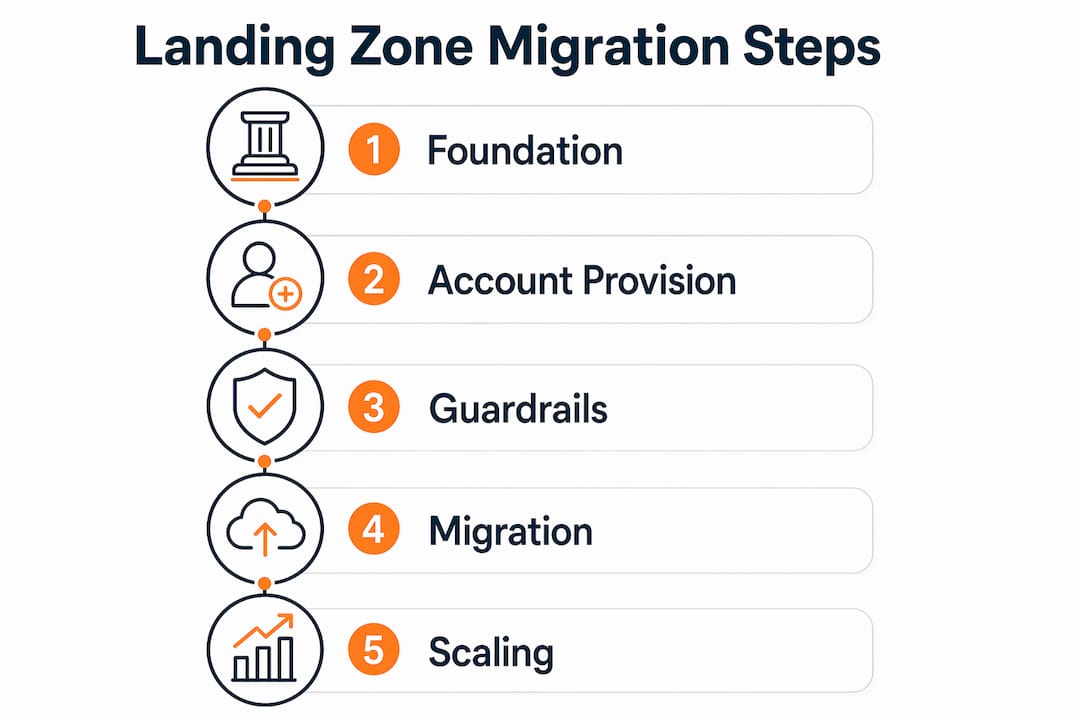
The migrate-first approach prioritizes moving workloads to AWS before modernizing them. Large migrations succeed best using a migrate-first strategy: 35–50% rehosting, 20% replatforming, 10% refactoring workloads. Refactoring during migration reliably causes timeline overruns beyond 12 months. That data point should settle most internal debates about when to modernize.
The landing zone supports this approach by providing a stable, governed target environment before any workload moves. Teams that try to build the landing zone and migrate workloads simultaneously create coordination problems that slow both tracks. Stabilize the foundation first, then move workloads in waves.
| Migration phase | Landing zone requirement | Primary workload strategy |
|---|---|---|
| Foundation | Core accounts, OUs, guardrails, logging | No workloads yet |
| Wave 1 | Network connectivity, IAM baselines | Rehosting (lift and shift) |
| Wave 2 | Monitoring, cost allocation, tagging | Replatforming (managed services) |
| Wave 3 | Advanced security, automation | Refactoring (re-architecture) |
| Post-migration | Drift detection, CI/CD for IaC | Ongoing optimization |
This phased model maps landing zone maturity to migration wave complexity. Wave 1 workloads need only basic networking and IAM. Wave 3 workloads need the full governance stack in place. For teams planning scalable infrastructure migration, this sequencing prevents the landing zone from becoming a bottleneck.
What operational challenges arise after landing zone deployment?
Day two operations are where most landing zone projects struggle. Day two operations require treating landing zone management as a software application, with CI/CD pipelines, automated testing, and staging environments. Teams that treat the landing zone as a one-time setup project accumulate technical debt that eventually forces a rebuild.
The most common operational challenges and how to address them:
- Configuration drift. Manual changes made directly in the AWS console bypass IaC and create drift. Use AWS Config rules and Control Tower drift detection to catch deviations automatically. Remediate drift within your defined SLA, not when it becomes a problem.
- Overlapping governance tools. Manual multi-account setup is no longer viable beyond a few accounts, but layering too many automation tools creates conflicts. Assign clear ownership: Control Tower owns account provisioning, Landing Zone Accelerator owns network and compliance configurations.
- Unmanaged manual changes. Require all landing zone changes to go through pull requests and a CI/CD pipeline. Block direct console access to the management account for everyone except break-glass scenarios.
- Conflicting guardrails. SCPs and Config rules can contradict each other when applied at different levels. Maintaining landing zone compliance requires automated drift detection, staged policy testing, and environment segregation. Test every guardrail change in a non-production OU before applying it to production.
- Scaling the operations team. A landing zone serving 50 accounts needs a dedicated team with defined runbooks. Assign ownership of guardrail management, account vending, and compliance reporting to named individuals.
The teams that succeed long-term are the ones that apply software engineering discipline to their landing zone code. Version control, peer review, and automated testing are not optional at scale.
Key Takeaways
A well-structured AWS landing zone is the prerequisite for any governed, repeatable cloud migration, and skipping it creates security and compliance debt that compounds with every workload added.
| Point | Details |
|---|---|
| Build the foundation first | Stabilize the landing zone before migrating any workloads to prevent governance gaps. |
| Use granular multi-account design | Isolate workloads in separate accounts to contain blast radius and simplify incident response. |
| Automate governance from day one | Use Control Tower and IaC to enforce consistent guardrails across every account automatically. |
| Apply migrate-first sequencing | Rehost 35–50% of workloads before refactoring to avoid timeline overruns beyond 12 months. |
| Treat the landing zone as software | Apply CI/CD, automated testing, and drift detection to keep governance current post-migration. |
What I’ve learned from landing zone deployments that go wrong
The most expensive mistake I see organizations make is treating the landing zone as a pre-migration checkbox. Teams rush through the setup, pick the default OU structure, enable a handful of guardrails, and declare the foundation ready. Six months later, they are dealing with compliance findings in production, cost allocation reports that make no sense, and a management account that has accumulated manual changes nobody can explain.
The organizations that get this right share one habit: they treat the landing zone design as a stakeholder conversation, not a technical task. Security, finance, and application teams all have requirements that shape the OU structure, tagging strategy, and guardrail selection. Getting those inputs before deployment takes two weeks. Retrofitting them after migration takes six months and carries real risk.
I also push back hard on the instinct to customize everything. AWS Control Tower’s out-of-the-box guardrails cover the majority of compliance requirements for most organizations. The teams that spend weeks building custom guardrails before migrating a single workload are the ones that miss their migration deadlines. Start with what Control Tower provides, validate it against your compliance requirements, and add customization only where a genuine gap exists.
The AWS cloud security guide for enterprise migrations reinforces this point: the teams that succeed are the ones that move fast on the foundation and deliberate on the exceptions. Organizational resistance to a multi-account design usually comes from teams that have never experienced a security incident in a shared account. The conversation changes quickly after the first one.
— Oleksandr
IT-Magic’s approach to landing zone setup and migration
IT-Magic has completed 700+ AWS migration projects as an AWS Advanced Tier Partner, and landing zone architecture is where every engagement starts. A poorly designed foundation creates problems that no amount of post-migration optimization can fix.

The IT-Magic team covers the full migration lifecycle: infrastructure audit, landing zone design, account provisioning, guardrail configuration, and post-migration governance. For eCommerce and fintech environments where downtime and compliance gaps translate directly into lost revenue, that execution depth matters. If you are planning an AWS migration and want a landing zone built to production-grade standards from the start, the AWS migration services team at IT-Magic is ready to scope your project. You can also review cloud migration success strategies to align your planning before the first call.
FAQ
What is an AWS landing zone?
An AWS landing zone is a pre-configured, multi-account AWS environment that provides security guardrails, centralized logging, and governance baselines before any workload is deployed. It forms the foundation for governed cloud migrations.
How long does it take to set up an AWS landing zone?
AWS Control Tower can provision the core landing zone, including management, log archive, and audit accounts, in approximately 30–60 minutes. Full configuration with custom guardrails and network architecture takes additional time depending on complexity.
What is the difference between AWS Control Tower and Landing Zone Accelerator?
AWS Control Tower handles automated account provisioning and standard guardrails. Landing Zone Accelerator extends that foundation with advanced networking, custom compliance frameworks, and configurations that Control Tower does not natively support.
Why use a multi-account design instead of a single AWS account?
A granular multi-account design isolates the blast radius of security incidents and operational errors, making remediation less complex and less costly than a shared-account model.
When should you set up the landing zone relative to migration?
The landing zone should be fully deployed and validated before the first workload migration wave begins. Building the foundation and migrating workloads simultaneously creates coordination problems that slow both tracks.