
TL;DR:
- Public cloud offers scalable, managed, and cost-effective infrastructure suited for most workloads, especially when speed and flexibility are priorities. Private cloud provides maximum control and security for sensitive or regulated data but involves higher capital expenses and operational complexity. A hybrid approach combines the strengths of both, based on specific workload and compliance requirements.
Public cloud means multi-tenant infrastructure managed by a third-party provider, accessible over the internet, and billed by consumption. Private cloud means single-tenant infrastructure dedicated to one organization, offering maximum control and predictable performance. For most workloads, public cloud wins on speed, managed services, and cost flexibility. For regulated, latency-sensitive, or sovereignty-constrained workloads, private cloud remains the right call.
- Public cloud suits: dev/test teams, bursty web apps, AI/ML training, and any organization that needs to scale fast without capital investment. AWS, Microsoft Azure, and Google Cloud are the dominant providers.
- Private cloud suits: financial institutions, healthcare organizations, and government agencies where FedRAMP, HIPAA, or PCI compliance demands absolute data control or on-premises residency.
- Hybrid is the pragmatic middle path: keep sensitive data where you must, run horizontal services and innovation workloads in the public cloud, and connect them through consistent APIs.
Table of Contents
- What is a public cloud and how does it work?
- What is a private cloud and what deployment variants exist?
- How public and private clouds are more alike than you might think
- Side-by-side differences across the dimensions CIOs actually use
- When should you choose public, private, or hybrid?
- Can you run a private cloud inside a public cloud?
- Migration patterns, timelines, and cost controls
- Why experts favor hyperscaler public clouds for regulated, high-load workloads
- What should IT decision-makers do right now?
- Key Takeaways
- A practitioner’s view on the public vs private decision
- IT-Magic handles the migration so your team doesn’t have to
- Useful sources for further reading
- FAQ
What is a public cloud and how does it work?
A public cloud is a multi-tenant platform where a third-party provider owns, operates, and maintains all underlying infrastructure. Customers consume compute, storage, and managed services on demand over the internet, paying only for what they use. No hardware procurement, no datacenter lease, no capacity planning six months in advance.

AWS, Microsoft Azure, and Google Cloud are the three hyperscalers that define this model. AWS, Azure, and GCP hold significant shares of the cloud market, with AWS leading, followed by Azure and GCP. Each delivers the same fundamental public-cloud value proposition: global regions, hundreds of managed services, and a pay-as-you-go pricing model that converts capital expenditure into operational expenditure.
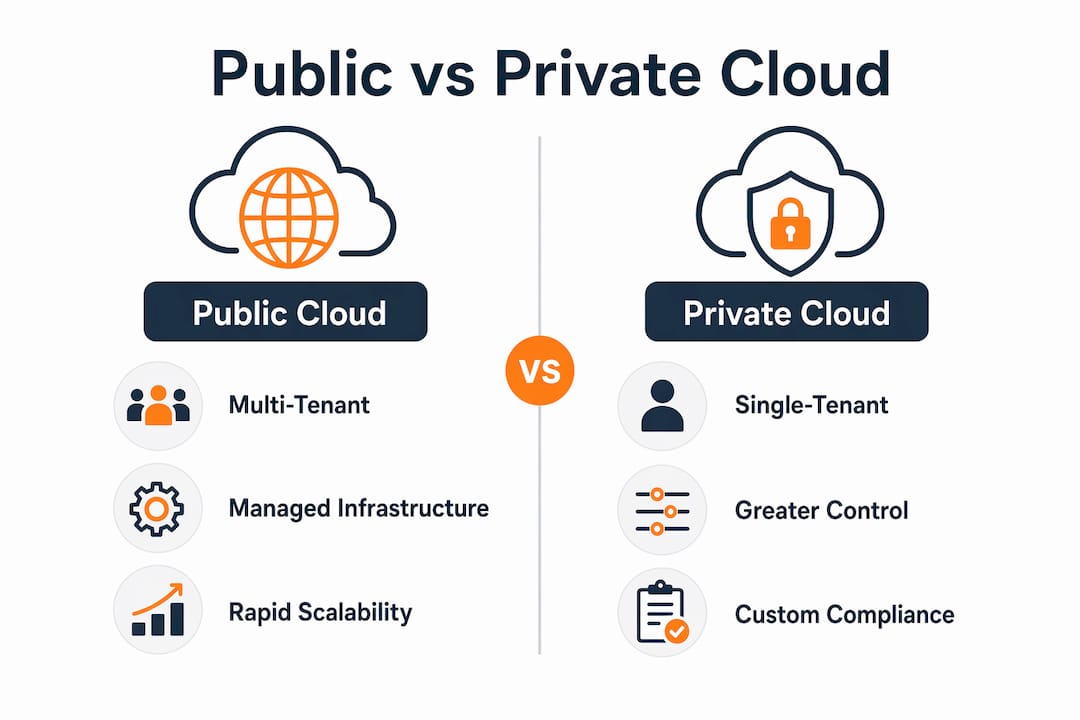
Service delivery follows three standard models. IaaS gives your team control over operating systems, applications, and data while the provider manages physical infrastructure. PaaS abstracts the runtime layer so developers focus on code. SaaS delivers fully managed applications with no infrastructure responsibility at all. All three service models run on public cloud and apply equally to private deployments.
Security in a public cloud operates under the shared responsibility model. The provider secures the physical datacenter, hypervisor, and network fabric. You secure your data, identity configuration, and application layer. Hyperscalers carry compliance certifications including SOC 2, ISO 27001, PCI DSS, and HIPAA attestations, and they offer specialized regions such as AWS GovCloud for FedRAMP-authorized workloads.
What is a private cloud and what deployment variants exist?
Per NIST SP 800-145, a private cloud is infrastructure provisioned for exclusive use by a single organization. It may be owned and operated by that organization, a third party, or a combination, and it may sit on-premises or off-premises on dedicated hardware.
Four deployment variants cover most real-world scenarios:
- On-premises private cloud: hardware in your own datacenter, managed by your team. Maximum control, maximum capital cost, and full responsibility for patching, capacity, and hardware lifecycle.
- Managed hosted private cloud: a third-party provider runs dedicated hardware in their facility on your behalf. You get single-tenant isolation without the datacenter overhead.
- “Private in public” (dedicated tenancy / VPC): logically isolated infrastructure within a hyperscaler, using dedicated hosts or virtual private clouds. Shared physical plant, but isolated at the hypervisor or network layer.
- Appliance-based stacks: purpose-built hardware stacks deployed on-premises but managed through a cloud provider’s control plane, giving consistent APIs across environments.
Private cloud provides greater control over data location, security configuration, and compliance posture, which matters when multiple-jurisdiction legal requirements must be avoided. The trade-off is a CapEx-heavy spending profile and an ongoing operational burden that requires dedicated infrastructure and platform engineering staff.
Private clouds still make clear sense for: ultra-low latency trading systems where microseconds matter, legacy applications that cannot be containerized without a multi-year refactor, long-lived steady-state workloads where predictable hardware costs beat variable cloud pricing, and data sovereignty mandates that prohibit data leaving a specific geography.

How public and private clouds are more alike than you might think
Both models share the same foundational building blocks, which is why operational skills transfer more readily between them than most teams expect:
- Virtualization: both abstract physical hardware into flexible compute resources using hypervisors.
- Containers and Kubernetes: workload portability across both models depends on the same container runtimes and orchestration layers.
- Infrastructure-as-Code (IaC): Terraform, Ansible, and Pulumi work against both public APIs and private cloud control planes.
- Software-defined networking: VLANs, overlay networks, and microsegmentation apply in both environments.
- CI/CD and observability: pipelines, telemetry stacks (Prometheus, Grafana, OpenTelemetry), and incident response workflows are model-agnostic.
- Identity and access management: role-based access control, federation, and zero-trust principles apply regardless of where the infrastructure lives.
Both models can support IaaS, PaaS, and SaaS workloads, and both can reduce time-to-market compared with legacy bare-metal datacenter projects when implemented with modern automation.
Pro Tip: The operational skillset is usually the longer runway, not the infrastructure itself. Teams that underestimate this spend six months building cloud-native tooling they assumed would transfer automatically from their on-premises environment. Audit your team’s IaC, observability, and FinOps maturity before you commit to either model.
Side-by-side differences across the dimensions CIOs actually use
This is where the cloud computing comparison gets concrete. The table below maps the seven decision dimensions CIOs use most often.
| Dimension | Public Cloud | Private Cloud |
|---|---|---|
| Ownership & tenancy | Multi-tenant; provider owns all hardware | Single-tenant; organization or dedicated provider owns hardware |
| Control & customization | Limited OS/hypervisor access; broad API surface | Full stack access; custom kernel, hardware tuning, network topology |
| Security & compliance | Shared responsibility; provider holds SOC, ISO, PCI, HIPAA, FedRAMP certs | Organization controls all layers; compliance burden falls entirely on internal team |
| Scalability & elasticity | Near-infinite on-demand scaling; global regions | Constrained by provisioned hardware; scaling requires procurement lead time |
| Cost model and TCO | OpEx; pay-as-you-go with commitment discounts (Reserved Instances, Savings Plans) | CapEx-heavy upfront; predictable ongoing OpEx for steady-state workloads |
| Operational overhead | Provider manages infrastructure; team manages configuration and application layer | Full infrastructure management responsibility; requires dedicated platform engineering |
| Managed services / innovation velocity | Hundreds of managed services (databases, AI/ML, serverless, analytics); rapid release cadence | Limited to what the team builds or third-party software provides; slower innovation cycle |
Where the cost story gets complicated
List-price compute differentials between hyperscalers are small, generally within 5%, with GCP often cheapest at list price and AWS carrying a 10–20% premium on certain compute types. The real cost gap appears elsewhere. Egress fees, storage tier mismatches, idle reserved capacity, and long-term support contracts routinely dwarf the compute line item. FinOps discipline and commitment discounts, not list-price shopping, drive actual savings.
Private cloud economics look attractive on paper for steady-state workloads running at high utilization. The math breaks down when you factor in hardware refresh cycles every three to five years, the fully loaded cost of platform engineering staff, and the opportunity cost of capacity that sits idle during off-peak periods.
Workload scenarios that illustrate the trade-offs
- A bursty eCommerce platform needs 10x capacity for 72 hours during peak season. Public cloud handles this without pre-purchasing hardware. A private cloud either over-provisions year-round or fails under load.
- An on-premises algorithmic trading system processes transactions in sub-millisecond windows with deterministic latency. Public cloud network jitter, even within a single region, can introduce unacceptable variance. Private cloud wins here.
- A regulated healthcare analytics platform processes de-identified data for population health modeling. A well-governed public cloud deployment with HIPAA Business Associate Agreements and VPC isolation handles this. Private cloud is not required.
When should you choose public, private, or hybrid?
The answer depends on four variables: data residency requirements, latency tolerance, peak scale, and your team’s operational depth. Here is a workload-class decision framework:
- Dev/test and CI/CD pipelines: public cloud, always. Spin up, run tests, tear down. No reason to consume private capacity for non-production workloads.
- Bursty web applications and eCommerce: public cloud. AWS for eCommerce peak-traffic architectures handle seasonal spikes without year-round over-provisioning.
- AI/ML training jobs: public cloud, specifically GPU instances on demand. Training runs are bursty and benefit from spot pricing.
- Regulated financial transactions: evaluate carefully. Many fintech workloads run successfully on public cloud with proper controls. Sub-millisecond latency requirements or absolute data sovereignty mandates push toward private.
- Legacy applications with hard dependencies on specific OS versions or hardware: private cloud or hosted private cloud until a refactor is feasible.
- Long-lived steady-state workloads at predictable utilization: private cloud can win on TCO when utilization stays above 70–80% consistently.
- Mixed constraint environments: hybrid. Keep the sensitive data plane on-premises or on dedicated hardware; run the control plane, analytics, and customer-facing services in the public cloud.
Decision checklist for workload discovery:
- Does the workload have a data residency or sovereignty requirement that prohibits a specific geography?
- What is the acceptable latency budget (milliseconds vs. microseconds)?
- What is the peak-to-average traffic ratio, and how often does peak occur?
- Which compliance frameworks apply, and does the provider hold the relevant certifications?
- What is the three-year TCO comparison including staff, hardware refresh, and egress?
- Does the team have the operational depth to manage private infrastructure, or would a managed migration partner reduce risk?
Hybrid patterns worth knowing: cloud bursting (private handles baseline, public absorbs peaks), SaaS front-ends backed by private data stores, and control-plane-in-cloud with data-plane on-premises for regulated analytics.
Can you run a private cloud inside a public cloud?
Yes, and this is one of the most misunderstood options in the cloud deployment models conversation. “Private in public” is not a contradiction; it is a spectrum of isolation patterns:
- Virtual Private Cloud (VPC): logically isolated network segments within a hyperscaler. Traffic stays within the provider’s backbone, and you control routing, subnets, and security groups. This is the baseline isolation layer every public cloud workload should use.
- Dedicated tenancy: your VMs run on physical hardware not shared with other customers. Same hyperscaler infrastructure, but the physical host is reserved for you. Useful for licensing compliance (certain Oracle and Windows Server licenses require dedicated hosts) and for workloads with strict multi-tenancy prohibitions.
- Dedicated hosts: you get visibility into the specific physical server, control over instance placement, and the ability to bring your own licenses. AWS Dedicated Hosts and equivalent Azure offerings follow this pattern.
- On-premises appliances (cloud-outpost style): the hyperscaler ships managed hardware to your datacenter. You get the provider’s APIs, managed services, and control plane, but the compute runs on-premises. This suits workloads that need cloud-native tooling but cannot tolerate data leaving the building.
- Hosted private cloud services: third-party providers run dedicated hardware in their facilities and deliver it as a managed service. You get single-tenant isolation without owning the datacenter.
Hybrid stack options that extend public-cloud APIs to on-premises hardware give consistent tooling across environments, which reduces the operational complexity of running two separate platforms. The trade-off is that patching, hardware lifecycle management, and support models become more complex when the provider’s hardware lives in your facility.
Choose hosted private cloud over true on-premises when you want single-tenant isolation without the datacenter overhead. Choose on-premises appliances when data cannot leave your facility but you still want cloud-native APIs. Choose VPC or dedicated tenancy when logical isolation is sufficient and you want full access to the provider’s managed service catalog.
Migration patterns, timelines, and cost controls
Moving between cloud models is a capability project as much as a technical one. Successful migrations combine an initial audit, a phased pilot, hands-on execution, and post-migration optimization. The five standard migration patterns map to different workload types:
- Rehost (lift-and-shift): move VMs as-is to the target environment. Fastest path, lowest risk, but leaves performance and cost optimization on the table.
- Replatform: make targeted changes to take advantage of managed services (swap self-managed databases for RDS, swap self-managed queues for SQS). Moderate effort, meaningful operational savings.
- Refactor / cloud-native: redesign applications to use containers, serverless, or microservices. Highest effort, highest long-term benefit.
- Replace (SaaS): retire the application and adopt a SaaS equivalent. Often the right call for commodity functions like HR, CRM, or email.
- Retain / retire: keep workloads that cannot be migrated economically, or decommission those that no longer serve a business function.
Typical migration phases:
- Assessment (weeks 1–4): dependency mapping, workload inventory, cost baseline, compliance gap analysis.
- Pilot (weeks 5–10): migrate one non-critical workload end-to-end. Validate tooling, runbooks, and rollback procedures.
- Phased migration (weeks 11–24+): migrate workload groups in priority order. Run dual environments temporarily to validate performance.
- Cutover and optimization (ongoing): final traffic switch, decommission source environment, apply FinOps guardrails.
Risk checklist before cutover:
- Data transfer volumes and egress costs modeled and budgeted.
- Compliance gaps identified and remediated (not deferred).
- Performance baselines captured pre-migration for regression comparison.
- All application dependencies mapped, including third-party integrations and DNS dependencies.
- Staffing plan confirmed: who owns the cutover window, who handles rollback, who monitors post-cutover.
Choosing the right migration strategy upfront prevents the most expensive mistakes: teams that skip the assessment phase routinely discover undocumented dependencies during cutover, which turns a planned four-hour maintenance window into a 48-hour incident. For a broader view of migration patterns across the industry, the 2026 IT leader migration guide from Vicedomini Softworks covers complementary strategic considerations.
Why experts favor hyperscaler public clouds for regulated, high-load workloads
The conventional wisdom that private cloud is inherently more secure than public cloud is outdated. Hyperscalers invest at a scale most organizations cannot match: physical datacenter controls, dedicated security engineering teams, and certification portfolios that include SOC 2, ISO 27001, PCI DSS, HIPAA attestations, and FedRAMP authorization for government workloads.
Expert consensus in 2026 favors cloud-native hyperscaler deployments for most high-load regulated workloads. Hyperscalers now offer mature compliance-ready architectures and a faster innovation cadence than most private deployments can match economically. The question is no longer whether public cloud can be secure enough — it is whether your team can configure and govern it correctly.
Public cloud compliance programs have matured significantly. AWS GovCloud, Azure Government, and GCP’s Assured Workloads give regulated organizations compliance-ready services with built-in controls for FedRAMP, HIPAA, and PCI. Many firms that built private clouds for compliance reasons a decade ago are now migrating those workloads to hyperscalers because the economics and the compliance posture have both shifted.
The counterpoint is real, though. Absolute data sovereignty (data that legally cannot leave a specific jurisdiction and cannot be processed by a foreign-owned entity), long-lived steady-state workloads at high utilization where CapEx beats OpEx over a five-year horizon, and applications with sub-millisecond latency requirements that public cloud network paths cannot guarantee: these remain legitimate private cloud use cases.
Pro Tip: During RFP and due diligence, ask providers for their current compliance matrix, their penetration test cadence, and their incident response SLA. Then ask for the specific service-level agreement for the managed service you plan to use, not the platform SLA. The gap between platform uptime and individual service SLAs is where most compliance surprises hide. For a deeper look at AWS security controls relevant to enterprise migrations, IT-Magic’s security guidance covers the specifics.
What should IT decision-makers do right now?
Public cloud wins for most workloads in 2026. Private cloud remains the right answer for a specific, defensible set of requirements. Hybrid covers the gap. The decision is not permanent: workloads migrate between models as business requirements, compliance frameworks, and economics evolve.
Three immediate next steps:
- Run a workload discovery and cost benchmark. Inventory every application, map its dependencies, and model three-year TCO for public, private, and hybrid options. Do not skip the egress and staffing line items.
- Pilot the public or hybrid option on a non-critical workload. A real pilot with real traffic exposes dependency gaps, performance surprises, and compliance blind spots that no spreadsheet captures. Set success metrics before you start: latency targets, cost per transaction, deployment frequency.
- Plan a phased migration with FinOps guardrails. Commit to a 30/90/180-day plan. At 30 days: pilot complete, rollback procedures tested. At 90 days: first production workload migrated and stable. At 180 days: FinOps dashboards live, Reserved Instance or Savings Plan commitments in place, and cost per workload tracked against baseline.
Teams that lack cloud-native operational depth should treat migration as a capability project and consider a managed migration partner to reduce risk and compress the timeline.
Key Takeaways
Public cloud delivers the fastest path to scale and innovation for most workloads; private cloud remains the right choice when data sovereignty, sub-millisecond latency, or long-lived steady-state economics make the CapEx model defensible.
| Point | Details |
|---|---|
| Public cloud default | Multi-tenant hyperscaler deployments suit dev/test, bursty apps, AI/ML, and most regulated workloads with proper governance. |
| Private cloud exceptions | Single-tenant infrastructure wins for absolute data sovereignty, sub-millisecond latency, and high-utilization steady-state workloads. |
| Hidden cost drivers | Egress, storage tiering, and idle capacity matter more than list-price compute differentials; FinOps discipline closes the gap. |
| Hybrid as the pragmatic path | Keep sensitive data on dedicated infrastructure; run innovation and horizontal services in the public cloud to reduce duplicate engineering. |
| IT-Magic next step | IT-Magic’s AWS migration service covers audit through post-migration optimization for teams choosing public or hybrid cloud paths. |
A practitioner’s view on the public vs private decision
Most of the organizations I work with arrive at the public vs private question already leaning toward private cloud because it feels safer. The instinct is understandable. You own the hardware, you control the perimeter, and nobody else’s workload runs on your servers. The problem is that “feels safer” and “is safer” are not the same thing.
What I see repeatedly: a team spends 18 months building a private cloud to meet a compliance requirement, then discovers that the hyperscaler they ruled out already held the exact certification they needed, offered a managed service that would have eliminated three of their custom-built components, and would have cost less over three years when you include the platform engineering headcount.
The private cloud decision is defensible when the requirements are real: genuine data sovereignty mandates, sub-millisecond latency that public cloud cannot guarantee, or a utilization profile that makes CapEx cheaper over five years. When those requirements are not present, private cloud often becomes a tax on innovation velocity.
Pro Tip: Before committing to private cloud for compliance reasons, pull the provider’s compliance matrix and check whether your specific framework and control set are covered. In most cases, the hyperscaler already has it. The real work is configuring your deployment correctly, not choosing a different infrastructure model.
IT-Magic handles the migration so your team doesn’t have to
Choosing public or hybrid cloud is the right call for most organizations. Executing the migration without downtime, compliance gaps, or cost overruns is where most teams run into trouble.

IT-Magic is an AWS Advanced Tier Partner with 700+ completed migrations, specializing in high-load and regulated environments in eCommerce, fintech, and healthcare. The engagement covers the full lifecycle: infrastructure audit, migration strategy, hands-on implementation, and post-migration optimization with ongoing DevOps-as-a-Service. Fixed-price projects mean no billing surprises. Zero-downtime migration means no revenue impact during cutover. Every architecture is built for production-grade reliability from day one.
The starting point is a free discovery audit that maps your current infrastructure, identifies compliance gaps, and produces a concrete migration plan with a three-year cost model. See what a managed migration looks like and review IT-Magic’s case studies to see measurable outcomes from comparable environments.
Useful sources for further reading
The sources below cover vendor documentation, authoritative standards, and operational guidance for teams working through the public vs private cloud decision.
| Source | What it covers | Best for |
|---|---|---|
| NIST SP 800-145 | Official definitions of public, private, community, and hybrid cloud | Compliance documentation and RFP language |
| Google Cloud: What is a public cloud? | Public cloud characteristics, pricing models, and managed services | Architecture planning and vendor evaluation |
| Microsoft Azure: IaaS, PaaS, SaaS | Service model definitions and shared responsibility breakdown | Migration strategy and workload classification |
| Microsoft Azure: Public, private, hybrid clouds | Deployment model definitions and hybrid patterns | Decision framework and architecture design |
| TechTarget: Public vs private vs hybrid cloud | Key differences, compliance programs, and shared technologies | Practitioner-level comparison and compliance guidance |
| The Data Scientist: AWS vs Azure vs GCP 2026 | Market share, pricing differentials, and certification coverage | Vendor selection and cost modeling |
| IT-Magic AWS migration checklist | Tactical migration checklist for secure, cost-efficient planning | Pre-migration governance and cutover planning |
FAQ
Is AWS a public or private cloud?
AWS is a public cloud. It is a multi-tenant platform owned and operated by Amazon, delivering compute, storage, and managed services over the internet on a pay-as-you-go basis. AWS does offer private-cloud-adjacent options such as Dedicated Hosts, Dedicated Instances, and AWS Outposts for on-premises deployments.
Is Google Cloud a public or private cloud?
Google Cloud is a public cloud. Like AWS, it delivers multi-tenant infrastructure and managed services over the internet. GCP offers VPC isolation, Dedicated Interconnect, and Assured Workloads for regulated environments, but the underlying model is public cloud.
Is Azure a public or private cloud?
Azure is a public cloud operated by Microsoft. It also offers Azure Stack for on-premises private cloud deployments and Azure Government for FedRAMP-authorized workloads, but the core Azure platform is a multi-tenant public cloud.
What are the main disadvantages of a private cloud?
Private cloud requires significant upfront capital investment, ongoing platform engineering staff, and hardware refresh cycles every few years. Scaling takes weeks or months rather than minutes, and the organization bears full responsibility for security, patching, and compliance, which most teams underestimate.
When does hybrid cloud make more sense than choosing one model?
Hybrid cloud fits when an organization has mixed requirements: some workloads with genuine data sovereignty or latency constraints that belong on private infrastructure, and others that benefit from public cloud scalability and managed services. It is the pragmatic answer for most large enterprises rather than a compromise.