Cloud migrations fail more often than most vendors admit. Projects stall, budgets balloon, and workloads underperform because teams skip foundational steps or underestimate the complexity of moving enterprise systems to AWS. The good news is that AWS has spent years documenting what actually works, and the patterns are clear. This guide walks you through the proven strategies that separate smooth migrations from expensive disasters, covering how to classify your workloads, prepare your environment, execute with confidence, and manage your cloud investment after go-live.
Table of Contents
- Essential planning: The 7 Rs and migration wave strategy
- Preparation checklist: Tools, prerequisites, and foundational best practices
- Executing the migration: Steps and expert shortcuts
- Post-migration success: Validation, cost optimization, and ongoing management
- Editorial perspective: Why most AWS migrations fail—and how to actually get it right
- Accelerate your AWS migration with expert support
- Frequently asked questions
Key Takeaways
| Point | Details |
|---|---|
| Start with clear planning | Use the 7 Rs and wave strategies to build your migration roadmap and reduce risk. |
| Prepare thoroughly | Check licensing, follow AWS’s foundational best practices, and ready all tools before migration day. |
| Execute step by step | Orchestrate test migrations, train teams, and coordinate cutovers to avoid costly mistakes. |
| Optimize post-migration | Validate results, right-size resources, and establish cloud governance for ongoing success. |
| Expert support boosts success | Leverage experienced partners to accelerate migration and avoid common pitfalls. |
Essential planning: The 7 Rs and migration wave strategy
Every successful AWS migration starts with a simple question: what should happen to each application? AWS answers this with the 7 Rs framework, which classifies every workload into one of seven strategies: Rehost (lift-and-shift with no changes), Replatform (minor optimizations like switching to managed databases), Refactor or Rearchitect (full cloud-native redesign), Repurchase (replace with a SaaS product), Relocate (move VMware workloads to VMware Cloud on AWS), Retire (decommission the app entirely), or Retain (keep it on-premises for now).
Choosing the right R for each workload is not guesswork. It depends on business value, technical complexity, and how much change the organization can absorb. Here is a quick breakdown:
- Rehost: Fast and low-risk. Best for apps that work fine as-is and need to move quickly.
- Replatform: Moderate effort. Ideal when you want quick cloud benefits without a full rewrite.
- Refactor: High effort, high reward. Reserve this for core apps where cloud-native features drive real business value.
- Repurchase: Good for legacy apps with strong SaaS alternatives. Reduces long-term maintenance burden.
- Relocate: Purpose-built for VMware environments. Minimal disruption to existing operations.
- Retire: Audit your portfolio honestly. Decommissioning unused apps saves money immediately.
- Retain: Not everything needs to move. Some workloads belong on-premises, at least for now.
Once you have classified your applications, organize the work into migration waves. Wave-based planning means grouping apps by risk and dependency, starting with low-risk workloads, minimizing cutover windows, and documenting patterns so each wave gets faster and smoother. You also want a single source of truth for all migration metadata, whether that is a spreadsheet or a purpose-built tool, so nothing slips through the cracks.
Use your first wave as a learning exercise, not a showcase. Pick apps that are simple, low-dependency, and non-critical. The lessons you learn there will shape every wave that follows.
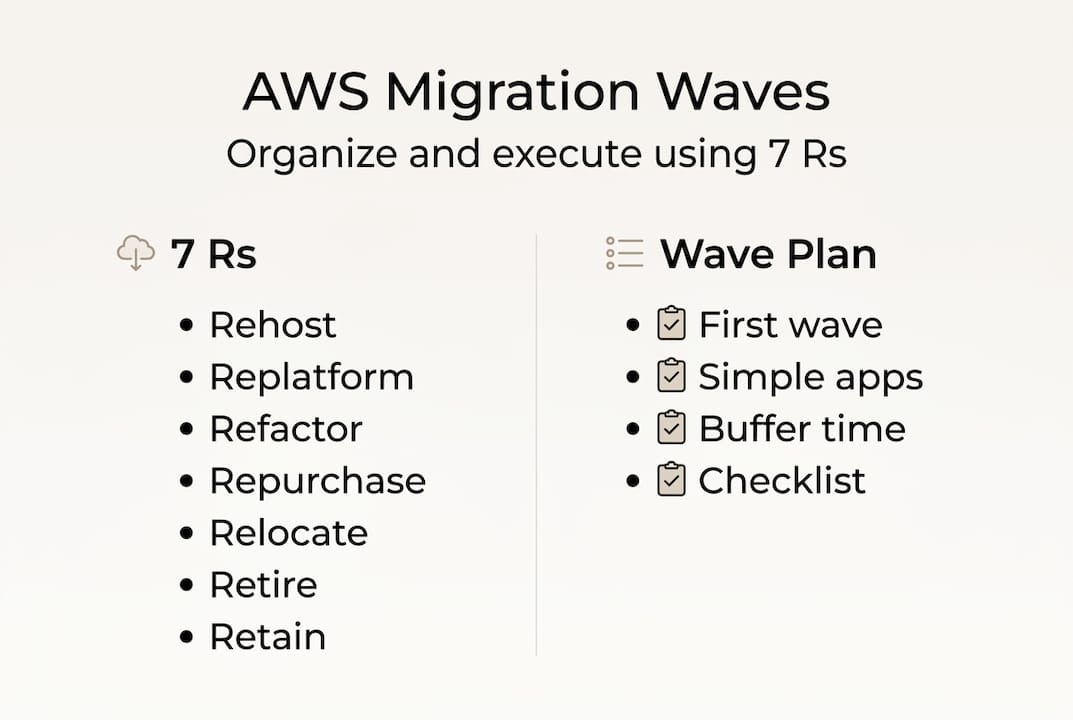
Pro Tip: Build a 20% time buffer into every wave plan. Unexpected dependency issues, licensing problems, and network configuration surprises are the norm, not the exception. Teams that plan for them finish on time. Teams that do not spend weeks scrambling.
A solid migration planning checklist is one of the most underused tools in enterprise migrations. Before your first wave kicks off, make sure every application has a documented R strategy, an assigned owner, and a defined success metric.
Preparation checklist: Tools, prerequisites, and foundational best practices
After classifying workloads and sketching your migration waves, zoom in on what must be in place before your first asset moves. Skipping this phase is where most cost overruns begin.
You will need three categories of tools: discovery tools (AWS Application Discovery Service or third-party alternatives to map dependencies), replication tools (AWS Application Migration Service for server migrations, AWS Database Migration Service for databases), and monitoring tools (Amazon CloudWatch for ongoing visibility post-migration).

Here is a summary of key prerequisites:
| Prerequisite | Details |
|---|---|
| Network connectivity | Direct Connect or VPN configured before migration begins |
| AWS account structure | Multi-account strategy with separate accounts per environment |
| IAM configuration | Least privilege access for all migration roles |
| Licensing review | Microsoft licenses audited and optimized before move |
| Shared services | Active Directory, DNS, and DHCP mapped and planned |
| Well-Architected review | Baseline assessment completed for target workloads |
The numbered steps to complete before migration:
- Run automated discovery to map all application dependencies.
- Establish your AWS landing zone with a multi-account structure.
- Configure networking: Transit Gateway, Direct Connect, or VPN.
- Set up AWS Identity and Access Management (IAM) with least privilege roles.
- Audit and optimize Microsoft licensing to avoid paying for unused capacity.
- Map shared services like Active Directory and DNS to their cloud equivalents.
- Complete a Well-Architected Framework review for your highest-priority workloads.
Foundational best practices for Microsoft workloads specifically call out the importance of optimizing licensing early, using AWS Transit Gateway for scalable networking, and enforcing least privilege across all accounts. These are not optional. They directly affect your security posture and your bill.
Pro Tip: Microsoft licensing is one of the biggest hidden costs in AWS migrations. Bring Your Own License (BYOL) options and License Included pricing have very different economics depending on your existing agreements. Review this before you move, not after.
The pre-migration best practices phase also includes team readiness. Identify who owns each workload, who approves cutovers, and who handles rollback if something goes wrong. Ambiguity at this stage creates chaos during execution.
Executing the migration: Steps and expert shortcuts
Once your environment and teams are ready, execution begins. This is where preparation pays off, or where gaps become expensive.
Here is the step-by-step process for using AWS Application Migration Service (MGN), which is the primary tool for server migrations:
- Install the MGN replication agent on each source server.
- Verify that replication is healthy and data is syncing correctly.
- Configure launch settings for target EC2 instances (instance type, security groups, networking).
- Perform a test cutover in a staging environment to validate the migrated workload.
- Resolve any issues found during testing before touching production.
- Schedule the production cutover during a low-traffic window.
- Execute the cutover, validate functionality, and confirm data integrity.
- Decommission source servers after a defined stabilization period.
Critical note: Never reboot source machines immediately before a cutover. Reboots can interrupt replication and cause data inconsistencies that are difficult to detect until after go-live.
The MGN best practices documentation is explicit: plan thoroughly before installing agents, confirm healthy replication before any cutover, and train your teams on the process so they are not learning under pressure.
Pro Tip: Start test migrations at least two weeks before your planned production cutover. This gives your team time to identify configuration issues, test application behavior in the AWS environment, and build confidence before the real event.
Coordination matters as much as technical execution. Business stakeholders need to know when cutovers are happening, what the rollback plan is, and who to contact if something breaks. A brief cutover communication plan, even a one-page document, prevents a lot of confusion.
For complex workloads, consider deploying Application Migration Service with a phased approach, moving non-critical components first and validating behavior before cutting over the full application stack.
Post-migration success: Validation, cost optimization, and ongoing management
With workloads running in AWS, the focus shifts from moving to managing. Many teams make the mistake of treating go-live as the finish line. It is actually the starting line for a new set of disciplines.
Validation comes first. Check three things immediately after cutover: functionality (does the application behave as expected?), data integrity (is all data present and accurate?), and performance (does response time meet baseline benchmarks?). Do not declare success until all three pass.
Cost optimization is an ongoing process, not a one-time task. Key strategies include:
- AWS Compute Optimizer: Analyzes your actual usage and recommends right-sized instance types. Run this after migration stabilizes to identify over-provisioned resources.
- Automated scheduling: Shut down non-production environments outside business hours using AWS Instance Scheduler. This alone can cut compute costs by 30% or more for dev and test workloads.
- Amazon CloudWatch: Set up dashboards and alarms for CPU, memory, and network metrics. Monitoring gaps lead to surprise bills and undetected performance issues.
- Reserved Instances and Savings Plans: Once you understand your steady-state usage after stabilization, commit to discounted pricing for predictable workloads.
Expect a stabilization period of 3 to 6 months after migration. During this time, performance will fluctuate, teams will adjust processes, and costs will vary as you tune resources. This is normal. Patience and consistent monitoring are what get you to a stable, optimized state.
The most forward-thinking enterprises establish a Cloud Center of Excellence (CCOE) after migration. A CCOE is a cross-functional team responsible for governance standards, cost management, security policies, and continuous improvement. Without one, cloud environments tend to drift: costs rise, security gaps appear, and nobody owns the problem.
For teams focused on optimizing AWS after migration, the CCOE model provides the structure needed to turn a successful migration into a long-term competitive advantage.
Editorial perspective: Why most AWS migrations fail—and how to actually get it right
Here is the uncomfortable truth most migration guides skip: the technical steps are the easy part. The hard part is organizational.
We have seen enterprises with detailed runbooks, certified tools, and experienced engineers still stumble badly. Why? Because nobody addressed executive sponsorship. Because the team treating AWS as “just a new data center” never changed how they operate. Because governance was an afterthought bolted on after costs spiraled.
The enterprise migration case studies that end well share one trait: leadership treated cloud adoption as a business transformation, not an IT project. They invested in change management, ran honest retrospectives after every wave, and built feedback loops that made each phase smarter than the last.
AWS adoption is a marathon. The organizations that win are not the ones with the best tools. They are the ones that build a culture of continuous improvement and treat every stumble as a data point, not a failure.
Accelerate your AWS migration with expert support
Knowing the best practices is one thing. Executing them under real business pressure, with real deadlines and real risk, is another. Even experienced internal teams benefit from a partner who has navigated these exact challenges across dozens of enterprise migrations.
AWS Migration Services provides end-to-end support from initial discovery and wave planning through execution and post-migration optimization. As an AWS Certified Migration Partner, we help enterprises avoid the costly missteps that derail migrations and build the governance foundations that make cloud investments pay off. If you are planning a migration or stuck mid-project, a discovery call is the fastest way to get clarity on your next steps.
Frequently asked questions
What are the 7 Rs of AWS migration?
The 7 Rs are rehost, replatform, refactor, repurchase, relocate, retire, and retain. Each describes a different migration approach based on workload complexity and business goals.
How do you plan migration waves?
Group applications by risk and complexity, start with low-risk apps, and build buffer time into each wave to handle unexpected issues without derailing your schedule.
What should be done after migrating to AWS?
Validate workloads for functionality and data integrity, right-size resources using Compute Optimizer, set up CloudWatch monitoring, and expect up to 6 months for full stabilization.
Why does migration governance matter?
Without strong governance, organizations risk security breaches, uncontrolled cost growth, and cloud environments that drift away from best practices over time.
How early should teams test migration cutovers?
Begin test migrations at least two weeks before your planned production cutover to surface configuration issues and give teams time to resolve them without pressure.