
TL;DR:
- AWS DMS best practices emphasize careful task configuration, ongoing monitoring, and thorough validation for successful database migrations. Proper setup of parallel load settings, LOB handling, and task segmentation improves performance and manageability. Continuous use of CloudWatch metrics and detailed validation ensures data integrity and minimizes migration risks.
AWS Database Migration Service (AWS DMS) best practices are the configuration standards, validation procedures, and operational controls that determine whether a database migration succeeds or fails at scale. AWS DMS supports both homogeneous migrations (MySQL to MySQL) and heterogeneous migrations (Oracle to PostgreSQL) with minimal downtime, but the service rewards engineers who treat it as a precision instrument rather than a push-button tool. Following AWS official recommendations and industry-tested procedures separates migrations that land cleanly from those that require painful rollbacks.
What are the AWS DMS best practices for task configuration?
Task configuration is where most migration performance problems originate. Getting these settings right before you start a full load saves hours of troubleshooting later.

Parallel loading and throughput settings
The default MaxFullLoadSubTasks value is 8, but increasing it up to 49 unlocks significantly more parallel table loading during full load tasks. That single parameter change can cut full load duration by a factor proportional to your table count and replication instance size. Pair it with ParallelLoadThreads and ParallelLoadBufferSize to control how many threads each subtask uses and how much memory it allocates.
LOB (Large Object) handling deserves its own attention. Limited LOB mode is the right choice for binary objects smaller than a few megabytes because it reduces replication instance memory consumption. The maximum LOB size quota is 100MB. Choosing full LOB mode for small objects wastes memory and slows throughput unnecessarily.
Commit rate settings also affect load speed directly. Higher commit rates reduce the number of round trips to the target database, which matters most when network latency between the replication instance and the target is non-trivial. Test commit rate values in a staging environment before applying them to production migrations.
Pro Tip: Use limited LOB mode as your default for all LOBs under a few megabytes. Switch to full LOB mode only when you have confirmed that objects exceed that threshold.
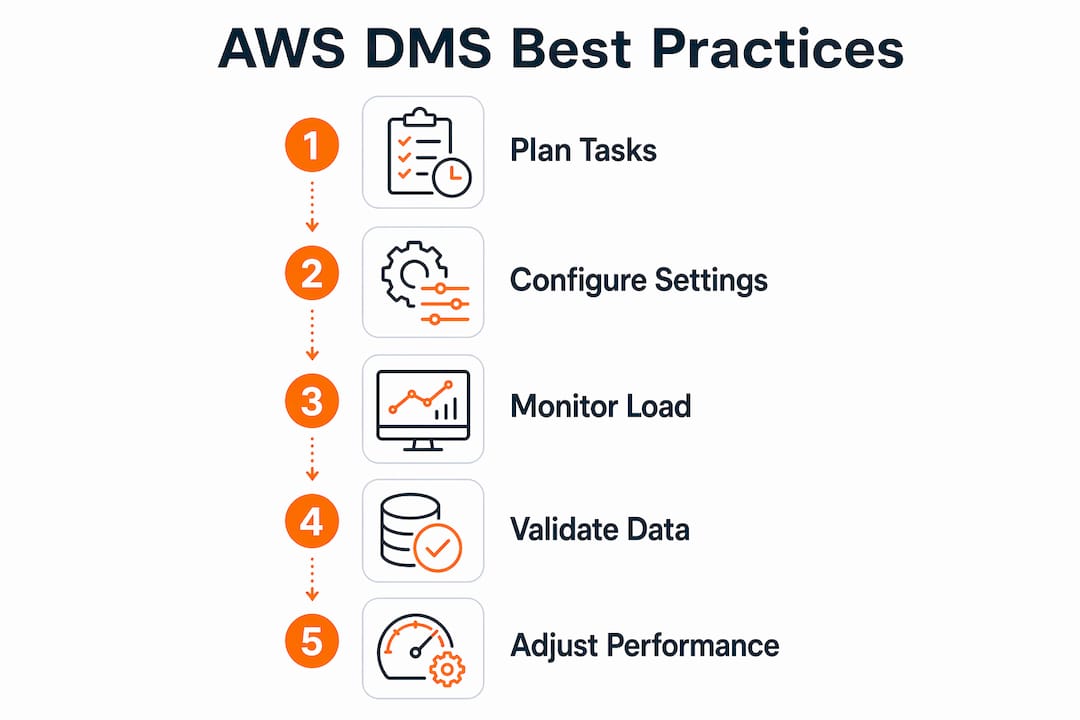
For large migrations, splitting tasks by schema or table size distributes resource load across multiple replication instances and prevents any single task from becoming a bottleneck. A migration that moves 50 tables as one task is harder to monitor and recover than five tasks of 10 tables each.
| Setting | Recommended approach | Impact |
|---|---|---|
| MaxFullLoadSubTasks | Increase up to 49 | More parallel table loads |
| LOB mode | Limited for objects under a few MB | Lower memory consumption |
| Commit rate | Tune upward for low-latency targets | Faster data load |
| Task segmentation | Split by schema or table size | Easier monitoring and recovery |
How should you monitor and validate AWS DMS migrations?
Monitoring is not optional. A migration that appears healthy in the AWS console can still deliver corrupted or incomplete data to the target.
Key CloudWatch metrics to watch
CloudWatch provides essential resource and task-level metrics that guide scaling decisions during active migrations. The four metrics that matter most are:
- CPUUtilization: Sustained high CPU on the replication instance signals that you need a larger instance class or fewer parallel tasks.
- FreeMemory: Dropping free memory during full load often means LOB mode settings are consuming more than expected.
- CDCLatencySource: Rising source latency during Change Data Capture (CDC) means the replication instance cannot keep up with the source transaction rate.
- FullLoadThroughput: Low throughput during full load points to commit rate settings, network constraints, or target write bottlenecks.
Validation and error resolution
AWS DMS includes a built-in validation feature that compares row counts and checksums between source and target. Enable it, but understand its limits. A green task status means data is moving, not that the migration is complete or correct. Indexes, constraints, sequences, and permissions all exist outside the scope of what AWS DMS validates automatically.
Common replication errors include duplicate key violations and data type mismatches. Debug logging in CloudWatch Logs gives you the specific row and operation that caused the failure. Enable debug logging during the first full run of any new migration task, then dial it back to reduce log volume once the task is stable.
Pro Tip: Schedule validation-only tasks as separate DMS tasks that run after the primary load completes. This keeps validation overhead off the main replication instance and gives you a clean audit trail.
What pre-migration planning does AWS DMS require?
Pre-migration planning is the phase most teams underinvest in. The decisions made here determine how much risk you carry into the cutover window.
-
Separate schema conversion from data replication. AWS Schema Conversion Tool (AWS SCT) handles DDL translation for heterogeneous migrations. AWS DMS handles data movement. Mixing these concerns in a single step creates confusion about which tool owns which failure. Run schema conversion first, validate the target schema, then configure DMS tasks.
-
Choose the right migration mode. Full load moves existing data. CDC replicates ongoing changes. Full load plus CDC is the standard choice for production databases that cannot go offline. Each mode has different replication instance sizing requirements and monitoring needs.
-
Build a formal migration runbook. Validation queries, cutover checklists, and rollback procedures belong in a documented runbook, not in a Slack thread. The runbook should name the owner of each step and include the exact commands needed to pause, resume, or reverse the migration.
-
Verify endpoint connectivity before starting. Test source and target endpoint connections from the replication instance before the migration window opens. A failed connection at 2:00 AM during a cutover is avoidable.
-
Size the replication instance conservatively. Undersized instances are the most common cause of stalled full loads. Start one instance class larger than your estimate suggests, then scale down after the first successful run.
-
Run a full rehearsal with production-scale data. A full-scale migration test surfaces bottlenecks and schema conversion failures that small data samples miss entirely. A rehearsal with 10% of your data will not reveal the LOB handling issue that appears at 100%.
Pro Tip: Use explicit table mapping rules in every DMS task. Avoid wildcard rules that migrate everything in a schema. Explicit mappings give you precise control over task scope and make troubleshooting far faster.
For a structured approach to pre-migration planning, the AWS migration checklist from IT-Magic covers security, cost, and connectivity requirements in a single framework.
How do you tune AWS DMS for MySQL environments?
MySQL introduces specific timeout and configuration behaviors that can derail migrations if left at default values.
Setting net_read_timeout, net_write_timeout, and wait_timeout to at least 300 seconds on MySQL source endpoints prevents premature disconnections during long-running full load operations. The default MySQL timeout values are far too short for bulk data transfers. A disconnection mid-load forces a task restart, which wastes time and can introduce partial data states on the target.
On Amazon RDS targets, disabling Multi-AZ deployments and automated backups during the initial full load reduces synchronous replication overhead and write latency. Re-enable both features immediately after the full load completes and before CDC begins. Running full load against a Multi-AZ RDS instance with automated backups active adds measurable I/O overhead that slows throughput.
- Set
ParallelLoadThreadsto match the number of vCPUs on the replication instance for maximum MySQL throughput. - Address “Too many connections” errors by increasing the
max_connectionsparameter on the target MySQL instance before the migration starts. - Break complex queries into shorter operations. AWS DMS performs best with short, discrete transactions rather than long-running batch queries.
- Monitor both source and target database metrics throughout the migration, not just the DMS replication instance metrics.
Pro Tip: Monitor source and target database CPU and I/O in parallel with DMS CloudWatch metrics. A bottleneck on the target database will not appear in DMS metrics alone.
For teams working in performance-sensitive environments, the performance testing process used by SaaS and fintech teams offers a useful framework for validating migration throughput before and after configuration changes.
Key Takeaways
Successful AWS DMS migrations require precise task configuration, continuous monitoring, and formal operational controls applied before, during, and after the migration window.
| Point | Details |
|---|---|
| Parallel load configuration | Increase MaxFullLoadSubTasks up to 49 and tune ParallelLoadThreads to cut full load time. |
| LOB mode selection | Use limited LOB mode for objects under a few megabytes to reduce memory consumption. |
| CloudWatch monitoring | Track CPUUtilization, FreeMemory, and CDCLatencySource to catch bottlenecks before they stall a migration. |
| Formal runbook | Document cutover steps, rollback commands, and owner responsibilities before the migration window opens. |
| MySQL-specific tuning | Set MySQL timeout parameters to at least 300 seconds and disable Multi-AZ during full load on RDS targets. |
AWS DMS is an engineering release, not a migration wizard
Every team I have worked with that struggled with AWS DMS made the same mistake: they treated it as a managed service that handles complexity for them. It does not. AWS DMS moves data reliably when you configure it correctly. The configuration work is yours.
The detail that surprises most engineers is the gap between a green task status and a successful migration. A green status confirms data movement, nothing more. I have seen migrations where DMS reported success while the target database was missing foreign key constraints, had incorrect sequences, and lacked the permissions the application needed to function. The application broke on first connection. None of that showed up in the DMS console.
Treating migration as an engineering release with rehearsals, rollback checkpoints, and documented validations is the only approach that holds up under pressure. That means version-controlling your DMS task configurations, running them through a staging environment with production-scale data, and assigning named owners to every step in the cutover runbook. It also means integrating DMS task creation into your infrastructure as code pipeline so that task configurations are reproducible and auditable.
The teams that get this right do not have fewer problems. They have faster recovery times and clearer accountability when problems occur. That is the real value of migration discipline.
— Oleksandr
Professional AWS migration support from IT-Magic
IT-Magic has completed 700+ AWS migration projects as an AWS Advanced Tier Partner, including complex database migrations for eCommerce and fintech environments where downtime translates directly into revenue loss.

For teams that need more than documentation, IT-Magic provides full-lifecycle AWS migration services covering infrastructure audit, DMS task configuration, cutover planning, and post-migration validation. Every engagement includes a formal runbook, rehearsal runs with production-scale data, and validated rollback procedures. The goal is a migration that lands correctly the first time, without adding operational burden to your team. Contact IT-Magic to discuss your database migration requirements.
FAQ
What is the default MaxFullLoadSubTasks value in AWS DMS?
The default MaxFullLoadSubTasks value is 8. You can increase it up to 49 to load more tables in parallel and reduce full load duration.
How do I prevent disconnections during MySQL migrations with AWS DMS?
Set net_read_timeout, net_write_timeout, and wait_timeout to at least 300 seconds on the MySQL source endpoint. Default MySQL timeout values are too short for bulk data transfers and cause mid-load disconnections.
Does a green AWS DMS task status mean the migration is complete?
No. A green status confirms that data is moving, not that the migration is correct. Indexes, constraints, sequences, and permissions require separate, explicit validation after the DMS task finishes.
When should I disable Multi-AZ on RDS during an AWS DMS migration?
Disable Multi-AZ deployments and automated backups on the RDS target during the initial full load phase only. Re-enable both immediately after the full load completes and before CDC replication begins.
What CloudWatch metrics matter most for AWS DMS performance tuning?
Track CPUUtilization, FreeMemory, CDCLatencySource, and FullLoadThroughput on the replication instance. Rising CDCLatencySource during Change Data Capture indicates the instance cannot keep pace with the source transaction rate.