
TL;DR:
- AWS Lambda charges primarily for GB-seconds and request counts, with the free tier covering 1 million requests monthly. Optimizing memory allocation and switching to Arm architecture can significantly reduce costs, especially for predictable workloads. External services and idle capacities often surpass Lambda compute bills, so careful cost tracking and targeted capacity planning are essential.
AWS Lambda bills on two numbers: $0.20 per 1 million requests and roughly $0.0000166667 per GB-second of compute on x86 (Arm/Graviton2 runs about 20% cheaper). Your monthly cost follows this formula:
Before you hit that formula, the permanent free tier covers 1 million requests, 400,000 GB-seconds and 100 GiB of response streaming every month — no expiration, no 12-month clock. For small workloads, that free tier often means a $0 Lambda bill. The single biggest cost lever after that is memory allocation: because Lambda ties CPU to memory, the GB-second rate you pay is a direct function of how much RAM you configure. Get that wrong and every other optimization is noise.
Pro Tip: Before you touch provisioned concurrency or architecture changes, run a memory power-tuning experiment. For CPU-bound functions, bumping memory from 128 MB to 512 MB can cut execution time enough that the total GB-second cost actually drops.
Table of Contents
- How does AWS Lambda pricing actually work?
- What does Provisioned Concurrency cost, and when is it worth it?
- Should you use Lambda Managed Instances for steady-state workloads?
- What other charges show up on Lambda bills?
- Worked pricing examples for common Lambda workloads
- How do you estimate your true monthly Lambda bill?
- What are the most effective Lambda cost optimization levers?
- How do you find and reconcile Lambda charges in AWS billing?
- Key Takeaways
- The number teams consistently get wrong
- What an IT-Magic Lambda cost audit actually covers
- Useful sources
- FAQ
How does AWS Lambda pricing actually work?
Lambda billing has three moving parts: requests, duration (GB-seconds), and a handful of add-on charges. Understanding how they interact is what separates accurate estimates from the ones that blow up in production.

Requests
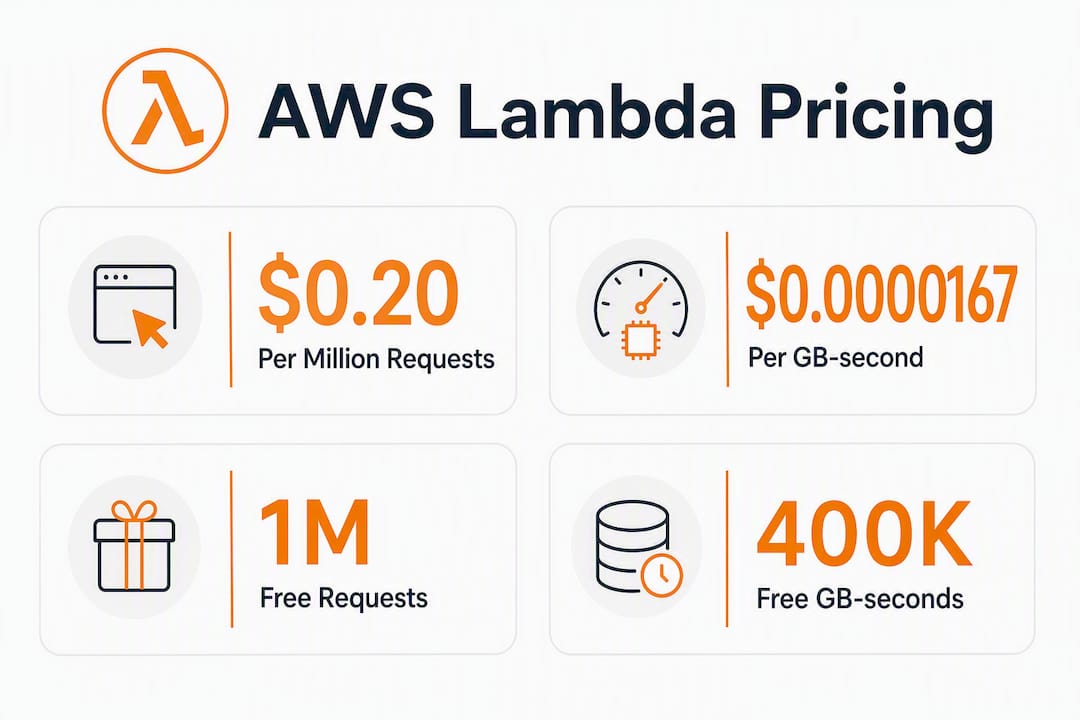
Every function invocation counts as one request. AWS charges $0.20 per 1 million requests, which works out to $0.0000002 per call. At modest scale this line item is nearly invisible. At very high invocation counts it can become a significant cost before adding compute charges.
Duration and GB-seconds
Duration is where most bills live. Lambda measures execution time in milliseconds, rounds up to the nearest 1 ms, and multiplies by your configured memory in GB. That product is your GB-second count.
Formula: GB-seconds = (duration in ms ÷ 1,000) × (memory in MB ÷ 1,024)
A function configured at 512 MB running for 200 ms consumes:
(200 ÷ 1,000) × (512 ÷ 1,024) = 0.2 × 0.5 = 0.1 GB-seconds
At the x86 rate of $0.0000166667/GB-s, that single invocation costs $0.0000016667. Run it 10 million times a month and you’re at $16.67 in compute, plus $2.00 in request charges.
Architecture: x86 vs. Arm
Switching to Arm (Graviton2) cuts the per-GB-second rate by a significant margin versus x86. For most runtimes — Node.js, Python, Java — performance is equal or better. The switch is a one-line change in your function configuration and is one of the easiest cost reductions available.
The permanent free tier
The free tier never expires. Each month you get:
- 1,000,000 free requests
- 400,000 free GB-seconds of compute
- 100 GiB of free response streaming
At 128 MB memory, 400,000 GB-seconds covers roughly 3.2 billion milliseconds of execution — enough to run a lightly used API entirely for free.
Billing rules worth knowing
- Retries count as new invocations. Async event sources (SQS, SNS, EventBridge) retry on failure; each retry is a billable request and duration.
- INIT time is billed. Cold start initialization is included in the billed duration for on-demand functions.
- Ephemeral storage beyond 512 MB is charged separately (more on that in the ancillary charges section).
- Free tier applies account-wide, not per function. One high-traffic function can consume the entire monthly allowance.
- Tiered pricing exists for very high-volume accounts, with reduced rates above certain GB-second thresholds per month.
- Response streaming beyond the free 100 GiB/month incurs additional data transfer charges.
What does Provisioned Concurrency cost, and when is it worth it?
Provisioned Concurrency eliminates cold starts by keeping initialized execution environments running at all times, but this comes with an always-on capacity charge regardless of invocation count.
How the billing works
Provisioned Concurrency adds an hourly capacity charge per GB of memory allocated, on top of the normal request charge and a reduced duration rate when those pre-warmed environments actually execute. The free tier and tiered compute discounts do not apply to provisioned capacity.
Three cost components stack together:
- Capacity charge: hourly rate × GB allocated × hours provisioned
- Reduced duration charge: a lower per-GB-second rate for executions that run on provisioned environments
- Request charge: standard $0.20/1M, unchanged
Pricing example
| Configuration | Memory | Provisioned instances | Approx. monthly capacity cost |
|---|---|---|---|
| Modest API | 256 MB | 2 | ~$10–$15 |
| Medium API | 1 GB | 2 | ~$40–$50 |
| High-traffic endpoint | 1 GB | 10 | ~$200–$250 |
These figures reflect the capacity charge alone, before execution costs. Even with a modest provisioned concurrency configuration running 24/7, the monthly standing charge is typically between $10 and $15, and larger/always-on setups can reach $100 or more before any invocations. Idle capacity is the cost driver.
Pro Tip: Provisioned Concurrency leaks money fast when applied to functions that don’t actually have latency-sensitive traffic. Scope it to the specific function versions that serve your critical user-facing paths, and use Application Auto Scaling to scale provisioned capacity down during off-peak hours. Never apply it account-wide as a default cold-start fix.
Should you use Lambda Managed Instances for steady-state workloads?
On-demand Lambda is priced for unpredictable, spiky traffic. When your workload is predictable and runs continuously, Lambda Managed Instances let you run Lambda on managed EC2 capacity and apply EC2 cost-saving commitments — Savings Plans or Reserved Instances — to that capacity. You keep the Lambda runtime and developer experience while paying EC2-level economics.
When the math shifts in favor of Managed Instances
The crossover point depends on how consistently your functions run. A function that fires 10 million times per day with predictable duration is a fundamentally different cost profile than one that fires 50,000 times per day with random bursts. For the former, committing to EC2 capacity through a Savings Plan typically undercuts on-demand Lambda pricing at scale.
A practical modeling approach: calculate your typical month’s GB-second cost at on-demand rates, then calculate your p95 month (your worst traffic month). If the p95 month is more than 40–50% higher than the typical month, you have a spiky workload and on-demand Lambda is likely the right choice. If the two months are close, Managed Instances with a 1-year Savings Plan often wins on cost.
Decision checklist
- Volume: Are you consistently running hundreds of millions of GB-seconds per month? Managed Instances starts making sense.
- Memory: Functions using 1 GB or more benefit more from EC2 pricing commitments than 128 MB functions.
- Latency: Managed Instances can reduce cold start variability for steady-state traffic, similar to provisioned concurrency but at lower standing cost.
- Operational overhead: You take on more capacity-planning responsibility; the Lambda abstraction is thinner.
- Incident months: Model what happens when traffic spikes 3–5× during an incident. On-demand Lambda absorbs that automatically; Managed Instances may require over-provisioning.
- Savings Plan term: 1-year commitments offer meaningful discounts; 3-year terms go deeper but lock in longer.
For a steady API or heavy ML inference workload running at consistent load, Managed Instances with a 1-year Compute Savings Plan is often the lowest-cost path. For anything with significant traffic variance, on-demand Lambda’s elasticity is worth the premium. See AWS scalability cost trade-offs for a broader framework on choosing between managed and committed capacity.
What other charges show up on Lambda bills?
Lambda compute and requests are often not the largest line items on a serverless bill. API Gateway, CloudWatch Logs, NAT Gateway, and data transfer regularly exceed the Lambda compute cost depending on architecture. Here’s where to look.
Ephemeral storage (/tmp)
Every Lambda function gets 512 MB of /tmp storage at no charge. Beyond that, you pay per GB-second of additional storage duration. For most functions this is zero. For functions that cache large files, unzip archives, or stage ML model weights, it adds up quickly — and it’s easy to miss because it appears as a separate line item.
Response streaming
The free tier covers 100 GiB of response streaming per month. Beyond that, data transfer rates apply. Functions that stream large payloads (video processing results, large JSON responses, file downloads) can generate meaningful streaming charges at scale.
CloudWatch Logs
Lambda writes execution logs to CloudWatch Logs by default. You pay for log ingestion (per GB ingested) and retention (per GB stored per month). A high-invocation function with verbose logging can generate gigabytes of log data per day. Reducing log verbosity in production and setting aggressive retention policies (7–14 days for non-compliance workloads) is one of the fastest ways to cut ancillary costs.
VPC and NAT Gateway
Lambda functions inside a VPC that need internet access route through a NAT Gateway. NAT Gateway charges per GB of data processed, and those charges can dwarf Lambda compute costs for functions that make frequent outbound HTTP calls. The fix is usually to use VPC endpoints for AWS services (S3, DynamoDB, SQS) and reserve NAT Gateway for genuine public internet traffic.
API Gateway and Step Functions
API Gateway charges per million API calls plus data transfer. Step Functions charges differ between Standard and Express workflows — Standard charges per state transition, Express charges per invocation and duration. For high-frequency orchestration, Express Workflows are almost always cheaper. Check the official AWS Lambda pricing page for current rates on each adjacent service.
Worked pricing examples for common Lambda workloads
These examples use the x86 rates and assume the free tier has been exhausted. All figures are monthly.

Example 1: Small API endpoint
Inputs: 10 million invocations/month, 256 MB memory, 150 ms average duration
GB-seconds = (150 ÷ 1,000) × (256 ÷ 1,024) × 10,000,000
           = 0.15 × 0.25 × 10,000,000
           = 375,000 GB-seconds

Compute cost = 375,000 × $0.0000166667 = $6.25
Request cost = (10,000,000 ÷ 1,000,000) × $0.20 = $2.00
Total Lambda cost = $8.25/month
Example 2: Batch ETL job
Inputs: 500,000 invocations/month, 1,024 MB memory, 8,000 ms average duration
GB-seconds = (8,000 ÷ 1,000) × (1,024 ÷ 1,024) × 500,000
           = 8 × 1 × 500,000
           = 4,000,000 GB-seconds

Compute cost = 4,000,000 × $0.0000166667 = $66.67
Request cost = (500,000 ÷ 1,000,000) × $0.20 = $0.10
Total Lambda cost = $66.77/month
Batching reduces invocation count dramatically. Processing 1,000 records per invocation instead of 1 record per invocation cuts request cost by 1,000× and reduces cold start overhead.
Example 3: ML inference
Inputs: 2 million invocations/month, 3,072 MB memory, 2,500 ms average duration (includes model loading and external API wait time)
GB-seconds = (2,500 ÷ 1,000) × (3,072 ÷ 1,024) × 2,000,000
           = 2.5 × 3 × 2,000,000
           = 15,000,000 GB-seconds

Compute cost = 15,000,000 × $0.0000166667 = $250.00
Request cost = (2,000,000 ÷ 1,000,000) × $0.20 = $0.40
Total Lambda cost = $250.40/month
The key insight here: Lambda bills for wall-clock time, including time spent waiting on external model endpoints or downstream APIs. A function that spends 1,500 ms of its 2,500 ms execution waiting on an HTTP call is paying for that idle time at the full GB-second rate.
Summary table
| Workload | Invocations | Memory | Avg duration | GB-seconds | Monthly Lambda cost |
|---|---|---|---|---|---|
| Small API | 10M | 256 MB | 150 ms | 375,000 | $8.25 |
| Batch ETL | 500K | 1,024 MB | 8,000 ms | 4,000,000 | $66.77 |
| ML inference | 2M | 3,072 MB | 2,500 ms | 15,000,000 | $250.40 |
How do you estimate your true monthly Lambda bill?
A static calculator gives you a snapshot. Accurate cost estimation requires telemetry, scenario modeling, and the right tools in the right order.
Step-by-step estimation process
- Identify your memory configuration — Check the Lambda console or use AWS CLI:
aws lambda get-function-configuration --function-name <name>. Note whether functions are on x86 or Arm.
Tools for the job
AWS Pricing Calculator (calculator.aws) lets you model Lambda costs by entering invocation count, duration, and memory. It’s best for greenfield estimates before you have real telemetry. It does not model retries or p95 scenarios natively.
AWS Cost Explorer shows actual spend broken down by service, operation, and time range. Filter by Service = Lambda and group by Operation to separate request charges from duration charges. Use the hourly granularity view to spot traffic spikes that drove cost.
AWS Cost and Usage Report (CUR) is the most granular billing data available. CUR exports to S3 and includes usage type, resource ID, and tags. It’s the only tool that lets you allocate Lambda costs by function, team, or product line with full precision.
Dashbird and similar third-party tools (CloudCostKit’s AWS Lambda cost calculator) add scenario modeling, anomaly detection, and cross-function cost attribution that the native AWS tools lack. They’re particularly useful for teams managing dozens of functions across multiple accounts.
Pro Tip: When your Cost Explorer total doesn’t match your Pricing Calculator estimate, the gap is almost always retries, provisioned concurrency capacity charges, or adjacent service costs (CloudWatch Logs is the most common culprit). Pull a CUR export and filter for aws:lambda usage types to find the discrepancy.
What are the most effective Lambda cost optimization levers?
Memory tuning first, architecture second, everything else after. Here’s the full checklist with honest trade-off notes.
Optimization checklist
-
Right-size memory with power tuning. Use the AWS Lambda Power Tuning open-source tool (a Step Functions state machine) to test your function at 8–10 memory configurations and find the cost-optimal setting. For CPU-bound functions, more memory often means less duration and lower total cost. For I/O-bound functions, the minimum memory that meets your latency SLA is usually cheapest.
-
Switch to Arm/Graviton2 where it fits. The roughly 20% per-GB-second discount applies to most runtimes with no code changes. Test it; roll it out to functions where benchmarks confirm equal or better performance.
-
Batch requests aggressively. For SQS-triggered functions, maximize batch size. Processing 10,000 records in 100 invocations instead of 10,000 invocations cuts request charges 100× and reduces cold start frequency.
-
Offload long waits. Functions that spend most of their duration waiting on external APIs or databases are paying Lambda rates for idle time. Move that orchestration to Step Functions Express Workflows or an async queue pattern where the Lambda function only does the actual compute work.
-
Reduce log verbosity in production. Set log level to WARN or ERROR for production functions. Structured logging with sampling (log 1% of successful requests, 100% of errors) can cut CloudWatch ingestion costs by 80–90%.
-
Use ephemeral storage sparingly. If your function caches large files in /tmp, consider whether S3 or a shared cache (ElastiCache) is more cost-effective at your invocation rate.
-
Tag functions for cost ownership. Apply
team,product, andenvironmenttags to every Lambda function. Without tags, CUR data is nearly impossible to allocate to the teams generating the cost. -
Schedule provisioned concurrency, don’t leave it always-on. Use Application Auto Scaling with a scheduled action to provision capacity 10 minutes before peak traffic and scale it back down after. This can cut provisioned concurrency costs by 50–70% for workloads with predictable traffic patterns.
Trade-off notes
Provisioned concurrency improves latency but adds standing cost. The right question is not “does this function have cold starts?” but “do cold starts on this function cause measurable user impact or revenue loss?” If the answer is no, on-demand is cheaper.
Managed Instances with Savings Plans require capacity planning and a commitment. The engineering effort to model and commit is real. For teams without dedicated FinOps resources, the AWS cost optimization audit approach — where an external team models the crossover and manages the commitment — often delivers faster savings than internal analysis.
Pro Tip: Two non-obvious wins: (1) Check whether your functions are configured with more ephemeral storage than the default 512 MB. It’s a common leftover from development that generates charges nobody notices. (2) If you use Lambda@Edge, note that it bills at different rates than standard Lambda and does not share the standard free tier. It’s a separate billing dimension that frequently surprises teams running CloudFront-based architectures.
How do you find and reconcile Lambda charges in AWS billing?
Cost Explorer shows the total; CUR shows the truth. Here’s how to use both.
Steps to locate Lambda charges
- Open AWS Cost Explorer and set the date range to the last full month.
- Filter by
Service = AWS Lambda. - Group by
Usage Typeto separateLambda-GB-Second,Lambda-Request,Lambda-Provisioned-GB-Second, andLambda-Provisioned-Concurrency-Hrsline items. - Switch to hourly granularity and look for spikes that correlate with incidents, deployments, or scheduled jobs.
- Group by Linked Account if you run a multi-account organization to identify which account is driving cost.
- In the CUR, filter
product/servicecode = AWSLambdaand join onresourceTags/user:teamto allocate costs by team. - Cross-reference the
lineItem/UsageAmountforLambda-GB-Secondagainst your CloudWatch p95 duration × invocation count calculation. A gap of more than 10–15% usually means unaccounted retries or provisioned concurrency capacity.
Reconciliation checklist
- Check p95 duration, not just average. Cost Explorer shows total GB-seconds; divide by invocation count to get average GB-seconds per invocation, then compare to your CloudWatch p95 duration estimate.
- Audit provisioned concurrency capacity charges. These appear as
Lambda-Provisioned-Concurrency-Hrsand accrue even when invocation count is zero. - Count async retries. Pull the
ErrorsandDeadLetterErrorsmetrics from CloudWatch. Each error that triggered a retry added a billable invocation. - Check data transfer lines.
DataTransfer-Out-Bytesunder Lambda or EC2 can include NAT Gateway egress that’s architecturally caused by Lambda but billed under a different service. - Verify tag coverage. Run a CUR query for Lambda resources with no
teamorproducttag. Untagged functions are invisible to cost allocation and usually represent the largest surprises.
Key Takeaways
AWS Lambda cost is determined primarily by GB-seconds (memory × duration), and the single fastest optimization is right-sizing memory through power tuning before touching any other lever.
| Point | Details |
|---|---|
| Core billing formula | Monthly cost = (invocations ÷ 1M × $0.20) + (GB-seconds × $0.0000166667 for x86). |
| Free tier is permanent | 1M requests and 400,000 GB-seconds free every month; check this before modeling any cost. |
| Memory tuning first | Increasing memory raises CPU proportionally; for CPU-bound functions, this can reduce duration and lower total cost. |
| Provisioned Concurrency is expensive at idle | A modest always-on configuration typically costs between $10 and $15 per month, while larger setups can reach $100 or more in standing charges before any invocations; scope it to latency-critical paths only. |
| IT-Magic cost audit | IT-Magic’s AWS cost optimization audit covers telemetry analysis, memory tuning, concurrency, and adjacent charges to find quick wins. |
The number teams consistently get wrong
Most Lambda cost misestimates share the same root cause: teams build their model on average duration from a calm week, then get surprised when a deployment incident, a retry storm, or a traffic spike drives a bill 3–4× higher than projected.
Average duration is a lie by omission. A function with a p50 duration of 120 ms and a p99 duration of 4,200 ms has a very different cost profile than the average suggests. If 1% of your invocations run 35× longer than typical, and you have 50 million invocations per month, that long tail is 500,000 invocations at 4,200 ms each. The math on that tail alone can exceed your entire “average” cost estimate.
The second mistake is treating Lambda costs in isolation. The compute line item is often not the problem. I’ve seen architectures where Lambda compute was $40/month and CloudWatch Logs ingestion was $180/month, NAT Gateway was $220/month, and API Gateway was $90/month. The team was optimizing the wrong number.
Prioritization when time is limited: run the power-tuning experiment first (it takes 20 minutes and often produces immediate savings), then pull a CUR export and sort by cost to find what’s actually driving the bill. Involve your SRE team for the retry and error analysis; involve finance for the tagging and allocation work. Automate the monthly CUR export to a dashboard so the next surprise is visible before it becomes a budget conversation.
What an IT-Magic Lambda cost audit actually covers
Knowing the formula is one thing. Finding where your specific architecture leaks money is another. IT-Magic has completed 700+ AWS projects, and Lambda cost overruns follow predictable patterns: misconfigured memory, unscoped provisioned concurrency, untagged functions, and adjacent service charges nobody is watching.

An IT-Magic AWS cost optimization engagement covers the full picture:
- Telemetry analysis: p50/p95 duration review, invocation patterns, retry volume, and error rates across all Lambda functions
- Memory and architecture audit: power-tuning recommendations and Arm migration candidates
- Concurrency review: provisioned concurrency scope, scheduling opportunities, and idle capacity charges
- Adjacent cost audit: CloudWatch Logs, NAT Gateway, API Gateway, and data transfer lines
- Cost model and quick wins report: a prioritized list of changes with estimated monthly savings for each
- Migration plan (where applicable): recommendations for Managed Instances or Savings Plans for steady-state workloads
The engagement starts with a free infrastructure audit. Teams typically see the highest-value changes within the first two weeks. Reach out to IT-Magic to schedule your audit and get a cost model built on your actual telemetry, not generic benchmarks.
Useful sources
- AWS Lambda Pricing — Official pricing page with current per-request and per-GB-second rates, tiered pricing thresholds, and Provisioned Concurrency rates for all regions.
- AWS Lambda FAQs — Covers billing edge cases including snapshot caching charges, minimum billing durations, and SnapStart pricing.
- Introducing tiered pricing for AWS Lambda — AWS Compute Blog post explaining how tiered volume discounts apply to GB-second charges at scale.
- Reduce Lambda costs through architecture and pricing — AWS re:Post guide covering Provisioned Concurrency billing, Managed Instances, and Savings Plans options.
- How do memory and computing power affect AWS Lambda cost? — AWS re:Post explanation of the memory-CPU relationship and power-tuning methodology.
- IT-Magic AWS cost optimization service — IT-Magic’s audit and optimization engagement covering Lambda, adjacent services, and account-wide cost governance.
- IT-Magic case studies — Documented examples of billing reductions and architecture improvements from real AWS optimization projects.
- Proven AWS cost reduction tips — Practical tactics for right-sizing, logging, and runtime optimization applicable to Lambda cost reduction.
FAQ
How much does Lambda cost on AWS?
Lambda charges $0.20 per 1 million requests and approximately $0.0000166667 per GB-second on x86 (Arm/Graviton2 is roughly 20% cheaper). A small API running many invocations per month at 256 MB and 150 ms average duration can cost several dollars in Lambda compute.
Is AWS Lambda completely free?
The free tier is permanent and covers 1 million requests and 400,000 GB-seconds per month with no expiration. Small or infrequently invoked functions often run at zero Lambda cost, though adjacent charges like CloudWatch Logs and API Gateway still apply.
Are Lambda functions expensive at scale?
Lambda can become expensive for high-memory, long-running, or high-frequency workloads. ML inference functions at 3 GB memory and 2,500 ms duration can cost $250+/month at 2 million invocations. The cost driver is always GB-seconds, not invocation count alone.
What are the main disadvantages of AWS Lambda pricing?
Lambda bills for wall-clock time including idle waits on external APIs, retries count as full invocations, and Provisioned Concurrency adds standing charges regardless of traffic. Adjacent services (CloudWatch Logs, NAT Gateway, API Gateway) frequently exceed the Lambda compute line item and are easy to overlook.
How do I reduce my Lambda bill quickly?
Run a memory power-tuning experiment first — it takes under 30 minutes and often cuts GB-second costs for CPU-bound functions. Then switch eligible functions to Arm/Graviton2 for a roughly 20% rate reduction, reduce log verbosity in production, and audit provisioned concurrency for idle capacity charges.