
AWS CodeCommit, the managed AWS code repository service, is no longer available to new customers. Existing customers can still access their repositories, but AWS has officially discontinued CodeCommit for new sign-ups and recommends that affected teams prepare migration plans now. If you’re an existing user, your immediate next step is to confirm your account status, inventory your repositories, and map your CI/CD integrations before planning a move to an alternative Git provider.
Current status at a glance:
- New customers: Cannot create CodeCommit repositories. The service is closed to new accounts.
- Existing customers: Repositories remain accessible. AWS continues to support existing repos while recommending migration.
- Immediate action: Log into your AWS console, confirm repository access, and begin an integration inventory.
- Migration path: AWS provides official guidance for moving to alternative Git providers. A professional migration partner can handle the heavy lifting for complex or compliance-sensitive environments.
Key Takeaways
AWS CodeCommit is closed to new customers, and existing users should begin migration planning now before the service reaches end-of-life.
| Point | Details |
|---|---|
| CodeCommit status | Closed to new customers; existing repos still accessible but migration is recommended. |
| First migration step | Inventory all repositories and CI/CD integrations across every AWS region before touching anything. |
| Core migration command | Use git clone --mirror and git push --mirror to preserve full history, branches, and tags. |
| CI/CD reconfiguration | Update CodePipeline and CodeBuild source providers via AWS CodeStar Connections after the repo move. |
| IT-Magic engagement | IT-Magic offers fixed-price CodeCommit migrations with a free audit, zero-downtime execution, and post-migration optimization. |
Table of Contents
- What AWS CodeCommit was and why teams chose it
- Current service status and what it means for your projects
- Key CodeCommit features and limits to document before migrating
- How to connect to a CodeCommit repository and validate your workflows
- Migration strategies and a step-by-step checklist
- How alternative Git providers integrate with AWS services
- Admin actions and security best practices during the transition
- Why a migration partner reduces risk for complex repositories
- A realistic perspective on how engineering teams prioritize repository migrations
- IT-Magic handles your CodeCommit migration end to end
- Sources
- FAQ
What AWS CodeCommit was and why teams chose it
AWS CodeCommit was a fully managed source control service that hosted private Git repositories without requiring teams to run their own Git infrastructure. No server provisioning, no patch management, no storage scaling — AWS handled all of it.
The appeal was tight native integration. CodeCommit sat inside the AWS ecosystem, which meant IAM policies controlled repository access the same way they controlled S3 buckets or EC2 instances. There was no separate identity provider to manage, no OAuth dance with a third-party platform.
Repositories were backed by Amazon S3 and DynamoDB, giving them the durability and availability guarantees those services carry. CloudTrail logged every API call against a repository. CloudWatch could trigger alarms on push events or branch activity. For teams already running workloads on AWS, that level of native observability was genuinely hard to replicate with an external provider.
Common use cases included:
- Private application source code for teams that needed IAM-gated access without external SaaS accounts
- Infrastructure-as-code repositories (Terraform, CloudFormation) where tight IAM integration reduced credential sprawl
- Binary and artifact storage for teams using Git LFS alongside source
- CI/CD pipelines built entirely within AWS: CodeCommit triggering CodeBuild, then CodePipeline deploying to ECS or Lambda
Pro Tip: If your team stored CloudFormation templates or Terraform state references in CodeCommit, those repos carry higher migration risk than pure application source. Map them first.
Current service status and what it means for your projects
AWS closed CodeCommit to new customers, a decision reported by The New Stack and confirmed in AWS’s own CloudFormation documentation, which notes that the AWS::CodeCommit::Repository resource is no longer available to new customers while existing customers may continue using the service.
In practice, “discontinued for new customers” means:
- Teams without an existing CodeCommit repository cannot create one.
- Existing repositories continue to function. AWS has not announced an end-of-life date for existing accounts, but the direction is clear.
- AWS is actively pointing customers toward migration resources and alternative Git providers.
What this signals: AWS is shifting its strategy toward integrating specialized Git platforms via APIs and managed CI/CD services rather than owning the repository layer itself. The integration story stays AWS-native; the hosting layer moves to purpose-built Git platforms.
Immediate actions for teams with existing CodeCommit repositories:
- Confirm repository access and document all repository ARNs and clone URLs.
- Identify which CodePipeline, CodeBuild, or Lambda trigger configurations point to CodeCommit.
- Check CloudTrail logs for active users and service accounts accessing repositories.
- Review IAM policies and roles tied to repository access.
- Set a migration timeline. Even if AWS doesn’t announce a hard shutdown date, waiting creates compounding risk.
Key CodeCommit features and limits to document before migrating
Before you migrate, you need a complete picture of what you’re moving. Features you take for granted in CodeCommit may require explicit configuration in the destination platform.
Core feature set:
- Git protocol support: HTTPS (with Git credentials or the AWS CLI credential helper), SSH with uploaded key pairs, and git-remote-codecommit (GRC) for credential-free access using IAM roles.
- Web console: Inline file editing, commit history browsing, pull request creation and review, and diff views — all inside the AWS Management Console.
- Pull requests and approvals: Branch-level pull requests with comment threads and approval rules.
- Triggers and notifications: Repository triggers that invoke Lambda functions or send SNS notifications on push events, branch creation, or deletions.
- CloudWatch and CloudTrail integration: Metrics, alarms, and full API audit logging out of the box.
Administrative controls to document:
- IAM policies granting repository-level permissions (GetRepository, GitPull, GitPush, etc.)
- Cross-account IAM roles for teams accessing repos from other AWS accounts
- KMS encryption configuration (CodeCommit encrypts repositories at rest using AWS-managed or customer-managed KMS keys)
- CloudFormation stacks that provision or reference CodeCommit resources
Operational limits and pricing notes:
Repository naming follows standard Git conventions with AWS-specific character restrictions. Clone URLs are region-specific, so a repository in us-east-1 has a different endpoint than one in eu-west-1. Before migrating, export every clone URL and region mapping. For current pricing, check the AWS CodeCommit pricing page directly — charges may still apply to existing repositories, and pricing details can change.
Pro Tip: Run aws codecommit list-repositories --region <region> for every region your team operates in. Teams routinely discover forgotten repositories in secondary regions during migration audits.
How to connect to a CodeCommit repository and validate your workflows
CodeCommit supports three connection methods, and which one your team uses affects how you’ll handle credential rotation during migration.
1. HTTPS with Git credentials
Generate IAM user-specific HTTPS credentials in the IAM console under “Security credentials.” Clone URLs follow this pattern:
https://git-codecommit.<region>.amazonaws.com/v1/repos/<repository-name>
2. SSH with uploaded key pairs
Upload a public SSH key to your IAM user profile. The SSH clone URL format is:
ssh://git-codecommit.<region>.amazonaws.com/v1/repos/<repository-name>
3. git-remote-codecommit (GRC)
The preferred method for IAM role-based access. Install via pip (pip install git-remote-codecommit), then clone with:
git clone codecommit::<region>://profile@<repository-name>
GRC uses your AWS CLI credentials directly, which means it works cleanly with assumed roles and instance profiles — no static credentials stored in .git/config.
Common workflow commands to validate before migration:
git clone <clone-url>— confirm authentication works end-to-end.git remote -v— document the current remote URL for every local working copy.git push --all origin— verify push permissions across all branches.git push origin --tags— confirm tag push permissions separately (often missed).git pull— validate read access for service accounts used in CI/CD.
Troubleshooting checklist for connection errors:
- Verify IAM user or role has
codecommit:GitPullandcodecommit:GitPushpermissions. - Confirm AWS CLI v2 is installed and
aws configureshows the correct region. - For GRC, check that the
~/.aws/credentialsprofile name matches the GRC URL. - For SSH, verify the key ID in
~/.ssh/configmatches the uploaded key ID in IAM.
Pro Tip: Document every connection method your CI/CD systems use before starting migration. A pipeline using HTTPS credentials will need different credential rotation steps than one using GRC with an instance role.
Migration strategies and a step-by-step checklist
AWS’s official migration guide uses git clone --mirror and git push as the core migration pattern. That approach works well for most repositories. Here’s how to apply it systematically.
Migration approaches
Mirror push (recommended for most repos):
git clone --mirror <codecommit-clone-url> <repo-name>.git
cd <repo-name>.git
git remote set-url origin <new-provider-clone-url>
git push --mirror
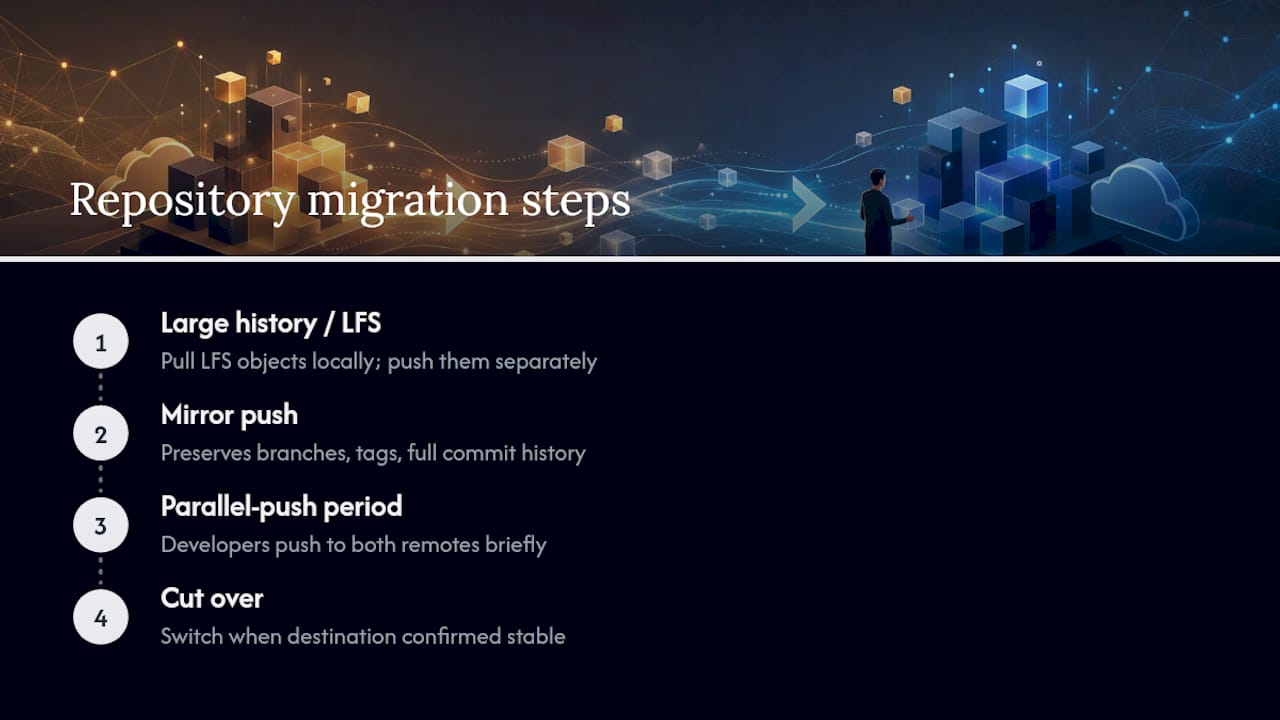
This preserves all branches, tags, and the full commit history.
Incremental sync for active repositories:
For repos with active development during migration, run the mirror push, then set up a brief parallel-push period where developers push to both remotes. Cut over once the destination is confirmed stable.
Large history or LFS repositories:
Use git lfs fetch --all before mirroring to pull all LFS objects locally, then push LFS objects to the new provider separately. AWS also publishes a step-by-step migration blog post covering provider-specific steps.
Step-by-step migration checklist
- Inventory repositories: List all repos across all regions. Export ARNs, clone URLs, and branch/tag counts.
- Map integrations: Document every CodePipeline, CodeBuild, Lambda trigger, and webhook pointing to CodeCommit.
- Export secrets and credentials: List all IAM users with CodeCommit HTTPS credentials, SSH key IDs, and service account roles.
- Create destination repositories: Set up repos on the target platform with matching names and access controls.
- Mirror push: Run
git clone --mirrorandgit push --mirrorfor each repository. - Verify history and tags: Confirm branch count, tag count, and latest commit SHA match between source and destination.
- Update CI/CD configurations: Swap CodeCommit clone URLs for new provider URLs in CodePipeline source actions, CodeBuild buildspec files, and any shell scripts.
- Rotate credentials: Revoke CodeCommit HTTPS credentials and SSH keys. Update service accounts to use new provider tokens or deploy keys.
- Test pipelines end-to-end: Trigger a full pipeline run from the new repository. Validate build, test, and deploy stages.
- Cutover and rollback plan: Set the new repository as the primary source. Keep the CodeCommit mirror read-accessible for 30 days as a rollback reference.
Common pitfalls:
- LFS objects left behind: Always run
git lfs fetch --allbefore mirroring. - Tags not pushed:
git push --mirrorhandles tags, but verify withgit ls-remote --tagson both ends. - CI/CD credential gaps: Service accounts often have separate credentials from developer accounts. Audit both.
- Branch protection rules: CodeCommit approval rules don’t transfer automatically. Recreate them on the destination platform.
Pro Tip: For a broader AWS migration checklist that covers infrastructure alongside repository moves, IT-Magic’s planning guide walks through the full governance and sequencing framework.
How alternative Git providers integrate with AWS services
The repository layer is moving, but your AWS workloads aren’t. The critical question isn’t which Git platform has the best UI — it’s which one keeps your CodeBuild, CodePipeline, and deployment targets working with the least reconfiguration.
CodeCommit’s native integration with CodeBuild and CodePipeline was a primary reason teams chose it. Replacing that integration requires explicit configuration work regardless of which platform you choose.
| Criteria | GitHub | GitLab | Bitbucket |
|---|---|---|---|
| Best for | Teams wanting broad ecosystem and GitHub Actions | Teams wanting self-hosted or full DevSecOps suite | Teams in Atlassian stack (Jira, Confluence) |
| AWS CodePipeline integration | Native source action (GitHub v2 connector) | Via webhook or CodeStar connection | Via CodeStar Connections |
| AWS CodeBuild integration | Direct source provider | Webhook-triggered | Webhook-triggered |
| Pricing model | Free tier; paid plans per user | Free tier; paid plans per user | Free for small teams; paid per user |
| Migration effort | Low to medium (CodeStar connection setup) | Medium (webhook config, runner setup) | Low to medium (CodeStar connection setup) |
| LFS support | Yes | Yes | Yes |
| Branch protections | Yes (rulesets) | Yes (protected branches) | Yes (branch permissions) |
| Private repos | Unlimited on paid; limited free | Unlimited | Unlimited on paid |
AWS service dependencies to reconfigure after migration:
- CodePipeline source actions: Update from CodeCommit source type to GitHub, GitLab, or Bitbucket using AWS CodeStar Connections.
- CodeBuild source: Change the source provider in each CodeBuild project.
- Lambda triggers: Recreate repository event triggers as webhooks on the new platform, pointing to your Lambda function URLs or API Gateway endpoints.
- CloudTrail coverage: CodeCommit API calls were logged automatically. With an external provider, you’ll need to configure audit log exports or use the provider’s own audit trail.
- Notifications: Recreate SNS or Chatbot notification rules using the new platform’s webhook events.
For teams doing a broader AWS services migration, mapping these dependencies before cutover prevents the most common post-migration pipeline failures.
Admin actions and security best practices during the transition
Repository migrations create a window of elevated security risk. Credentials get duplicated, access controls get temporarily loosened, and audit coverage can lapse. These controls close those gaps.
Before migration:
- Export a full list of IAM users and roles with CodeCommit permissions using
aws iam list-usersandaws iam get-policy. - Confirm CloudTrail is logging CodeCommit API events in every active region.
- Snapshot repository metadata: ARNs, clone URLs, trigger configurations, and approval rule templates.
- Identify any third-party tools (IDE plugins, deployment tools) with stored CodeCommit credentials.
During migration:
- Use IAM roles with temporary credentials (via AWS STS) for migration scripts rather than long-lived access keys.
- Apply least-privilege IAM policies to migration service accounts: only the permissions needed for
GitPulland nothing else. - Run migration scripts from an EC2 instance or AWS CloudShell to keep credentials within the AWS network boundary.
After migration:
- Revoke all CodeCommit HTTPS credentials and SSH keys in IAM immediately after cutover.
- Enable audit logging on the destination platform and confirm log export to S3 or a SIEM.
- Set up alerts for unusual push patterns (force pushes to protected branches, large volume pushes from new accounts).
- Review and document third-party service account access policies on the new platform.
- Confirm KMS key policies are updated if you used customer-managed keys with CodeCommit.
Pro Tip: Enable MFA delete on the S3 bucket backing any CodeCommit repository snapshots you retain post-migration. It’s a one-line config change that prevents accidental or malicious deletion of your migration audit trail.
Why a migration partner reduces risk for complex repositories
A straightforward mirror push of a small repository takes an afternoon. A migration involving dozens of repositories, active CI/CD pipelines, compliance requirements, and multiple teams takes weeks — and the failure modes are expensive.
A professional migration engagement typically runs through four phases, and many teams find that working with a migration services partner significantly reduces risk and complexity:
- Discovery and audit: Inventory all repositories, integrations, IAM policies, and credentials. Identify LFS usage, large histories, and compliance-sensitive repos.
- Migration plan and dry runs: Define the migration sequence, test the mirror push process on non-critical repos, and validate CI/CD pipeline behavior against the destination.
- Cutover execution: Run the production migration during a planned window with rollback procedures in place. Update all credentials, CI/CD configs, and notification rules.
- Post-migration optimization and knowledge transfer: Confirm audit logging, set up branch protections and access policies, and hand off runbooks to the internal team.
Where a partner adds measurable value: secrets rotation across dozens of service accounts, LFS object transfers for large binary repositories, preserving CI/CD pipeline behavior without a full rebuild, and maintaining compliance audit trails throughout the transition.
IT-Magic has completed 700+ AWS migration projects as an AWS Advanced Tier Partner, including complex DevOps and source control migrations for eCommerce and fintech environments where pipeline downtime translates directly into lost revenue. Engagements include a free infrastructure audit, a fixed-price migration plan, and post-migration optimization — so teams know the scope and cost before committing.
For teams evaluating whether to handle migration internally or bring in a partner, the decision usually comes down to two factors: repository count and CI/CD complexity. Five repos with simple pipelines? Internal is fine. Twenty repos with cross-account roles, LFS, and compliance logging requirements? A partner pays for itself in avoided incidents.
A realistic perspective on how engineering teams prioritize repository migrations
The conventional wisdom says “migrate everything at once during a planned freeze window.” Most engineering teams don’t actually do that, and for good reason.

The practical approach is risk-tiered sequencing. Customer-facing application repos and deployment pipeline repos carry the highest blast radius if something goes wrong — those get migrated first, with full dry runs and rollback plans. Infrastructure-as-code repositories (Terraform, CloudFormation) come next, because a broken pipeline there can block all deployments. Documentation repos, internal tooling, and low-traffic services go last.
Sprint planning for a migration like this usually allocates one sprint for discovery and dry runs, one sprint for high-risk repo cutovers, and a third sprint for the long tail. That’s a six-week timeline for a medium-complexity environment — not the “one weekend” estimate that sounds good in a planning meeting.
The trade-offs teams actually accept: a short read-only freeze on the source repository during the final mirror push (usually under an hour for most repos), a parallel-push period where developers push to both remotes simultaneously, and a 30-day retention window on the old CodeCommit repos before access is revoked. These aren’t ideal, but they’re predictable and reversible. The alternative — a rushed cutover with no rollback — is neither.
IT-Magic handles your CodeCommit migration end to end

Migrating away from CodeCommit isn’t just a Git remote URL swap. It’s a coordinated change across repositories, CI/CD pipelines, IAM policies, and audit configurations — and getting any one of those wrong can stall deployments or create a compliance gap.
IT-Magic’s AWS migration services cover the full CodeCommit migration lifecycle: free infrastructure audit, fixed-price migration plan, hands-on execution with zero-downtime emphasis, and post-migration DevOps-as-a-Service for teams that want ongoing support. As an AWS Advanced Tier Partner with 700+ completed projects, IT-Magic takes ownership of outcomes, not just deliverables. Check the case studies to see the kind of results teams in eCommerce and fintech have achieved. Ready to get a clear picture of your migration scope? Book a free audit and get a migration plan with fixed pricing before you commit to anything.
Sources
Official AWS documentation and independent reporting to consult alongside this guide:
FAQ
Does AWS have a code repository service?
AWS offered CodeCommit, a managed Git repository service, but it is no longer available to new customers. Existing customers retain access while AWS recommends planning a migration to an alternative Git provider.
What is the purpose of a code repository?
A code repository is a centralized, version-controlled store for source code that tracks changes over time, supports collaboration through branching and pull requests, and integrates with CI/CD pipelines to automate builds and deployments.
Which Git repository works best with AWS services?
GitHub, GitLab, and Bitbucket all integrate with AWS CodePipeline and CodeBuild via AWS CodeStar Connections. GitHub has the most mature native CodePipeline source action; GitLab suits teams wanting a full DevSecOps platform; Bitbucket fits teams already in the Atlassian ecosystem.
Is GitHub hosted on AWS?
GitHub runs on its own infrastructure, not on AWS. However, GitHub integrates with AWS services through CodeStar Connections, GitHub Actions OIDC for AWS authentication, and direct CodePipeline source actions, making it a practical replacement for CodeCommit in AWS-native workflows.
When should a team hire a migration partner for a CodeCommit move?
Teams with more than ten repositories, active CI/CD pipelines, cross-account IAM roles, LFS usage, or compliance logging requirements typically benefit from a professional partner. IT-Magic offers a free audit to assess scope before any commitment.