
TL;DR:
- Post-migration, the AWS Well-Architected Framework helps identify issues and optimize workloads regularly. It guides teams through structured reviews, focusing on six pillars to reduce risks and costs. Continuous, code-based remediation ensures sustained improvement and alignment with cloud best practices.
The AWS Well-Architected Framework after migration is a structured evaluation process that identifies high-risk issues and optimization opportunities in AWS workloads once they are live in the cloud. Migration gets workloads running on AWS. The Framework determines whether they are running well. Without this assessment, teams routinely inherit overprovisioned resources, static on-premises design patterns, and security gaps that compound over time. The AWS Well-Architected Framework covers six pillars: Operational Excellence, Security, Reliability, Performance Efficiency, Cost Optimization, and Sustainability. Each pillar maps directly to the failure modes that appear most often in post-migration environments.
What does AWS Well-Architected after migration actually involve?
The Well-Architected Framework review is a formal process, not a checklist you run once and file away. The AWS Well-Architected Tool contains 57 questions across six pillars, with 78 new best practices added in april 2025. That scope means a thorough review surfaces issues that informal audits miss entirely.
The review process works in four steps:
- Define the workload in the AWS Well-Architected Tool. Scope it tightly. A single application or service boundary produces more useful findings than a sprawling multi-system review.
- Answer pillar-specific questions with your team. The Tool is designed as a collaborative process, not a solo audit. Bring the engineers who built and operate the workload.
- Review the findings report. The Tool categorizes issues by risk level: high, medium, and none. High-risk findings get addressed first.
- Build a remediation plan tied to specific infrastructure changes. Findings without assigned owners and deadlines stay findings forever.
The AWS Well-Architected Tool is free to use. That removes the cost barrier that often delays post-migration assessments in smaller teams.
Timing matters. The three best moments for a review are: immediately after migration stabilizes, after any significant architectural change, and on a recurring cadence (quarterly works well for most production workloads). A one-off review captures a snapshot. A recurring cadence catches drift before it becomes an incident.

Pro Tip: Link every Well-Architected finding to a specific Infrastructure-as-Code module before closing it. A finding fixed only in the AWS Console will revert the next time Terraform or CloudFormation runs.
How to optimize AWS workloads across the six pillars
Post-migration optimization is not a single task. It maps to each of the six Framework pillars, and each pillar has a distinct set of actions.
Cost Optimization
Most organizations see a 20–40% AWS bill increase immediately after a lift-and-shift migration. That increase comes from inherited on-premises sizing applied to cloud resources. The fix is right-sizing: matching EC2 instance types, RDS instance classes, and storage tiers to actual workload demand rather than peak on-premises capacity. AWS Compute Optimizer analyzes utilization data and recommends specific instance changes. Teams that apply those recommendations consistently can achieve 30–50% cost reduction after proper right-sizing and auto-scaling implementation.
Performance Efficiency
- Replace static, fixed-capacity deployments with Auto Scaling groups that respond to real demand.
- Add caching layers using Amazon ElastiCache for read-heavy workloads to reduce database load.
- Use Amazon CloudFront for static asset delivery to cut latency for geographically distributed users.
- Replace self-managed databases with Amazon RDS or Aurora to offload patching, replication, and failover.
Security
Security gaps are the most dangerous post-migration finding because they are often invisible until exploited. Tighten IAM policies to least-privilege access. Enable AWS CloudTrail and Amazon GuardDuty if they were not part of the initial migration. Validate that encryption at rest and in transit is active for every data store. For fintech and eCommerce workloads, compliance validation against PCI-DSS or SOC 2 controls belongs in this phase.
Reliability and Operational Excellence
| Pillar | Key post-migration action | AWS service or tool |
|---|---|---|
| Reliability | Multi-AZ deployments for critical services | Amazon RDS Multi-AZ, ALB |
| Operational Excellence | Centralized logging and alerting | Amazon CloudWatch, AWS X-Ray |
| Sustainability | Identify idle resources and schedule shutdowns | AWS Compute Optimizer, Instance Scheduler |
Operational Excellence deserves specific attention. Teams that migrate without updating runbooks, alert thresholds, or on-call procedures carry on-premises operational habits into a cloud environment where the failure modes are different. Rewrite runbooks to reflect AWS-specific recovery steps.
Pro Tip: Use AWS Trusted Advisor alongside the Well-Architected Tool. Trusted Advisor surfaces specific resource-level findings (open security groups, underutilized instances) that complement the pillar-level guidance from the Framework.
What challenges does the Well-Architected Framework solve after migration?
Failure to adopt cloud-native features after migration means paying for peak capacity 24 hours a day, 7 days a week. That is the core cost problem the Framework addresses. But cost is only one of four recurring challenges in post-migration environments.
- Cost overruns from overprovisioned lift-and-shift resources. The Framework’s Cost Optimization pillar questions directly expose idle and oversized resources.
- Performance degradation from static on-premises patterns applied to elastic cloud infrastructure. Auto Scaling and managed service adoption fix this systematically.
- Security and compliance gaps from incomplete IAM configurations or missing encryption. The Security pillar questions cover both identity and data protection controls.
- Operational complexity from workloads that lack proper monitoring, alerting, or documented recovery procedures. The Operational Excellence pillar addresses this directly.
The AWS Well-Architected Framework does not just identify what is wrong. It provides a structured path to fix it, pillar by pillar, in priority order. Teams that skip this step after migration accumulate technical and financial risk that compounds with every passing quarter.
The Framework’s value is in its structure. Without it, post-migration optimization becomes a list of ad-hoc fixes driven by whoever raises the loudest complaint. With it, remediation follows a risk-ranked plan that the whole team can see and track. For cloud architects managing complex post-migration environments, that structure is the difference between controlled improvement and reactive firefighting.
How to integrate Well-Architected findings into ongoing AWS management
Treating Well-Architected findings as a one-time report is the most common mistake teams make after their first review. Findings represent infrastructure debt that must be managed like any other backlog item: tracked, prioritized, assigned, and resolved through code.
The recommended integration approach follows three phases:
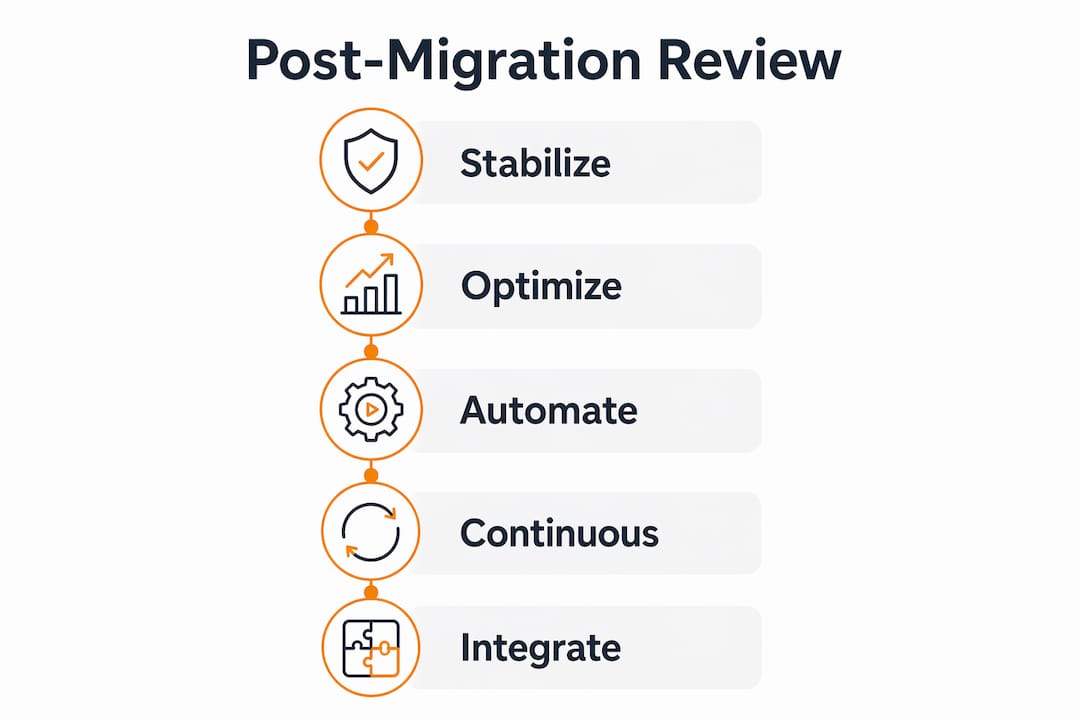
- Stabilize first. Address high-risk findings before touching architecture. Fix broken alarms, close security gaps, and confirm backups work. Phased modernization that stabilizes before optimizing is the safest path after migration.
- Optimize second. Right-size resources, implement auto-scaling, and replace self-managed services with AWS managed equivalents. This phase delivers the largest cost and performance gains.
- Modernize last. Refactor workloads to cloud-native architectures (containers, serverless, event-driven) once the environment is stable and well-understood.
| Phase | Primary goal | Risk level |
|---|---|---|
| Stabilize | Eliminate high-risk findings | Low |
| Optimize | Reduce cost and improve performance | Medium |
| Modernize | Adopt cloud-native patterns | Higher |
Every fix in phases 1 and 2 belongs in Infrastructure-as-Code. AWS CDK, Terraform, and CloudFormation all support this. Manual console changes create configuration drift: the live environment diverges from the declared state, and the next deployment overwrites the fix. Integrating findings into IaC pipelines makes every remediation permanent, auditable, and version-controlled.
AWS Compute Optimizer and AWS Trusted Advisor run continuously and surface new findings between formal Well-Architected reviews. Use them to catch resource-level issues between quarterly review cycles. For teams evaluating architecture choices like serverless versus containers during modernization, those decisions belong in phase 3, not phase 1.
Pro Tip: Add a Well-Architected review milestone to your CI/CD pipeline for major releases. Catching architectural regressions before deployment is far cheaper than remediating them in production.
Continuous optimization after migration is an ongoing lifecycle activity, not a project with an end date. Teams that treat it as such unlock the business value that cloud migration promised in the first place.
Key Takeaways
Running AWS Well-Architected after migration converts a live-but-unoptimized workload into a cost-efficient, secure, and reliable production system through structured, pillar-driven remediation.
| Point | Details |
|---|---|
| Review timing matters | Run a Well-Architected review immediately post-migration, then on a recurring quarterly cadence. |
| Cost impact is significant | Teams typically see a 20–40% bill increase post-migration and can recover 30–50% through right-sizing. |
| Fix findings in code | Map every remediation to Infrastructure-as-Code to prevent configuration drift from console changes. |
| Use the phased approach | Stabilize first, optimize second, and modernize last to reduce risk and isolate issues. |
| Continuous review is required | Migration is the start of optimization, not the end. Quarterly reviews catch drift before it becomes an incident. |
The part most teams get wrong about post-migration reviews
I have worked with teams across eCommerce and fintech who treated the go-live date as the finish line. The migration succeeded, the workload is running, the project is closed. Six months later, the AWS bill is 35% higher than expected, an IAM misconfiguration surfaces in a security audit, and the on-call team is running playbooks written for on-premises infrastructure.
The Well-Architected Framework is not a compliance exercise. It is a diagnostic tool that tells you, in specific terms, where your architecture will fail under pressure. The teams that get the most value from it are the ones who run the review within two weeks of go-live, before the post-migration adrenaline fades and before bad patterns get normalized.
The other mistake I see consistently: big-bang re-architecting immediately after migration. The impulse to modernize everything at once is understandable, but it makes issue isolation nearly impossible. When a refactored service breaks, you cannot tell whether the problem is the new architecture or the migration itself. Incremental improvements focused on the highest-risk and highest-cost components deliver measurable results without that risk.
Embed the Well-Architected review into your operational calendar the same way you schedule capacity planning or security audits. Make it a recurring event, not a one-time project. The teams that do this consistently build architectures that improve quarter over quarter. The teams that skip it spend their time reacting to problems that a structured review would have caught months earlier.
— Oleksandr
Post-migration support from IT-Magic

IT-Magic is an AWS Advanced Tier Partner with 700+ completed migration projects, including complex, high-load environments in eCommerce and fintech. The work does not stop at go-live. IT-Magic’s post-migration services cover Well-Architected Framework reviews, remediation planning, right-sizing, security hardening, and IaC-based fixes that stick. If your team needs expert support to assess and improve your AWS architecture after migration, IT-Magic provides end-to-end migration and optimization with full ownership of outcomes. For teams looking to control costs immediately, the AWS cloud cost optimization guide covers the specific techniques that deliver the fastest returns after a lift-and-shift move.
FAQ
What is the AWS Well-Architected Framework?
The AWS Well-Architected Framework is a set of architectural best practices organized across six pillars: Operational Excellence, Security, Reliability, Performance Efficiency, Cost Optimization, and Sustainability. It includes 57 review questions and is used to evaluate and improve AWS workloads.
When should you run a Well-Architected review after migration?
Run the first review immediately after the migrated workload stabilizes in production, then repeat it quarterly or after any major architectural change. Early reviews catch the highest-risk issues before they compound.
How much can you save after a Well-Architected optimization?
Organizations that apply right-sizing and auto-scaling after migration typically achieve a 30–50% cost reduction compared to their post-migration baseline. The savings come primarily from eliminating overprovisioned resources inherited from on-premises environments.
Is the AWS Well-Architected Tool free to use?
The AWS Well-Architected Tool is free. It guides teams through pillar-specific questions and generates a prioritized findings report at no cost.
How do you prevent Well-Architected findings from recurring?
Map every finding to a specific Infrastructure-as-Code change rather than fixing it manually in the AWS Console. IaC-based fixes are auditable, version-controlled, and survive future deployments without reverting.