
TL;DR:
- Moving Docker workloads to AWS ECS involves converting container applications into native ECS task definitions or using ECS Express Mode for simplified deployments. This shift replaces manual server management with automated scaling, health checks, and tight IAM integration, enabling more control and reliability in production environments. A phased, service-by-service migration that secures secrets beforehand and leverages automation tools ensures a smooth, secure transition while maintaining effective local development with Docker Compose.
Moving Docker workloads to AWS ECS is defined as the process of converting Docker Compose services or EC2-hosted containers into native ECS Task Definitions or ECS Express Mode deployments. The result is a fully managed container orchestration environment backed by AWS services like Amazon ECR, AWS Secrets Manager, and Application Load Balancer. When you migrate Docker to ECS, you trade manual server management for automated scaling, built-in health checks, and tight IAM integration. This guide covers the current recommended methods, tools, and phased migration steps that DevOps engineers need in 2026.
What are ECS task definitions and how do they differ from Docker Compose?
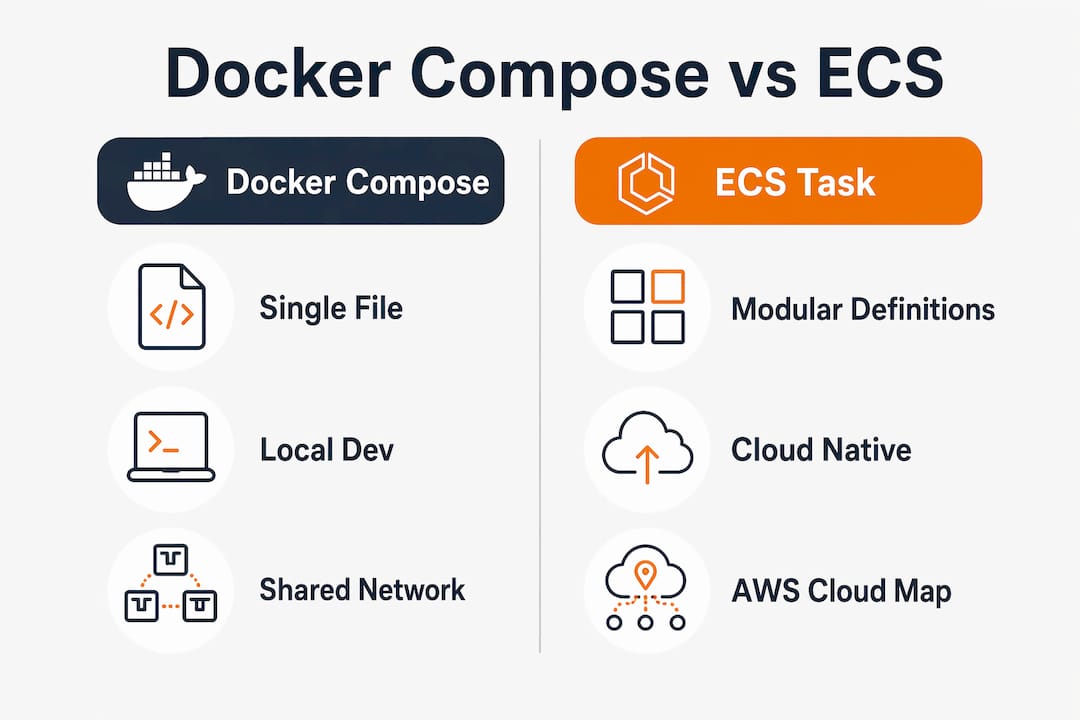
ECS Task Definitions are the native ECS equivalent of a Docker Compose service block, but with far more control over networking, IAM, and resource allocation. Where a Compose file groups all services into one file, a Task Definition describes a single logical unit of work with its own CPU, memory, port mappings, environment variables, and IAM role. The mapping is direct: ports becomes portMappings, environment maps to the environment array or AWS Secrets Manager references, and volumes translate to ECS volume mounts with optional EFS backing.
Docker’s own ECS Compose integration is now retired and considered legacy. As of february 2026, native ECS Task Definitions have replaced Docker’s internal ECS integration as the recommended migration standard. Continuing to use the old Docker ECS CLI creates technical debt with no upgrade path.
The biggest structural difference is modularity. A single docker-compose.yml with five services should become five independent ECS Task Definitions. Each service gets its own deployment lifecycle, autoscaling policy, and IAM role. That separation makes rollbacks surgical rather than all-or-nothing.
For environment variables, avoid plain text in task definitions. Reference secrets through AWS Secrets Manager or AWS Systems Manager Parameter Store instead. This keeps credentials out of your task definition JSON and satisfies most compliance requirements without extra tooling.
Pro Tip: Start by auditing your Compose file for hardcoded secrets before writing a single Task Definition. Fixing that first saves you from rewriting definitions later.
| Docker Compose element | ECS Task Definition equivalent |
|---|---|
image |
image in container definition |
ports |
portMappings |
environment |
environment array or Secrets Manager ARN |
volumes |
mountPoints with EFS or bind mount |
depends_on |
ECS Service Discovery via AWS Cloud Map |
deploy.resources |
cpu and memory at task level |
Which tools and prerequisites are needed for Docker to ECS migration?
A successful Docker to ECS migration requires a specific set of AWS services and local tools configured before you write your first task definition. Missing any one of these creates blockers mid-migration that are expensive to fix under pressure.
Required AWS services and configurations:
- Amazon ECR: Your Docker images must live in ECR before ECS can pull them. Building and pushing images to ECR requires proper tagging, authentication via
aws ecr get-login-password, and a repository per service. - IAM roles: Every ECS task needs a Task Execution Role (for pulling images and writing logs) and optionally a Task Role (for app-level AWS API calls). Get these right before deployment, not after.
- VPC and subnets: ECS services run inside a VPC. You need at least two private subnets for Fargate tasks and a security group that allows the right inbound and outbound traffic.
- ECS cluster: Create a dedicated cluster per environment (staging, production). Mixing environments in one cluster creates security and cost attribution problems.
- AWS CLI and Docker CLI: Use AWS CLI v2 and Docker Engine 24+ for full compatibility with current ECS APIs and BuildKit features.
Automation tools for 2026:
Kiro CLI and Amazon ECS MCP Servers automate containerization, ECS Express deployment, and infrastructure setup. These tools handle load balancers, autoscaling, networking, and IAM role creation automatically. For teams migrating EC2-hosted Docker workloads, this toolchain cuts manual configuration time significantly. Reviewing an automation tools decision guide can help you evaluate where automation fits your specific workflow.
Pro Tip: Run aws ecs check-attribute against your cluster before deploying to catch capacity and attribute mismatches that would silently fail at launch time.
| Prerequisite | Minimum requirement |
|---|---|
| AWS CLI | Version 2.x |
| Docker Engine | Version 24+ |
| IAM permissions | ECS full access, ECR push, Secrets Manager read |
| VPC setup | 2+ private subnets, NAT gateway |
| ECS cluster | One cluster per environment |
How to migrate Docker Compose apps to ECS native task definitions
This phased approach reduces risk by validating each service before moving the next one. Migrating services one at a time is the accepted best practice for testing network connectivity and IAM permissions without disrupting the full stack.
Step 1: Split your Compose file into individual task definitions

Take each service in your docker-compose.yml and create a separate ECS Task Definition JSON file. Name each definition after the service it replaces. This one-to-one mapping makes debugging straightforward when a service fails to start.
Step 2: Convert environment variables and secrets
Replace all plaintext environment values with references to AWS Secrets Manager or Parameter Store. In your task definition, use the secrets array with the ARN of each secret. This change alone satisfies most SOC 2 and PCI DSS environment variable requirements.
Step 3: Set up ECS Service Discovery
Docker Compose uses depends_on and shared networks for inter-service communication. ECS uses AWS Cloud Map for service discovery. Register each ECS service in a Cloud Map namespace so services can resolve each other by DNS name (e.g., api.local, db.local).
Step 4: Register and launch ECS services
Register each task definition with aws ecs register-task-definition --cli-input-json file://service.json. Then create an ECS Service with the appropriate launch type (Fargate or EC2), network configuration, and load balancer target group. Attach an Application Load Balancer to any public-facing service.
Step 5: Configure autoscaling
Autoscaling with target tracking policies based on CPU utilization gives ECS a major advantage over static Compose deployments. Set a target CPU utilization of 60–70% for most web services. This keeps costs low during off-peak hours while handling traffic spikes without manual intervention.
Pro Tip: Keep your docker-compose.yml intact for local development. ECS is your production runtime, not your dev environment. Maintaining both workflows in parallel prevents the “works on my machine” problem from becoming a production incident.
After each service migration, run integration tests against the ECS-hosted service before migrating the next one. This incremental approach means a misconfigured IAM role or missing security group rule surfaces immediately, not after the entire stack is live on ECS.
How to migrate EC2 Docker workloads using ECS Express Mode
ECS Express Mode is a simplified ECS deployment path designed for teams moving Docker workloads off EC2 without writing extensive infrastructure code. It handles cluster creation, networking, load balancing, and autoscaling through a guided, automated workflow.
The recommended toolchain combines Kiro CLI with Amazon ECS Model Context Protocol (MCP) Servers. ECS Express Mode with Kiro CLI enables near-zero-configuration migration from EC2 Docker workloads to fully managed ECS services, including automatic Dockerfile generation, image optimization, ECR setup, IAM roles, autoscaling, and rollbacks.
The migration process follows this sequence:
- Install and configure Kiro CLI with your AWS credentials and target region.
- Point Kiro at your EC2 instance or application directory. The tool analyzes your running Docker containers and generates optimized Dockerfiles if none exist.
- Kiro builds and pushes images to ECR automatically, handling authentication and repository creation.
- MCP Servers validate IAM roles and create the necessary execution and task roles with least-privilege policies.
- ECS Express Mode deploys the service with a load balancer, health checks, and autoscaling configured from sensible defaults.
- Monitor the deployment through the ECS console or CloudWatch. Kiro supports rollback to the previous task definition revision if health checks fail.
“Migrating from Docker-on-EC2 to ECS Fargate is an operational shift rather than a code change. Developers retain app behavior but hand off server management, patching, and SSH access to AWS. The result is a team that focuses on container orchestration and application improvement rather than low-level server tasks.”
This automation path suits teams with straightforward single-service or small multi-service EC2 deployments. For complex microservice architectures with custom networking requirements, the manual task definition approach from the previous section gives you more precise control.
Pro Tip: Before running Kiro against a production EC2 instance, test the full workflow against a staging clone. The automated IAM role creation is accurate but always warrants a human review before production use.
Common challenges and best practices for Docker ECS migration
The most common failure point in moving Docker containers to ECS is not the container itself. It is the surrounding infrastructure: networking, secrets, and IAM. Addressing these before migration day prevents the majority of production incidents.
Key challenges and how to handle them:
- Legacy tooling: Retired Docker ECS integrations like the Docker ECS CLI and old Compose ECS plugin create technical debt. Use them only to maintain existing deployments, never for new migrations.
- Secrets management: Hardcoded environment variables in Compose files are the single biggest security gap in container migrations. Migrate all secrets to AWS Secrets Manager before writing task definitions.
- Network configuration: ECS Fargate tasks run in private subnets by default. Public-facing services need a NAT gateway for outbound traffic and an ALB for inbound. Missing either breaks connectivity in non-obvious ways.
- Phased rollout: Never cut over the entire stack at once. Migrate one service, validate it, then proceed. This approach surfaces IAM and networking issues early when they are cheap to fix.
- Infrastructure as code: Define all task definitions, services, and clusters using AWS CDK, CloudFormation, or Terraform. Native ECS task definitions with IaC tools are more maintainable and auditable than console-created resources.
- CI/CD pipeline updates: Update your deployment pipelines to push images to ECR and call
aws ecs update-serviceinstead of SSH-based Docker commands. This change is required for ECS to work correctly in automated workflows.
Pro Tip: Add an ECS health check to every task definition that mirrors your application’s /health endpoint. ECS will replace unhealthy tasks automatically, but only if the health check is configured correctly from the start.
Keeping your Docker Compose files for local development is not a compromise. It is the right architecture. ECS handles production orchestration. Docker Compose handles fast local iteration. Both tools do their jobs well when you stop trying to make one replace the other.
Key Takeaways
Moving Docker workloads to ECS succeeds when you split services into native ECS Task Definitions, secure secrets through AWS Secrets Manager, and migrate one service at a time to catch IAM and networking issues early.
| Point | Details |
|---|---|
| Use native task definitions | Docker’s ECS Compose integration is retired; write ECS Task Definitions directly for all new migrations. |
| Secure secrets before migrating | Move all environment variables to AWS Secrets Manager or Parameter Store before writing task definitions. |
| Migrate services one at a time | Incremental migration lets you validate IAM permissions and network connectivity per service, not per stack. |
| Automate with Kiro CLI | ECS Express Mode with Kiro CLI handles ECR, IAM, autoscaling, and rollbacks automatically for EC2 workloads. |
| Keep Compose for local dev | Docker Compose remains the right tool for local development; ECS is the production runtime, not a replacement. |
What I’ve learned from Docker to ECS migrations in the field
The technical steps are straightforward once you understand the mental model shift. Docker Compose is a developer convenience tool. ECS is an operations platform. Teams that struggle with Docker to ECS migration are usually trying to preserve Compose’s simplicity in a production environment that needs something more structured.
The single most underestimated part of any ECS migration is IAM. Every task needs the right execution role and task role, and the permissions need to be scoped correctly. I have seen migrations stall for days because a task role was missing a single secretsmanager:GetSecretValue permission. Getting IAM right before you touch a single task definition saves more time than any automation tool.
Automation tools like Kiro CLI genuinely change the equation for EC2-to-ECS migrations. The automated Dockerfile generation and ECR push workflow removes a class of errors that used to require experienced engineers to debug. That said, always review the IAM policies these tools generate. “Least privilege” in an automated context sometimes means “least privilege that still works in the test environment,” which is not the same as production-ready.
My practical advice: use the AWS migration checklist approach for any Docker to ECS project. Audit your Compose file, map every service to a task definition, resolve secrets, validate networking in staging, then migrate one service per deployment window. Skipping steps to move faster always costs more time in the end.
— Oleksandr
AWS migration support for your Docker to ECS transition
Migrating containerized workloads to ECS is technically achievable in-house, but the risk of misconfigured IAM roles, networking gaps, or skipped security controls is real, especially under delivery pressure.

IT-Magic is an AWS Advanced Tier Partner with 700+ completed migration projects. The team takes full ownership of Docker to ECS migrations, from infrastructure audit and task definition architecture to ECR setup, autoscaling configuration, and post-migration optimization. For eCommerce and fintech teams where downtime translates directly to lost revenue, that execution depth matters. If you want a predictable, production-grade migration without adding burden to your team, explore IT-Magic’s AWS migration services or review the AWS migration best practices guide to see how the process works end to end.
FAQ
What is the difference between ECS and Docker Compose?
Docker Compose is a local development tool for defining multi-container applications in a single file. AWS ECS is a managed container orchestration service that runs containers at production scale with autoscaling, IAM integration, and built-in health management.
How do I push a Docker image to Amazon ECR for ECS?
Authenticate with aws ecr get-login-password, tag your image with the ECR repository URI, and push with docker push. ECR acts as Amazon’s managed registry and integrates directly with ECS service deployments.
Should I use ECS Fargate or ECS on EC2?
ECS Fargate removes all server management, patching, and capacity planning from your team. ECS on EC2 gives you more control over instance types and pricing but requires managing the underlying hosts. Fargate is the right default for most Docker to ECS migrations.
What is ECS Express Mode?
ECS Express Mode is a simplified ECS deployment path that uses tools like Kiro CLI and ECS MCP Servers to automate cluster creation, networking, IAM, and autoscaling. It is designed for teams migrating EC2 Docker workloads with minimal manual configuration.
Can I still use Docker Compose after migrating to ECS?
Yes. Keep Docker Compose for local development and testing. ECS handles production orchestration. Running both in parallel is the recommended approach and prevents local development from slowing down after the production migration is complete.