
TL;DR:
- Migrating to AWS introduces unique security risks like misconfigured S3 buckets and incomplete encryption coverage.
- Effective security requires thorough data classification, proper IAM setup, encryption enforcement, and the use of SCPs to prevent security drift from the start.
Migrating to AWS exposes sensitive data to a specific set of risks that your on-premises security model was never designed to handle. Misconfigured S3 buckets, broken IAM policies, and incomplete encryption coverage are not theoretical threats. They are the most common causes of data breaches during cloud migrations. Knowing how to ensure data security in AWS is not just a compliance checkbox. It determines whether your migration delivers the reliability and scalability you promised the business, or hands you a security incident on day one.
Table of Contents
- Key takeaways
- How to ensure data security in AWS migrations: the foundation
- Encryption strategies: data at rest and in transit
- Access control and monitoring
- Secure large-scale and cross-account migration
- What 700+ migrations taught me about AWS security
- Secure your AWS migration with expert support
- FAQ
Key takeaways
| Point | Details |
|---|---|
| Classify data before migrating | Know exactly what sensitive data you have and where it lives before any workload touches AWS. |
| Encryption covers two states | Apply AWS KMS for data at rest and enforce SSL/TLS in transit across all services. |
| SCPs prevent security drift | Service Control Policies set immutable permission guardrails that no account admin can override. |
| Bucket Keys cut KMS costs | Enabling Bucket Keys reduces KMS API calls by up to 99% in high-throughput S3 workloads. |
| Cross-account KMS is a common failure point | Always update KMS key policies to grant decrypt permissions to the destination IAM role explicitly. |
How to ensure data security in AWS migrations: the foundation
Before you touch a single workload, you need a clear picture of what you are protecting. Data classification is not optional. You need to know which datasets contain PII, PHI, financial records, or intellectual property, because the controls you apply will differ based on sensitivity level. A good migration planning checklist includes this as a first step, not an afterthought.
The AWS Shared Responsibility Model defines the boundary between what AWS secures and what you own. AWS protects the physical infrastructure. You own your data, your configurations, and your access controls. Many organizations misread this boundary and assume cloud-native services are automatically secured. They are not. You configure them to be.
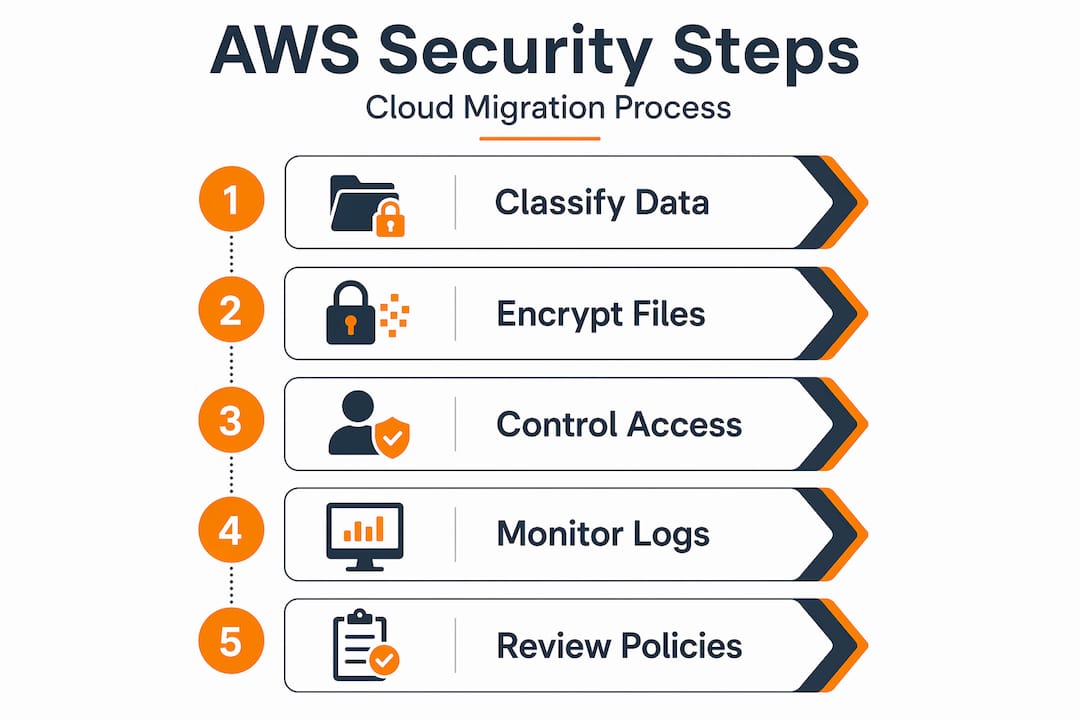
Here is what your security foundation needs to cover before migration starts:
- Data inventory and classification: Catalog all data types, assign sensitivity tiers, and map data flows between systems.
- IAM setup: Create service-specific IAM roles with least-privilege policies. Never use root credentials for operational tasks.
- Multi-factor authentication (MFA): Enforce MFA on all human users, especially anyone with administrative access.
- AWS Organizations and SCPs: SCPs act as immutable guardrails that restrict maximum permissions across all member accounts, regardless of what individual account admins grant.
- S3 Block Public Access: Since November 2025, you can enforce organization-level public access blocks via a single policy, removing the need to configure this per account.
Pro Tip: Never store sensitive personal or authentication data in AWS resource tags or free-form naming fields. These fields can surface in billing reports and logs without warning, creating a data leakage risk most teams never anticipate.
Encryption strategies: data at rest and in transit
Encrypting sensitive data at rest and in transit is the baseline AWS security recommendation, enforced with AWS KMS for storage and SSL/TLS for network traffic. The more nuanced question is which encryption method fits your architecture. AWS S3 offers four distinct options for server-side encryption, each with meaningful tradeoffs.

| Method | Key management | Use case |
|---|---|---|
| SSE-S3 | AWS-managed | Low-sensitivity data, no compliance requirements |
| SSE-KMS | Customer-managed via AWS KMS | Regulated data, audit logging, cross-account access |
| SSE-C | Customer-provided keys | Maximum key control, no KMS costs |
| Client-side encryption | Fully customer-managed | End-to-end control before data reaches AWS |
For most regulated workloads, SSE-KMS is the right choice. It gives you key rotation, usage auditing through CloudTrail, and the ability to revoke access at the key level. Over 99.9% of AWS data-at-rest encryption uses symmetric cryptography, and AWS KMS handles symmetric key management with significant operational maturity built in.
One optimization most teams skip: Bucket Keys. Normally, each encrypted S3 object triggers a separate call to AWS KMS. At scale, this creates cost and throttling problems. Enabling Bucket Keys reduces KMS API calls by up to 99%, which matters enormously for high-throughput workloads in eCommerce or fintech.
For cross-account scenarios, the "kms:ViaService` condition is critical. Adding this condition to your KMS key policies restricts key use to specific AWS services and prevents unauthorized direct KMS API calls that could bypass your intended controls.
Pro Tip: Enforce encryption at the bucket policy level, not just through console settings. A bucket policy that explicitly denies s3:PutObject requests without x-amz-server-side-encryption ensures no unencrypted object can ever land in that bucket, regardless of how it was uploaded.
Access control and monitoring
Encryption protects data at rest. Access control determines who can read it in the first place. These two mechanisms are complementary, and gaps in either one are enough to cause a breach. The principle of least privilege is not a suggestion. Every IAM role, service account, and user should have only the permissions required for its specific function.
Understanding the interaction between IAM policies, S3 bucket policies, and SCPs matters more than most teams realize. SCPs set the outer boundary of what is allowed across your AWS Organization. IAM policies grant permissions within that boundary. Bucket policies control access at the resource level. A user needs all three layers to align before access is granted. Missing a permission in any layer results in a denial, and the error message will not always tell you which layer is the problem.
For monitoring and audit coverage, your tooling stack should include:
- AWS CloudTrail: Captures every API call made in your account, including who called it, from where, and what was affected. This is your primary audit log for compliance evidence.
- Amazon GuardDuty: Detects threats by analyzing CloudTrail logs, VPC flow logs, and DNS queries. It surfaces anomalies like unusual data access patterns or credential exfiltration attempts.
- Amazon Macie: Specifically designed to identify sensitive data in S3. It scans object content and metadata, flags PII and financial data, and maps exposure risks across your buckets.
- AWS Config: Tracks configuration changes in real time and evaluates resources against your defined compliance rules. Pair it with Auto Remediation actions for violations like public S3 buckets.
SCPs delivering preventive controls improve SOC 2 compliance evidence compared to relying on detective controls alone. Detective tools like GuardDuty tell you something bad happened. SCPs stop it from happening in the first place.
Secure large-scale and cross-account migration
Moving data across AWS accounts under encryption is where most security incidents during migration actually happen. The process looks straightforward. In practice, it fails in predictable ways. Cross-account encrypted transfers frequently fail because the destination IAM role was never explicitly granted decrypt permissions in the source account’s KMS key policy.
Here is a structured approach that prevents the most common failures:
- Audit permissions before data moves. Test IAM and KMS permissions in a non-production environment. Verify the destination role can call
kms:Decryptagainst the source key. Missing KMS permissions cause AccessDenied errors in S3 that are difficult to diagnose because the error message often points to S3, not KMS. - Use Amazon S3 Batch Operations for bulk transfers. It supports encrypted object copying with full IAM and KMS permission configurations, CloudFormation automation for repeatable deployments, and manifest-based tracking so you know exactly what transferred and what did not.
- Update KMS key policies in the source account. Explicitly grant the destination account’s IAM role the
kms:Decryptandkms:DescribeKeypermissions. Do not rely on IAM policies alone. KMS key policies must also permit the action. - Maintain an approval workflow. Document each data movement event with timestamps, approver identities, and destination bucket ARNs. This creates the audit trail your compliance team needs after the migration completes.
- Validate encryption on arrival. After bulk transfers, sample-check object metadata in the destination bucket to confirm SSE-KMS is applied and the correct key ARN is referenced.
Pro Tip: Tag your KMS keys by environment and data classification (for example, Environment: Production, DataClass: PII). This makes key management at scale far easier and simplifies access reviews during audits.
What 700+ migrations taught me about AWS security
I have worked through enough AWS migrations to say this with confidence: most security failures are not technical mysteries. They are process failures that get dressed up as technical problems after the fact.
The pattern I see most often is teams that invest heavily in detection tools like GuardDuty and Macie, then skip the preventive layer. Detection tells you that a misconfiguration was exploited. Prevention stops the misconfiguration from mattering. SCPs are the strongest mechanism for preventing security drift precisely because they operate at the organizational level and cannot be overridden by an account admin who is in a hurry or just made a mistake.
The KMS complexity surprises almost everyone the first time. I have seen engineers spend hours chasing an AccessDenied error in S3, convinced the bucket policy was wrong, only to discover the KMS key policy never granted the role decrypt access. The error message does not help you here. You need to check both policies every time.
The tagging issue is the most quietly dangerous one. I have seen teams tag S3 objects with customer identifiers, internal usernames, and in one case a partial credit card number, because someone thought tags were internal metadata that nobody could see. Sensitive data in resource tags surfaces in billing dashboards, CloudTrail logs, and third-party cost management tools. It is one of the easiest data leakage vectors to prevent and one of the most consistently overlooked.
Security and performance are not opposites on AWS. Bucket Keys solve the cost problem with SSE-KMS. SCPs solve the governance problem without adding operational overhead. The tools exist. The gap is usually awareness.
— Oleksandr
Secure your AWS migration with expert support

Getting the security architecture right from day one is far easier than fixing it after data is already in production. Awsmigrationservices has completed 700+ migrations for organizations in eCommerce and fintech where security gaps directly translate to lost revenue and compliance failures. The team takes full ownership of the security architecture, IAM design, encryption configuration, and audit trail setup so your internal team is not stretched across unfamiliar territory.
If you are planning a migration or reviewing a current AWS environment, the AWS migration services page covers how the process works end to end. For organizations that need a structured starting point, the migration best practices guide outlines the security and cost controls that make a measurable difference in complex environments.
FAQ
What is the AWS shared responsibility model?
AWS secures the underlying physical infrastructure, while you are responsible for securing your data, configurations, and access controls. Misunderstanding this boundary is one of the most common causes of security gaps during migration.
How does SSE-KMS differ from SSE-S3?
SSE-KMS uses customer-managed keys in AWS KMS, giving you audit logs, key rotation control, and cross-account access capabilities. SSE-S3 uses AWS-managed keys with less visibility and no cross-account support.
Why do cross-account S3 transfers fail with encryption?
The destination IAM role must be explicitly granted kms:Decrypt and kms:DescribeKey in the source account’s KMS key policy. IAM policies alone are not enough. Both the bucket policy and the KMS key policy must permit the action.
What are Service Control Policies and why do they matter?
SCPs are permission guardrails applied at the AWS Organizations level that restrict what any account within your organization can do, regardless of what IAM policies in that account allow. They are the most effective mechanism for preventing unauthorized actions across a multi-account environment.
How do I reduce costs when using SSE-KMS at scale?
Enable Bucket Keys on your S3 buckets. This reduces the number of AWS KMS API calls by up to 99% by generating a short-lived bucket-level key for encryption operations instead of calling KMS for every individual object.