
TL;DR:
- Zero downtime AWS migration enables ongoing application and database operation without service interruption.
- It uses techniques like continuous data replication, blue-green deployments, and traffic shifting to assure seamless transition.
Zero downtime AWS migration is the process of moving applications, databases, and infrastructure to AWS without interrupting user access or business operations at any point during the transition. The industry term for this discipline is live migration or continuous availability migration, and it relies on three core techniques: continuous data replication, blue-green deployments, and DNS traffic shifting. For IT leaders at enterprises and SMBs, getting this right is not optional. Unplanned downtime during a migration directly translates to lost revenue, broken SLAs, and damaged customer trust. The good news is that AWS provides a mature toolset to make a downtime-free cloud migration achievable for most workloads.
What are the primary techniques for zero downtime AWS migration?
Three methods form the foundation of every uninterrupted AWS migration. Each one addresses a different layer of the problem: data continuity, traffic control, and rollback safety.

Continuous data replication with AWS DMS
AWS Database Migration Service (AWS DMS) uses Change Data Capture (CDC) to replicate every database write from your source to the target in near real time. This keeps the AWS database current while your production system stays live. The replication runs in the background until you are ready to cut over, at which point the gap between source and target is measured in seconds, not hours.
Blue-green deployments
Blue-green deployments run two identical production environments simultaneously. The “blue” environment is your existing system; the “green” is the new AWS environment. Traffic shifts to green only after validation. Blue-green kept two environments running simultaneously for instant rollback, trading increased cost for zero downtime. That cost trade-off is real, but for high-revenue workloads it is the right call.
Canary deployments and weighted DNS with Amazon Route 53
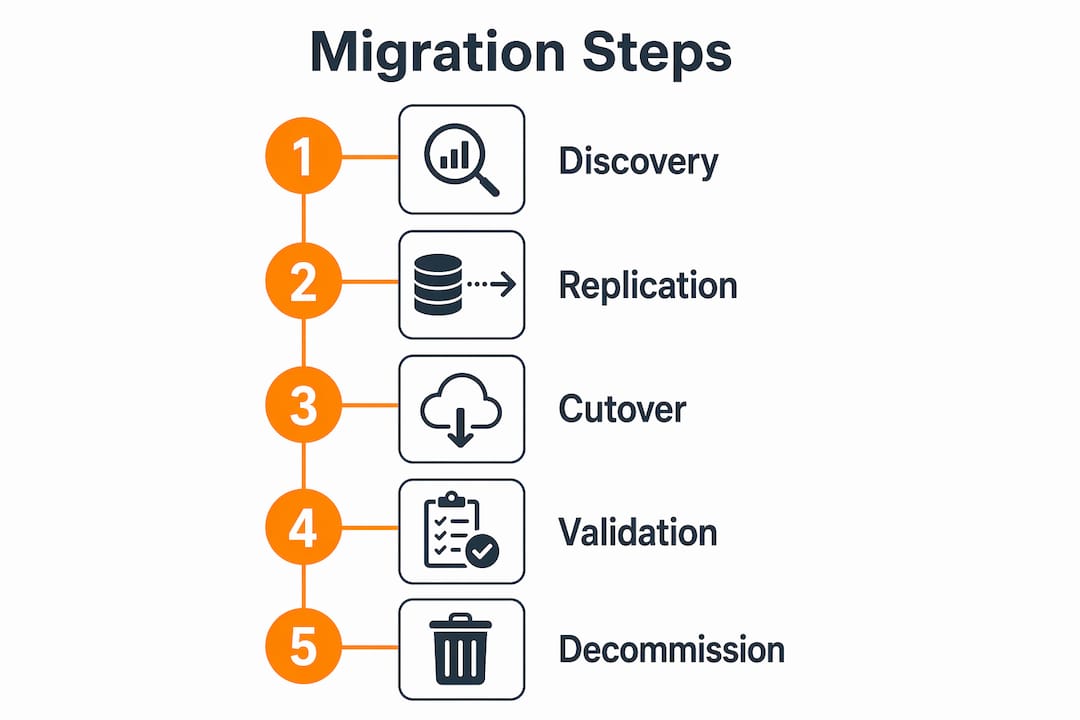
Canary deployments send a small percentage of live traffic to the AWS environment first, typically 1–5%, then increase the share gradually as confidence builds. Amazon Route 53 weighted routing makes this precise. You set a weight of 5 for the AWS target and 95 for the legacy system, then shift the ratio over hours or days. This approach catches configuration errors under real traffic before you commit to a full cutover.
AWS Application Migration Service (AWS MGN)
AWS MGN performs continuous block-level replication with non-disruptive cutover tests, reducing the final cutover window to minutes rather than hours. You can run cutover tests repeatedly without touching production, which removes most of the risk from the final go-live event.
- AWS DMS CDC: keeps databases in sync during live operation
- Blue-green: parallel environments with instant rollback capability
- Canary via Route 53: gradual traffic shifting under real load
- AWS MGN: block-level replication with sub-minute cutover windows
Pro Tip: Set your Route 53 weighted routing to shift traffic in 10% increments with a 15-minute observation window between each step. This gives your monitoring stack enough time to surface latency spikes or error rate changes before you increase the load.
How do you plan your environment to avoid downtime risks?
Planning is where most migrations succeed or fail. The execution phase only goes smoothly when the discovery phase is thorough.
-
Map every dependency. Undocumented dependencies like cron jobs and hardcoded IP addresses are the top cause of migration failures and post-migration downtime. Run network flow analysis tools against your environment for at least two weeks to capture all communication patterns, including batch jobs that only run on weekends or month-end.
-
Reduce DNS TTL early. DNS TTL must drop to 60 seconds or less at least 48 hours before cutover. This accelerates propagation and enables rapid rollback if the AWS environment shows problems. Skipping this step means your rollback could take hours instead of minutes.
-
Define migration waves. Group workloads by dependency clusters and risk level. Migrate stateless services first, then stateful ones, then databases last. A well-structured migration checklist prevents teams from cutting over interdependent systems out of sequence.
-
Use Infrastructure as Code. AWS CloudFormation or Terraform templates make your AWS environment repeatable and auditable. If a wave fails, you tear down and redeploy from code in minutes rather than rebuilding manually.
-
Run a pilot wave. Migrate one low-risk, non-customer-facing workload first. This validates your tooling, your runbook, and your team’s coordination before you touch anything revenue-critical.
Pro Tip: During discovery, interview application owners directly. Automated tools miss business-logic dependencies like scheduled reports that email data to external partners. Those hidden integrations will break silently and surface as customer complaints days after cutover.
What challenges affect achieving true zero downtime?
Zero downtime is the goal, but several factors create friction between the plan and reality. Understanding them in advance lets you design around them.
| Challenge | Root cause | Mitigation |
|---|---|---|
| Undocumented dependencies | Cron jobs, hardcoded IPs, legacy integrations | Two-week network flow capture before migration |
| DNS propagation delays | High TTL values on legacy records | Reduce TTL to 60 seconds 48 hours before cutover |
| Database write window | Brief period when writes must pause for final sync | Schedule at 3:00 AM; target a 2–10 minute window |
| Replication lag spikes | Network saturation or large transactions | Monitor DMS replication lag; throttle batch jobs during migration |
| Rollback complexity | Bidirectional sync not configured | Keep source environment live for 30–60 days post cutover |
The database write window deserves special attention. Even with CDC replication, standard cutover techniques require a brief write downtime window of 2–10 minutes, typically scheduled at 3:00 AM. That window exists because you must stop writes to the source, let the final transactions replicate, and then point the application at the new database. For most businesses, 2–10 minutes at 3:00 AM is acceptable. For 24/7 financial platforms, even that requires a formal change window and customer notification.
DNS propagation is the other common surprise. Even after you reduce TTL, some resolvers cache aggressively. Skipping network flow analysis leads to hours of debugging post-migration. Proactive TTL reduction is the only reliable fix, and it must happen 48 hours in advance, not the night before.
How do enterprises execute zero downtime database migrations on AWS?
Database migration is the highest-risk phase of any AWS move. The application tier is stateless and easy to replace. The database holds the truth, and getting it wrong means data loss or corruption.
The most reliable approach is a staged cutover. A staged cutover starts with a read-only reroute to validate traffic before committing to write cutover. This means you point read queries at the AWS database first, while writes still go to the source. You observe query performance, error rates, and replication lag under real load. Only after that validation passes do you flip writes.
- Phase 1: Enable CDC replication with AWS DMS. Let it run until lag is under one second.
- Phase 2: Reroute read traffic to the AWS database. Monitor for 30–60 minutes.
- Phase 3: Stop writes to the source database. Allow final CDC sync to complete.
- Phase 4: Update the application connection string to point writes at AWS.
- Phase 5: Validate data integrity with row counts and checksum queries.
- Phase 6: Keep the source database in read-only mode for 30–60 days as a fallback.
AWS DMS supports both full-load and CDC modes. For large databases, run the full-load first during a low-traffic window, then switch to CDC for ongoing sync. This reduces the initial replication time without creating a long write freeze. Teams that need additional hands for execution can hire a cloud migration specialist to own the database cutover phase specifically, which reduces coordination risk on complex schemas.
Scheduling matters as much as technique. Align your cutover window with your lowest traffic period. For most e-commerce businesses, that is between 2:00 AM and 5:00 AM on a Tuesday or Wednesday. Avoid Fridays, month-end dates, and any period within two weeks of a major product release.
Key Takeaways
A zero downtime AWS migration succeeds when continuous replication, staged cutover, and DNS preparation are executed together as a single coordinated plan, not as separate tasks.
| Point | Details |
|---|---|
| Start with discovery | Map all dependencies, including cron jobs and hardcoded IPs, before writing a single migration script. |
| Reduce DNS TTL early | Drop TTL to 60 seconds at least 48 hours before cutover to enable fast traffic switching and rollback. |
| Use staged database cutover | Reroute reads first, validate under real traffic, then flip writes to minimize the risk of data loss. |
| Plan for a brief write window | Even with CDC, expect a 2–10 minute write pause; schedule it at 3:00 AM during your lowest traffic period. |
| Keep source live post-cutover | Maintain the source environment for 30–60 days after go-live to support rollback if issues surface. |
What I’ve learned from migrations that almost went wrong
Most teams treat the discovery phase as a checkbox. They run a scan, get a dependency report, and move on. That is the single most expensive mistake I see in AWS migrations.
The dependencies that kill migrations are not the ones your tools find. They are the ones nobody documented because they “just work.” A nightly job that pulls data from a legacy FTP server. A monitoring agent that phones home to an on-premises SNMP collector. A third-party payment gateway that whitelists your current IP range. None of these show up in a standard network scan, and all of them will break silently at 3:00 AM when you are mid-cutover.
Blue-green deployments get oversold as a universal solution. They are excellent for stateless application tiers. For databases, they create a false sense of security unless you also configure bidirectional replication, which most teams skip because it is complex. The real safety net for databases is keeping the source live for 30–60 days post-cutover, not the deployment pattern itself.
The teams that execute AWS migration best practices well share one trait: they treat the runbook as a living document that gets rehearsed, not just written. They run full dry-run cutovers in a staging environment at least twice before touching production. That rehearsal surfaces the edge cases that no checklist anticipates.
The cost of a blue-green setup is real. Running two production environments doubles your infrastructure spend for the duration of the migration. For a two-week migration window, that cost is almost always worth it. For a six-month phased migration, you need to be more selective about which workloads get the full blue-green treatment and which ones use canary routing instead.
— Oleksandr
IT-Magic’s approach to risk-free AWS transitions
Executing a migration without downtime requires more than the right tools. It requires a team that has done it before, under pressure, with real production systems on the line.

IT-Magic is an AWS Advanced Tier Partner with 700+ completed migrations, specializing in high-load environments in e-commerce and fintech where downtime means direct revenue loss. The team takes full ownership of the migration lifecycle, from infrastructure audit through post-migration optimization, so your internal team is not pulled away from core work. Whether you need a full AWS migration service or support for a specific phase like database cutover, IT-Magic brings the execution depth to get it done without surprises. You can also review real migration case studies to see the measurable outcomes delivered across comparable environments.
FAQ
What is zero downtime AWS migration?
Zero downtime AWS migration is the process of moving workloads to AWS without interrupting user access or business operations. It relies on continuous data replication, blue-green or canary deployments, and DNS traffic shifting to keep services live throughout the transition.
How long does the database cutover window actually take?
Standard database cutover using AWS DMS typically requires a write downtime window of 2–10 minutes, scheduled during low-traffic hours such as 3:00 AM. Staged cutover with read-only reroute first reduces the risk during that window.
When should I reduce DNS TTL before migration?
Reduce DNS TTL to 60 seconds or less at least 48 hours before your planned cutover. This ensures fast propagation and enables rapid rollback if the AWS environment shows problems after traffic shifts.
What is the biggest risk in a zero downtime migration?
Undocumented dependencies are the top cause of migration failures. Cron jobs, hardcoded IP addresses, and legacy integrations that automated tools miss will break silently after cutover if not identified during the discovery phase.
How long should I keep the source environment running after cutover?
Keep the source environment live for 30–60 days post-cutover to support rollback and validate application stability before decommissioning the legacy infrastructure.