
Rehosting moves your application to the cloud unchanged. Replatforming makes targeted adjustments during the move. Refactoring redesigns the application from the ground up for cloud-native architecture. Those three sentences capture the core difference, but the real decision lives in the tradeoffs: cost, timeline, technical debt, and what your application needs to do two years from now.
Here is a quick orientation before going deeper:
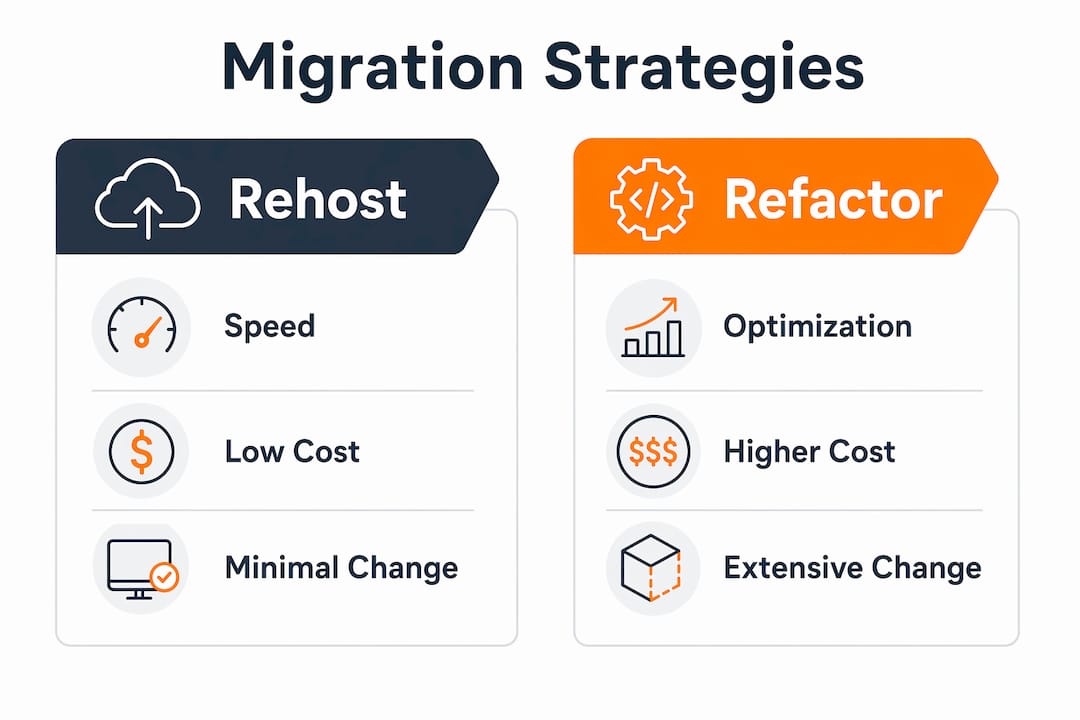
- Rehost (lift and shift): No code changes. Fastest and least costly migration method, usually completed in weeks. Limited cloud-native benefit; technical debt carries over intact.
- Replatform (lift, tinker, and shift): Targeted code or configuration changes. Takes 1–3 months, moderate cost, meaningful gains in performance and operational efficiency without a full redesign.
- Refactor (re-architect): Deep redesign using microservices, serverless, or event-driven patterns. Takes 6–18 months, highest cost, maximum long-term scalability and ROI.
AWS, Azure, and IBM all recognize these three as the primary strategies within the broader 7 Rs framework. Choosing correctly depends on application criticality, budget, timeline, and how much technical debt you can afford to carry forward.
What are the 7 Rs of cloud migration, and where do rehost, replatform, and refactor fit?
Cloud migration is the process of moving applications, data, and infrastructure from on-premises environments to a cloud platform. The business drivers vary: reducing capital expenditure, improving reliability, gaining elasticity, or exiting an aging data center. The 7 Rs framework, recognized by AWS, Azure, and IBM, gives migration planners a structured vocabulary for categorizing every workload.
The seven strategies are: Rehost, Replatform, Refactor, Relocate, Repurchase, Retire, and Retain. Rehost, Replatform, and Refactor are the three that involve actively running the application in the cloud post-migration, which is why they dominate most planning conversations. The other four handle edge cases: retiring obsolete workloads, retaining systems that cannot move yet, repurchasing via SaaS, or relocating between cloud environments. Understanding the full 7 Rs picture helps you avoid forcing every workload into the same bucket.
Application priorities and cloud maturity drive strategy selection more than any single factor. A team new to AWS will make different choices than one running production Kubernetes clusters.
Rehosting explained: when speed matters more than optimization
Rehosting means moving your application to the cloud exactly as it exists today. Same operating system, same runtime, same dependencies. The infrastructure changes; the application does not. AWS describes this as a like-for-like migration, moving virtual machines to IaaS without compatibility concerns or long cutover windows.
Pros of rehosting:
- Fastest path to cloud, often completed in weeks for smaller workloads
- Lowest upfront cost, no development effort required
- Minimal disruption to users and operations during migration
- Practical for urgent data center exits or compliance deadlines
- Applications continue serving users while workloads migrate, reducing downtime risk
Cons of rehosting:
- Technical debt carries forward completely; no architectural improvements
- Limited cloud-native benefit; vertical scaling constraints remain
- Applications over-provisioned on-premises often stay over-provisioned in the cloud, increasing long-term costs
- Not suitable for workloads with existing performance or reliability problems
Rehosting fits stable, lower-criticality applications where the business needs to exit infrastructure fast. It also works as a first step for large migrations: get workloads off-premises, then modernize incrementally. AWS guidance explicitly notes that rehosting is not recommended for problematic workloads, since migrating without fixing underlying issues just relocates the problem. If modernization is likely within two years, consider whether rehosting creates duplicate effort down the road.
Pro Tip: Before committing to rehost, confirm the workload will remain in its current state for at least two years. If it won’t, the time saved upfront often gets spent twice.

Replatforming explained: targeted changes, real cloud gains
Replatforming introduces selective optimizations during migration without redesigning the application’s core logic. Typical changes include migrating a self-managed database to Amazon RDS or Azure SQL Database, containerizing the application with Docker, replacing physical load balancers with cloud-native equivalents, or enabling auto-scaling. The architecture stays largely intact; the operational model improves.
Pros of replatforming:
- Moderate cost and timeline (1–3 months) compared to full refactoring
- Reduces operational overhead by shifting to managed services
- Improves reliability, availability, and scalability without a ground-up rebuild
- Helps organizations adopt cloud-native practices gradually
- Keeps legacy applications running without compromising security or compliance
Cons of replatforming:
- Scope creep is a real risk; small optimizations can expand into larger changes without clear boundaries
- Existing structural limitations in the architecture remain
- Requires planning and discipline to avoid timeline overruns
- Basic automation is needed; purely manual cloud management limits the gains
Replatforming suits applications that work adequately under normal load but struggle during traffic spikes, or teams spending too much budget on on-premises hardware and licensing. Moving from a self-managed database to a managed cloud service, for example, can cut maintenance effort while improving reliability. The replatforming benefits are real, but they require clear scope definition upfront. Without it, the “moderate” timeline can drift toward the refactoring range without delivering refactoring-level results.
Refactoring explained: maximum cloud value, maximum investment
Refactoring, also called re-architecting, means fundamentally redesigning the application to run as a cloud-native system. This involves decomposing monolithic codebases into microservices, implementing serverless compute, adopting event-driven architectures, and building around managed cloud services. The external behavior of the application stays the same; the internal structure changes completely.
Pros of refactoring:
- Maximum scalability: applications can scale horizontally and elastically in real time
- Highest long-term ROI, with cost savings accruing as pay-per-use replaces fixed infrastructure
- Eliminates technical debt significantly, reducing future maintenance costs
- Enables faster feature releases and supports modern capabilities like AI integration and real-time processing
- Cloud-native patterns like microservices and serverless improve resilience and fault tolerance
Cons of refactoring:
- Highest upfront cost and longest timeline: 6–18 months for most projects
- Requires mature DevOps culture, advanced cloud-native skills, and coordinated organizational processes
- Cultural and technical shifts that go unplanned commonly cause timeline overruns
- Modifying stable code carries risk of breaking existing functionality without thorough regression testing
- Demands senior engineering talent and architectural planning, which increases hiring and project costs
Refactoring is the right call when an application directly drives revenue or competitive advantage, when technical debt causes frequent failures, or when the current architecture cannot support projected growth. Azure’s guidance frames refactoring as a high-impact, high-effort activity suited to organizations with greater cloud-native maturity. For large migrations, AWS recommends refactoring after migration rather than during it, to avoid compounding complexity across many workloads simultaneously. Detailed guidance on refactoring for cloud workloads covers the architectural patterns in depth.
How to choose between rehost, replatform, and refactor
No single strategy fits every workload. Most organizations end up using all three across their application portfolio, which is not an exception but the norm. A business might rehost a legacy internal tool, replatform its database tier, and refactor its customer-facing e-commerce platform. The portfolio-wide approach assigns strategies by workload criticality and complexity, optimizing both resource use and outcomes.
| Factor | Rehost | Replatform | Refactor |
|---|---|---|---|
| Complexity | Low | Moderate | High |
| Cost | Low | Moderate | High |
| Time to implement | Weeks | 1–3 months | 6–18 months |
| Degree of change | None | Targeted | Major redesign |
| Long-term benefits | Limited | Moderate | Maximum |
Key questions to work through before choosing:
- Why are you migrating? Cost savings, scalability, and agility each point toward different strategies.
- What is your timeline? A hard deadline narrows options quickly; rehosting may be the only viable path.
- What is the state of the application? Stable, low-debt apps are rehost candidates. High-debt, high-growth apps need refactoring.
- What does this cost over three years, not just today? Rehosting may look cheap upfront but carries forward inefficiencies that raise long-term cloud spend.
- Does your team have DevOps maturity? Refactoring without it commonly causes delays.
Combining strategies across a migration portfolio is standard practice. Rehost stable workloads to move fast, replatform those needing moderate improvement, and refactor only the applications where the long-term investment is justified. Cloud security considerations also factor in; cloud services with a security focus are worth evaluating when compliance requirements shape your strategy.
Pro Tip: Map every application to a business driver before assigning a strategy. “We need to exit the data center” and “we need to support 10x traffic growth” lead to very different answers, even for the same application.
Post-migration optimization: what happens after you move
Migration is not the finish line. For rehosted workloads especially, the cloud environment is a starting point for modernization, not the destination. Cloud architects recommend stabilizing workloads via rehost or replatform first, then modernizing incrementally post-migration to reduce risk and complexity.
Practical post-migration steps vary by strategy. Rehosted workloads need manual right-sizing to avoid paying for over-provisioned resources. Replatformed workloads benefit from tuning managed services and enabling auto-scaling policies. Refactored workloads require ongoing DevOps practices, monitoring instrumentation, and cost governance using spot instances and serverless compute to minimize waste.
Incremental refactoring after an initial rehost is one of the most effective patterns for large migrations. Teams get workloads off-premises quickly, then systematically address technical debt without the risk of a big-bang redesign. Azure’s Cloud Adoption Framework targets a 40% improvement in application response time and 95% observability coverage as success metrics for refactored workloads, which gives teams concrete goals to work toward post-migration. Adopting DevOps practices, using managed cloud services, and building organizational readiness are the three pillars that determine whether post-migration optimization actually delivers on its promise. AWS migration best practices cover the full lifecycle from initial move through ongoing optimization.
Key Takeaways
Rehosting, replatforming, and refactoring differ primarily in scope of change, cost, and timeline, and most organizations benefit from applying all three across their workload portfolio.
| Point | Details |
|---|---|
| Rehosting is fastest | Completed in weeks with no code changes, but technical debt and scaling limits carry forward. |
| Replatforming balances speed and value | Takes 1–3 months with targeted changes, reducing operational overhead without a full redesign. |
| Refactoring delivers maximum ROI | Takes 6–18 months and costs the most, but yields elastic scaling and long-term cloud-native benefits. |
| Portfolio approach wins | Assigning strategies by workload criticality optimizes resource use and migration outcomes. |
| Post-migration modernization matters | Rehosted workloads need right-sizing; refactoring often works best after initial stabilization. |
FAQ
What are the 7 Rs of cloud migration?
The 7 Rs are Rehost, Replatform, Refactor, Relocate, Repurchase, Retire, and Retain. AWS, Azure, and IBM all recognize this framework as the standard vocabulary for categorizing workloads during migration planning.
What is the difference between refactoring and replatforming?
Replatforming makes targeted optimizations during migration, such as switching to managed services, while keeping the core architecture intact. Refactoring redesigns the application’s internal structure using cloud-native patterns like microservices or serverless, requiring significantly more time, cost, and engineering expertise.
Which is better: rehost or refactor?
Neither is universally better. Rehosting is faster and cheaper upfront but preserves technical debt and limits scalability, and is usually completed in weeks. Refactoring delivers maximum long-term value but takes 6–18 months and demands mature DevOps capabilities. The right choice depends on the application’s business criticality, growth trajectory, and your team’s cloud readiness.
What are the 5 Rs of cloud rationalization?
An earlier framework typically includes Rehost, Replatform, Refactor, Repurchase, and Retire. The 7 Rs model used by AWS and Azure expands this by adding Relocate and Retain to cover a broader range of migration scenarios.
Can you use more than one strategy in a single migration?
Yes, and most organizations do. A common pattern is to rehost stable, lower-priority workloads to exit infrastructure quickly, replatform applications that need moderate improvement, and refactor only the business-critical systems where the long-term investment is justified.